

AI floor plan generators are useful because they compress the slowest part of early layout thinking: getting from a rough idea to a visual arrangement you can react to. That is valuable for designers, real estate workflows, and anyone exploring concepts before detailed drafting begins.
The best tools are not necessarily the ones with the flashiest output. They are the ones that help you test layout logic quickly without pretending a concept sketch is already a finished architectural plan.
TL;DR: The strongest floor plan tools help you explore layout options fast, but they work best as concept accelerators rather than as final technical drafting systems.
What to evaluate first
A useful floor plan generator should support decision-making, not just pretty diagrams.
- The layout should feel usable and spatially coherent.
- The tool should make it easy to try alternate arrangements quickly.
- The output should be easy to hand off into a more precise design workflow when needed.
Tools worth comparing
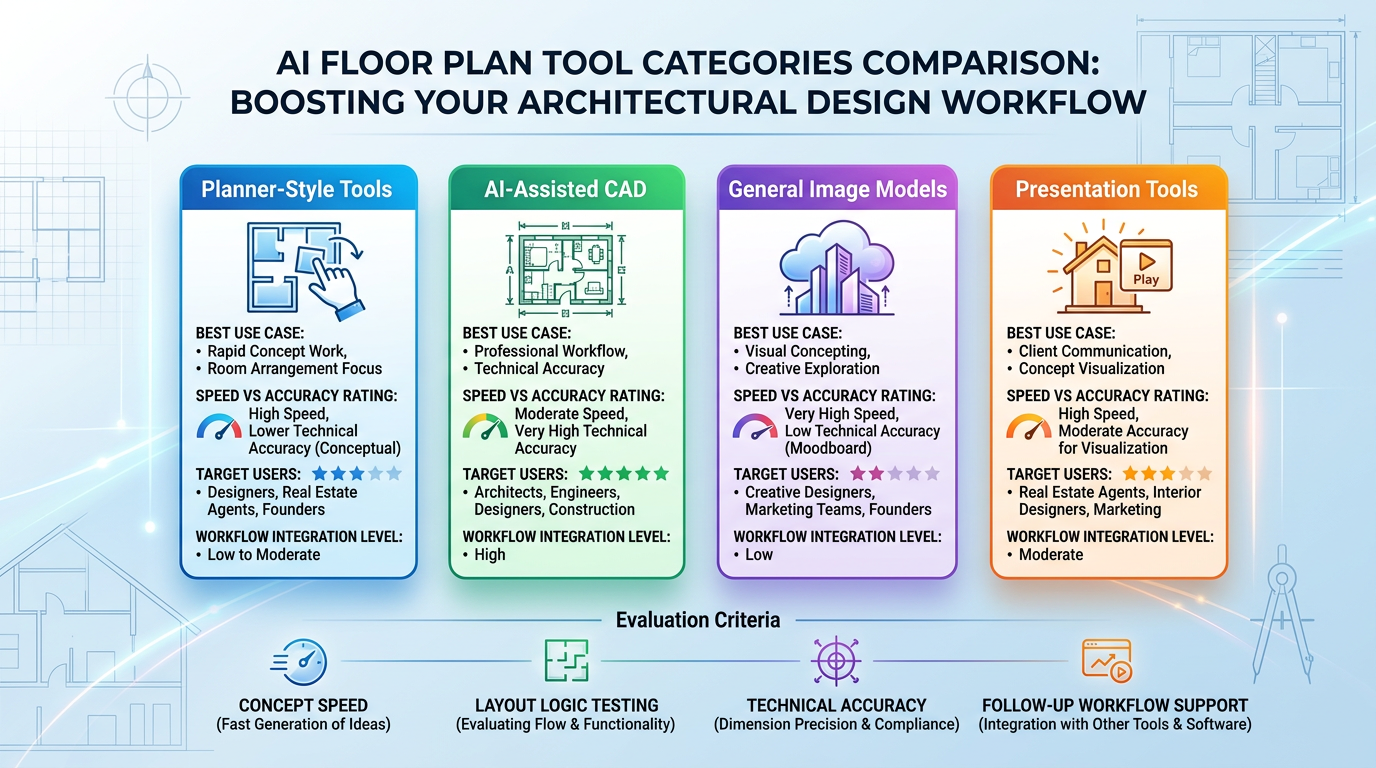
The current shortlist usually mixes architectural and general-purpose AI workflows.
- Planner-style room and layout tools are useful for fast concept work.
- AI-assisted CAD or design software makes more sense for professionals who need a serious follow-up workflow.
- General-purpose image models can help with visual concepting, though not with technical accuracy.
- Canva and presentation tools are useful once the concept needs to be communicated clearly to others.
Who benefits most
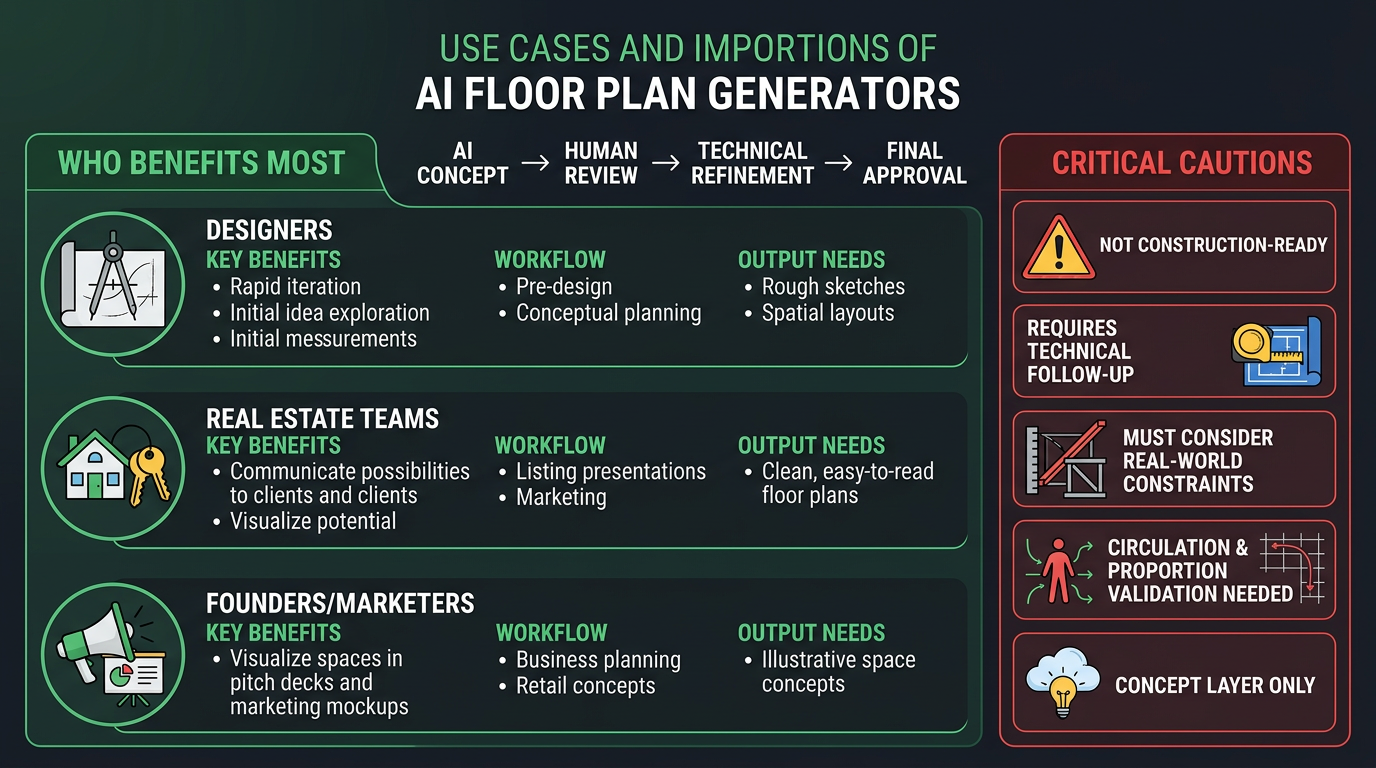
The strongest use cases are early-stage and communication-heavy.
- Designers exploring options before detailed drafting.
- Real estate and renovation teams communicating rough possibilities.
- Founders and marketers visualizing spaces for decks, mockups, or concept materials.
Common mistakes
The biggest mistake is confusing concept output with technical approval.
- Treating AI floor plans as construction-ready plans.
- Ignoring circulation, proportions, or real-world constraints.
- Choosing a tool based on visuals alone instead of workflow handoff quality.
How we evaluate tools in this category
This guide is attributed to David Thompson, AI Tool Reviewer & Product Curator at Generator AI Tools. Our review standard is simple: we look at workflow fit, output quality, ease of use, pricing clarity, and how much cleanup is needed before a result is genuinely usable.
- We compare beginner fit and team fit separately, because the easiest tool is not always the best long-term choice.
- We look at how much manual editing or troubleshooting is still needed after the tool does its job.
- We treat official pricing pages, product demos, and onboarding experience as part of the evaluation, not just the headline feature list.
What to verify before you choose
- Check the official pricing page for current limits, credits, and export rules.
- Look at current examples or demos to see whether the output style still matches your use case.
- Confirm whether commercial usage, licensing, or content rights fit the way you plan to publish.
Referenced product pages
The products mentioned above are linked to their Generator AI Tools profiles so readers can compare positioning, category fit, and current availability without leaving the research flow too early.
Bottom line
AI floor plan generators are at their best when they help you think faster and communicate layout ideas earlier. Use them as a concept layer, then move into a more precise tool when the work becomes technical.



