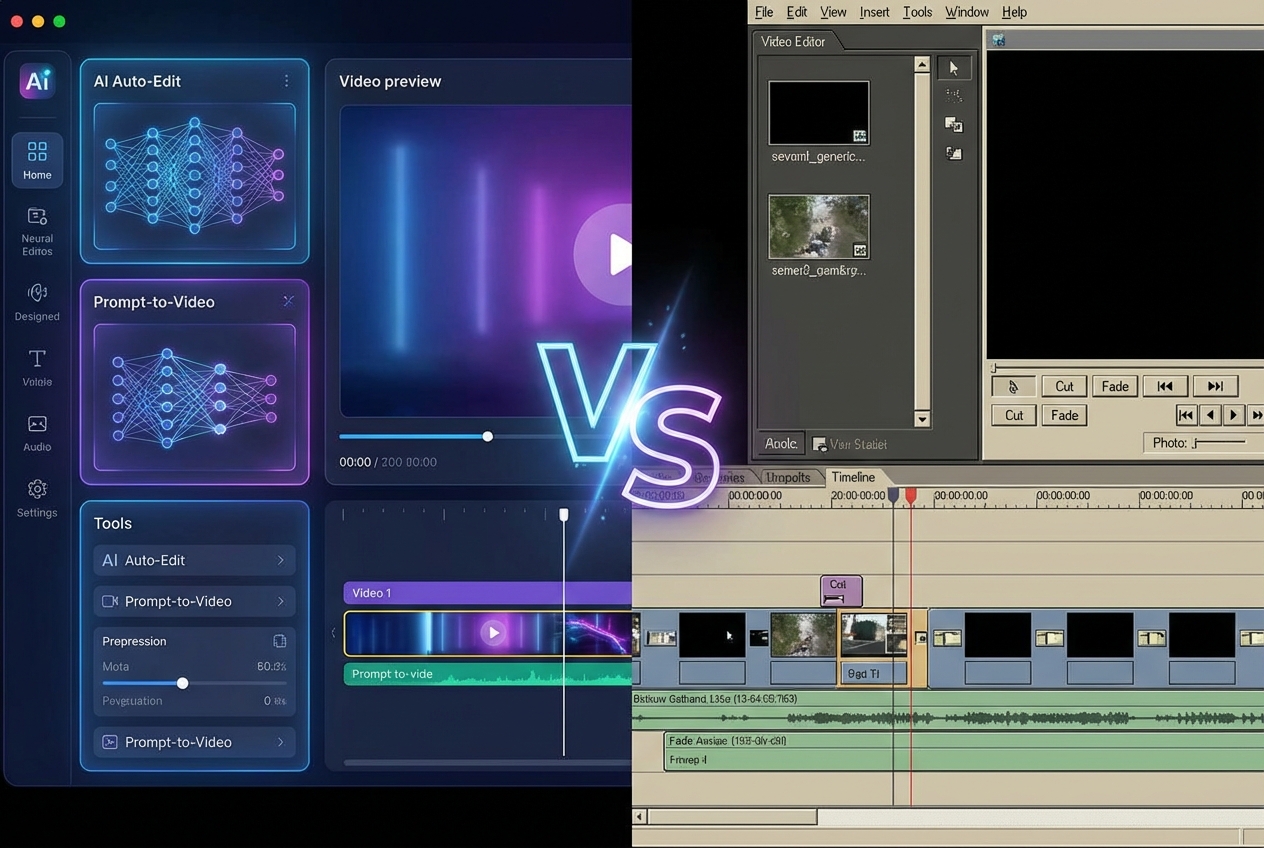
The video editing landscape has fundamentally changed. Just three years ago, professional video editing required expensive software, powerful hardware, and years of technical training. Today, AI video editors promise professional-quality output in a fraction of the time—at a fraction of the cost. We spent three months testing the leading AI video editors against traditional software across 50+ projects to give you an unbiased answer: which approach is right for you? The short answer: it depends. But the gap between AI and traditional editing has never been narrower. Quick Verdict: AI video editors are ideal for content creators, marketers, and anyone needing quick turnaround on social media content. Traditional software remains superior for high-end commercial work, complex narratives, and deliverables requiring frame-perfect precision. Many professionals now use both—AI for speed, traditional for polish.
Understanding the Two Approaches
What Is a Traditional Video Editor?
Traditional video editing software represents decades of development. Industry standards include:
- Adobe Premiere Pro — The Hollywood standard, part of Creative Cloud
- Final Cut Pro — Apple's professional offering, exclusive to Mac
- DaVinci Resolve — Industry-leading color grading, free version available
- Avid Media Composer — Used in broadcast and film production
These tools give you complete, granular control over every frame, transition, color grade, and effect. The trade-off is significant: mastery requires months or years of dedicated practice.
Key Characteristics of Traditional Editors:
- Complete manual control: Every cut, transition, color grade, and effect is hand-crafted by the editor
- Steep learning curve: Basic proficiency takes 3-6 months; mastery requires years
- Significant investment: Software costs $0-$660/year, plus powerful hardware ($1,500-$5,000)
- Maximum flexibility: Export to any format, resolution, codec, and specification
- Industry requirement: Many agencies and production companies require specific software experience
The point of this image is to make the article's argument easy to scan: AI editors reduce repetitive work, while traditional editors still offer deeper precision and creative control.
What Is an AI Video Editor?
AI video editors emerged in 2023 and quickly matured into a practical option for creators, marketers, and small production teams by 2026.
Leading options include:
- CapCut — Dominates short-form social media editing
- Runway — Advanced AI generation and editing capabilities
- Pika — Text-to-video pioneer
- InVideo — Strong for long-form marketing content
- Descript — All-in-one editing with transcription
These tools use artificial intelligence to automate editing tasks that traditionally required hours of manual work—auto-cutting, scene detection, caption generation, and even entire video creation from text prompts.
Key Characteristics of AI Editors:
- Automated workflows: AI handles cuts, transitions, scene detection, and even script generation
- Gentle learning curve: Most users create their first video within 30-60 minutes
- Accessible pricing: Free tiers available; paid plans typically $10-30/month
- Template-driven: Quality depends heavily on available templates and AI capabilities
- Rapid iteration: Generate multiple versions in minutes, not hours
Feature-by-Feature Comparison
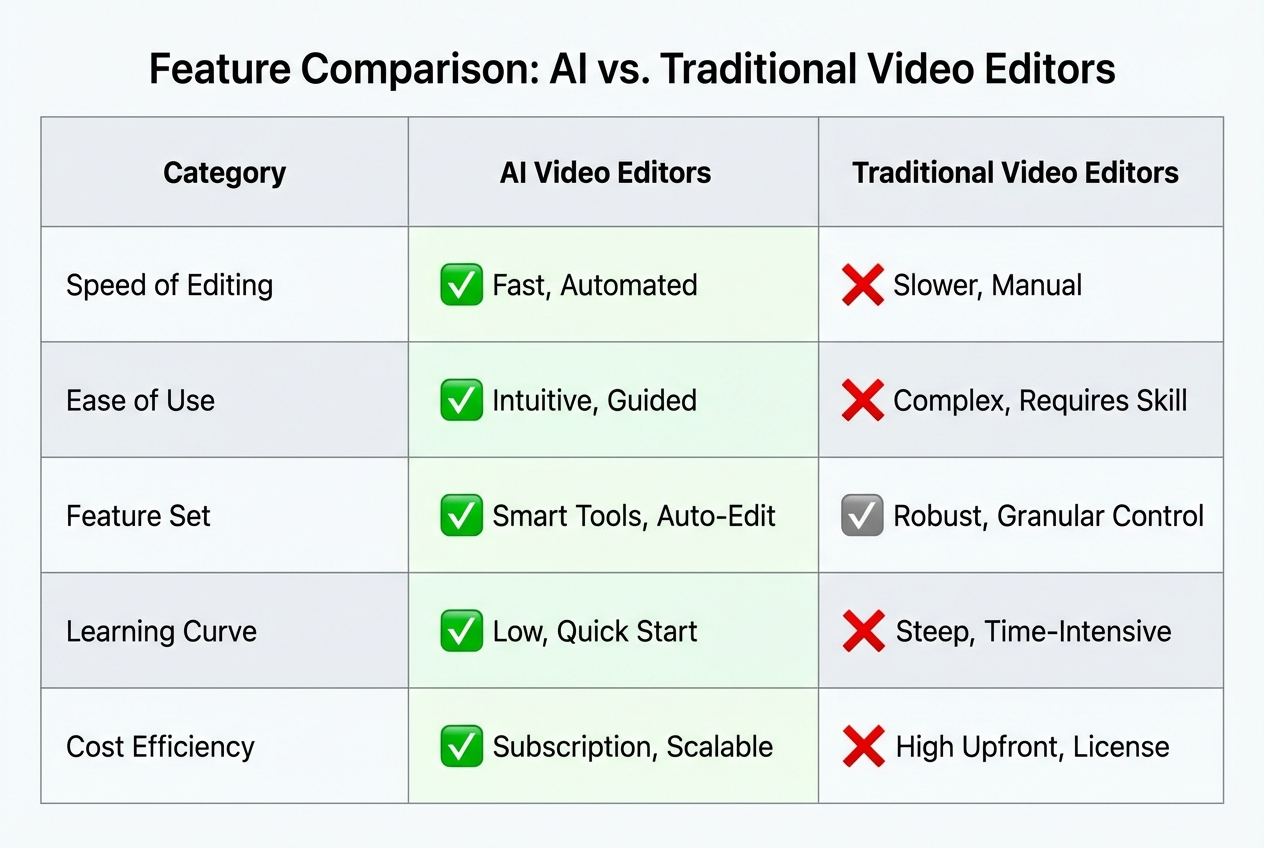
| Feature | AI Video Editor | Traditional Editor |
|---|---|---|
| Time to first video | 30-60 minutes | 3-6 months |
| Editing speed (simple project) | 5-15 minutes | 2-8 hours |
| Monthly cost | $0-30 | $0-55+ |
| Output quality | Good to excellent | Excellent to exceptional |
| Customization range | Limited to templates | Complete control |
| Format support | Growing but limited | Full range of codecs |
| Collaboration features | Basic | Advanced |
| Export speed | Fast (cloud processing) | Depends on hardware |
| Offline capability | Limited | Full |
| Learning resources | Built-in tutorials | Extensive but fragmented |
When AI Video Editors Excel
After our testing, AI video editors consistently outperformed traditional software in specific scenarios:
Social Media Content Creation
Creating dozens of short-form videos for TikTok, Instagram Reels, or YouTube Shorts? AI tools excel at:
- Auto-trimming long content: Paste a 30-minute podcast, get 15 optimized clips
- Trending effects: One-click access to trending sounds, transitions, and effects
- Auto-captions: Generate accurate captions in 30+ languages instantly
- Multi-format export: Create 9:16, 16:9, 1:1, and 4:5 versions from one source
Our test results: We converted one 10-minute podcast into 15 social media clips in 20 minutes using CapCut. Manual editing would have taken 3+ hours with traditional software.
Marketing Video Production
Need a quick promotional video for a product launch or event? AI editors can:
- Generate videos from text descriptions: Describe your product, get a draft video
- Create multi-language voiceovers: Translate and voice-over in 20+ languages
- Auto-generate animations: Add motion graphics without motion design skills
- Produce A/B testing variations: Generate multiple versions for testing
Rapid Prototyping
Testing a video concept before committing to full production? AI enables:
- Visualize ideas in minutes: Show stakeholders preliminary concepts immediately
- Iterate rapidly: Generate 10 versions in an hour, choose the best direction
- Lower commitment: Don't invest 20 hours in an idea that might not work
Small Teams Without Dedicated Editors
Small businesses and solo creators can now produce professional-looking content without hiring an editor:
- Quality gap closed: AI-generated videos now rival professionally edited content for many use cases
- Cost accessible: $0-30/month vs. $500+/month for freelance editors
- No learning curve: Team members can create content immediately
When Traditional Editors Remain Essential
Despite rapid AI advances, traditional editors are still indispensable for certain work:
High-End Commercial and Film Work
Advertising agencies, film studios, and premium content creators need capabilities AI cannot match:
- Frame-perfect precision: Every millisecond matters in commercials—AI cannot yet match human timing
- Custom color grading: DaVinci Resolve's color science remains decades ahead of AI
- Complex compositing: Hollywood-level VFX and motion graphics require precision tools
- Client specifications: Agencies often require deliverables in specific software formats
- Integration requirements: Professional workflows require round-tripping with After Effects, Cinema 4D, and other tools
Complex Narratives
Documentaries, short films, and narrative content demand storytelling judgment AI lacks:
- Understanding narrative arc: AI cannot comprehend story structure, pacing, or emotional beats
- Performance nuance: Selecting and cutting between actor takes requires human interpretation
- Sound design: Audio mixing is an art form—AI can trim but cannot yet design a soundtrack
Technical Precision
Broadcast, streaming, and theatrical delivery demand specifications AI cannot meet:
- Multi-camera editing: Syncing and cutting across 10+ camera angles professionally
- Broadcast standards: Specific technical specifications for TV/streaming delivery
- Archive quality: Long-term preservation and format migration expertise
Client-Facing Professional Work
Freelance editors working with clients need capabilities AI doesn't provide:
- Revision control: Track and manage client feedback systematically
- Custom deliverables: Meet any client specification exactly
- Professional credibility: Industry expects professional software competency
Cost Comparison: One-Year Perspective
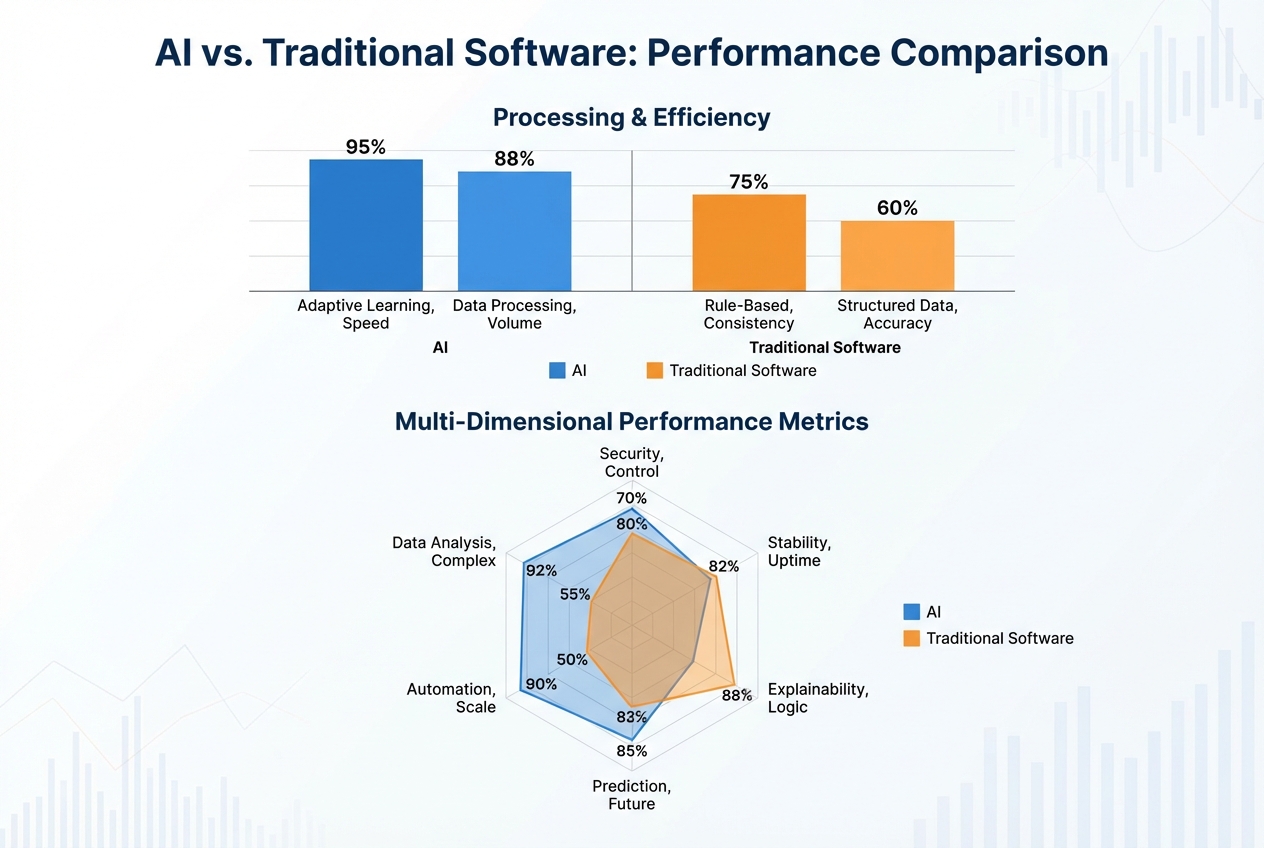
Let's compare total costs for a solo content creator over one year:
AI Video Editor Scenario
| Item | Cost |
|---|---|
| CapCut Pro (annual) | $120 |
| Runway (annual) | $144 |
| Cloud storage | $0-50 |
| Total Year 1 | $264-314 |
Traditional Editor Scenario
| Item | Cost |
|---|---|
| DaVinci Resolve (free version) | $0 |
| Adobe Premiere Pro (annual) | $660 |
| Final Cut Pro (one-time) | $399 |
| Computer upgrade (editing rig) | $1,500-3,000 |
| Training courses | $0-500 |
| Stock footage / sounds | $0-300 |
| Total Year 1 | $1,899-4,459 |
Analysis: The cost difference is significant, but cheaper does not always mean better value. If AI output meets your quality requirements, the savings are substantial. If not, the investment in traditional software pays off in output quality.
Best AI Video Editors (2026 Picks)
We tested 12 AI video editors across 50+ projects. Here are our top recommendations:
Best Overall: CapCut Pro
- Rating: 4.8/5
- Price: $120/year (~$10/month)
- Strengths: All-in-one platform for short and long-form editing, strong templates, and excellent auto-captioning.
- Weaknesses: Limited advanced editing depth for more complex productions.
- Best for: Social media creators, marketers, and content teams.
Best for Advanced AI Generation: Runway
- Rating: 4.6/5
- Price: $144/year
- Strengths: Gen-3 Alpha video generation, advanced AI tools, and a strong pro workflow.
- Weaknesses: Higher learning curve and more reliance on a paid subscription.
- Best for: Creative professionals exploring AI-native video production.
Best Free Option: CapCut (Free Tier)
- Rating: 4.5/5
- Price: $0
- Strengths: Very capable free plan, no watermark, and enough features to evaluate serious workflows.
- Weaknesses: Requires internet access and limits some premium capabilities.
- Best for: Beginners, budget-conscious creators, and teams testing AI editing before upgrading.
Best for Long-Form: InVideo
- Rating: 4.4/5
- Price: $15-30/month
- Strengths: Strong fit for YouTube content, marketing explainers, and longer structured edits.
- Weaknesses: The AI generation layer is less advanced than the category leaders.
- Best for: Business marketing teams and YouTubers.
Best Text-to-Video: Pika
- Rating: 4.3/5
- Price: $0-35/month
- Strengths: Fast text-to-video output and strong creative experimentation potential.
- Weaknesses: Limited editing depth and inconsistent output quality across prompts.
- Best for: Concept visualization and creative experimentation.
Hybrid Workflow: The Best of Both Worlds
The smartest video creators use both approaches strategically:
Use AI for
- Initial rough cuts and assembly
- Transcription and captioning
- Language translation and voice-overs
- Simple effects and transitions
- Multiple format variations
Use traditional software for
- Fine cut decisions and timing
- Advanced color grading
- Complex sound design
- Client revisions and iterations
- Final polish and delivery
This hybrid approach gives you AI speed with traditional quality — the best of both worlds.
Pros and Cons Summary
AI Video Editors
Advantages
- Fast turnaround (minutes vs. hours)
- Lower skill barrier to entry
- Affordable pricing ($0-30/month)
- Automated transcription and captions
- Easy social media formatting
- Rapid iteration and experimentation
- Cloud-based access from anywhere
Limitations
- Limited customization beyond templates
- The AI look can feel generic
- Less control over the final output
- Dependent on cloud processing
- Template dependence limits uniqueness
- Not suitable for complex narratives
Traditional Editors
Advantages
- Complete creative control
- Industry-standard deliverables
- Works fully offline
- No template limitations
- Professional credibility
- Handles any format or spec
- Full customization
Limitations
- Months of learning required
- Expensive software and hardware
- Slower iteration cycles
- Steeper troubleshooting curve
- Requires ongoing skill development
Frequently Asked Questions
Can AI video editors replace human editors entirely?
Not entirely—at least not yet. AI excels at repetitive tasks, quick turnarounds, and straightforward content types. However, AI cannot replace human creativity, storytelling judgment, emotional nuance, and client management. The best results often come from hybrid workflows: AI handles the heavy lifting, humans provide the creative direction.
Which AI video editor is best for beginners?
CapCut offers the gentlest learning curve with the most accessible free tier. Most users create their first video within 30 minutes. The interface is intuitive, templates are abundant, and help resources are excellent.
Do professional video editors use AI?
Yes, extensively. Most professional editors now use AI tools alongside traditional software for transcription, rough cuts, repetitive tasks, and client preview generation—while handling creative decisions and final deliverables manually.
Are AI-generated videos copyrighted?
This remains a legal gray area. Current copyright law does not clearly address AI-generated content. For commercial use, we recommend significant human editing to establish clear ownership and avoid potential disputes.
Can AI video editors handle 4K or 8K professional footage?
Most AI tools process in the cloud with resolution limits. For high-resolution professional work requiring specific broadcast specifications, traditional software remains necessary.
What's the fastest way to get started with AI video editing?
Start with CapCut's free version, create a simple social media video, and iterate. Within a few hours, you'll understand whether AI editing meets your needs—and identify where traditional software might still be necessary.