Last updated June 9, 2026: This draft was expanded for search intent, FAQ coverage, and clearer product context around Recapo. Review one real source video before publishing.
Podcast clipping AI tools can help hosts post more shorts from every episode. But the clip that gets attention is not always the clip that best represents the conversation. Hosts should compare tools by context preservation, captions, and guest-review workflow.
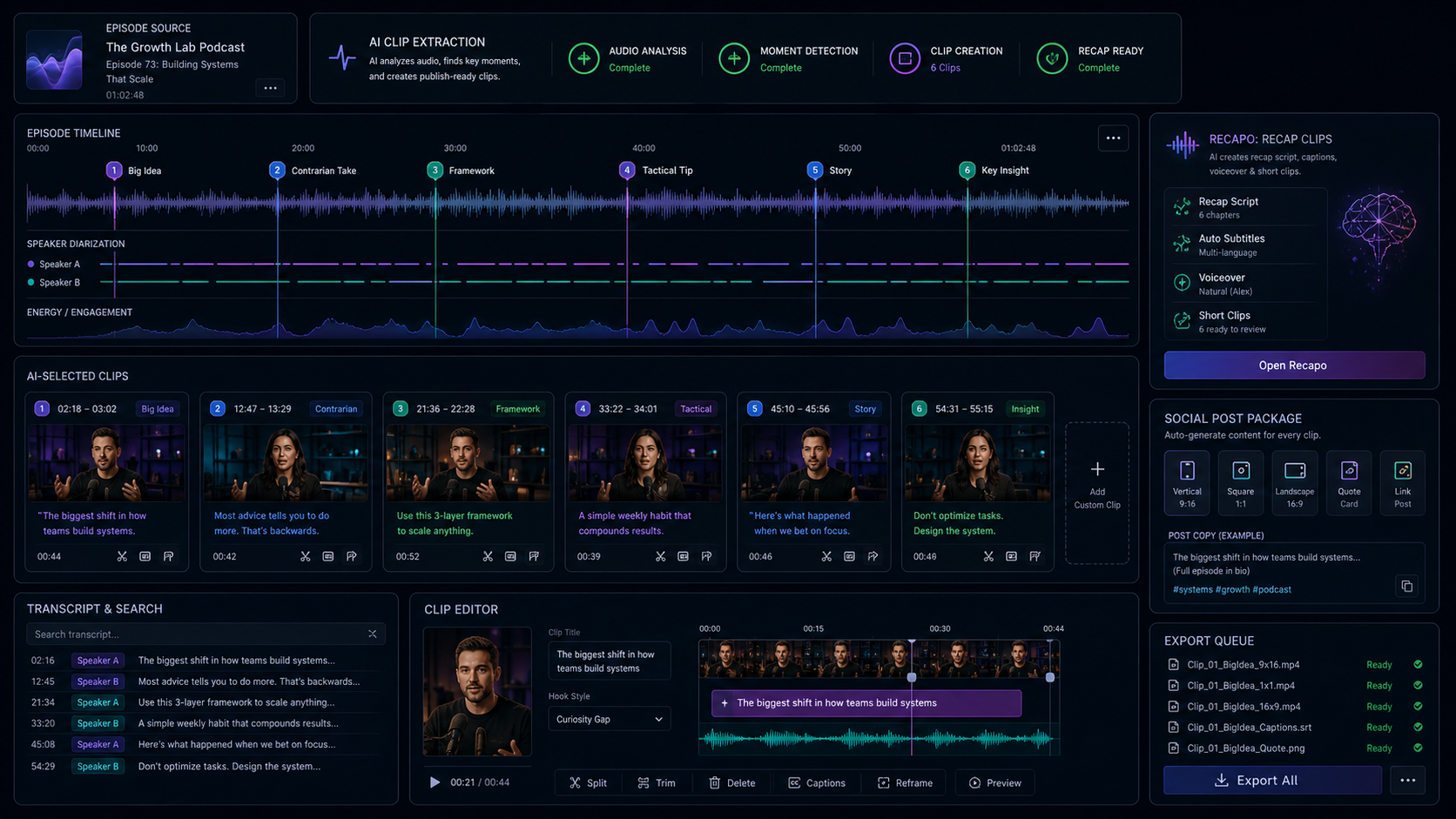
Quick answer: Podcast hosts should use AI to find clip candidates, not to publish without review. Recapo fits when clips also need recap scripts, subtitles, voiceover drafts, and a workflow that keeps the short tied to the full episode.
Key takeaways
- Choose tools by workflow stage, not by feature hype around podcast clipping AI tools.
- Use the same source video when comparing tools so the results are fair.
- Measure publishable assets, caption corrections, and cleanup time.
- Keep human review for context, claims, captions, and brand fit.
- Use Recapo when long-video context, scripts, subtitles, voiceover, and clips need to stay connected.
What makes a podcast clip ready to post?
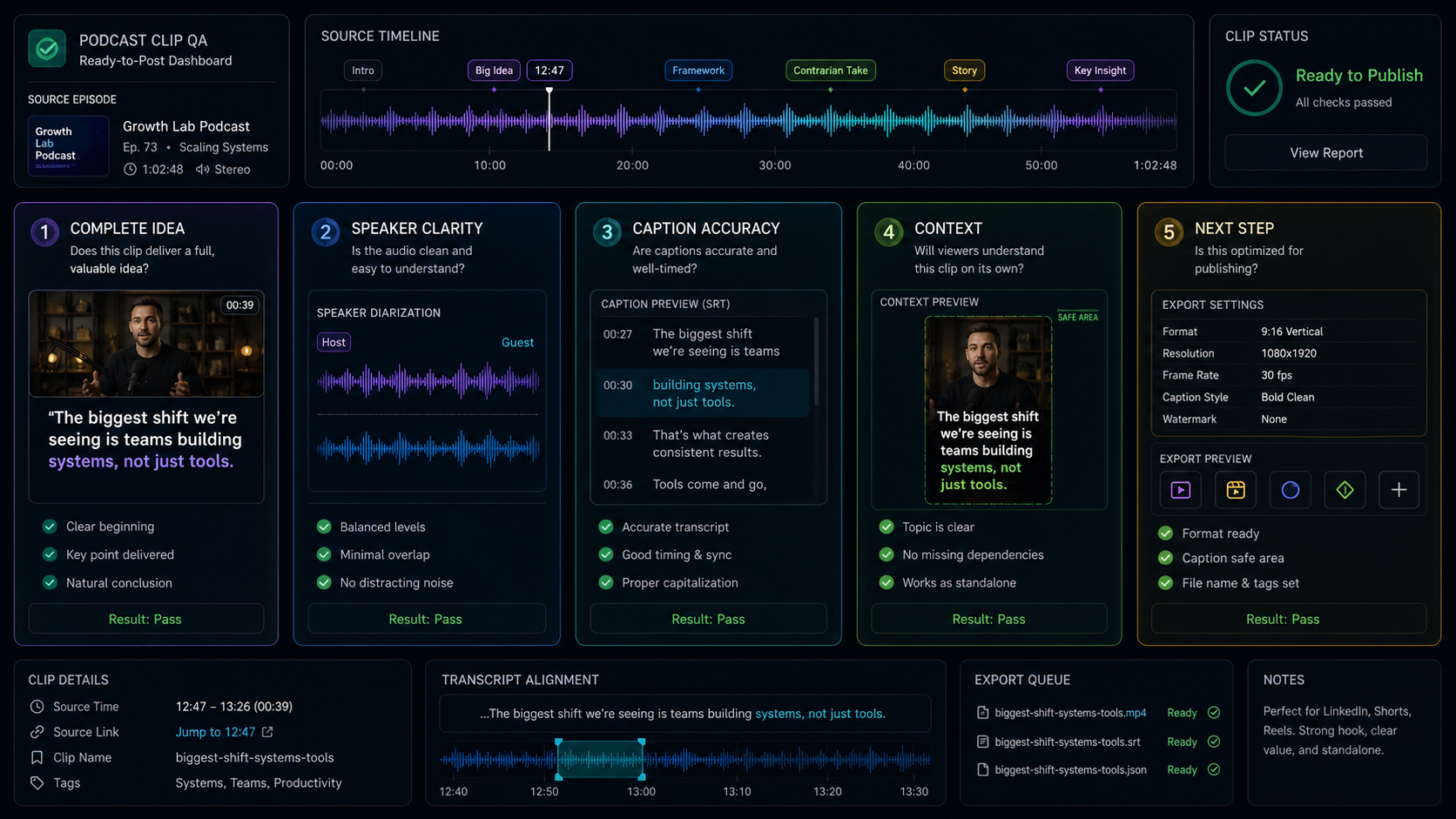
A podcast clip is ready to post when it contains one complete idea, identifies the speaker clearly, uses accurate captions, and gives viewers enough context to understand why the moment matters.
| Tool or workflow | Best fit | Review note |
|---|---|---|
| Podcast need | What to check | Why it matters |
| Speaker context | Names, roles, and meaning | Prevents misleading clips |
| Caption accuracy | Terms, names, and punctuation | Most viewers watch with sound off |
| Guest review | Approval path for sensitive clips | Protects relationships and trust |
| Clip purpose | Discovery, education, or promotion | Shapes hook and CTA |
| Episode link | Path back to the full episode | Turns shorts into audience growth |
How should hosts choose a podcast clipping tool?
Hosts should test tools with episodes that include cross-talk, guest names, inside jokes, long setup, and topic changes. These are the moments where AI clipping either proves useful or creates misleading fragments.
Example workflow for podcast clipping AI tools
Start with one source video that represents the work you publish every week, not the cleanest demo file. For a podcast, choose an episode with multiple speakers and a few topic changes. For a webinar, choose a recording with product claims, audience questions, and a long explanation. For a tutorial, choose a source where the steps need to stay in order.
Run the source through the candidate workflow, then ask one editor and one reviewer to score the output separately. The editor should focus on cleanup time, caption fixes, and export friction. The reviewer should focus on whether the clip is accurate, self-contained, and aligned with the audience. A tool is worth keeping only when both people save time.
How to run a useful test
A useful test is small, repeatable, and tied to a real publishing job. It should reveal whether the tool saves review time or simply moves work to a later stage.
- Choose one episode with multiple speaker moments.
- Ask the tool for a small set of clips, not a huge batch.
- Check whether each clip is fair to the speaker.
- Publish only clips that make sense without the full episode.
When this workflow is not enough
This workflow is not enough when the source contains regulated advice, sensitive personal stories, uncertain rights, or claims that need subject-matter review. In those cases, AI can still help prepare drafts, but the publishing gate should include a stronger human check. The same is true when clips represent guests, customers, or partners; context and permission matter more than speed.
It is also not enough when the content goal is high-end brand storytelling. AI can prepare structure, captions, and candidate moments, but final pacing, visual hierarchy, music, typography, and campaign fit still need an editor with taste.
How does Recapo support podcast clipping?
Recapo supports podcast clipping when hosts want more than isolated highlights. It can help prepare recap assets, subtitles, voiceover drafts, and short clips while keeping the source episode context visible for review.
Metrics to track after publishing
- Publishable clips per source video, not generated clips.
- Average caption corrections per clip.
- Reviewer changes before approval.
- Time from source upload to publishable draft.
- Clicks, saves, comments, or full-video visits driven by each short.
Before you publish the clips
- Watch the exported clip without the full source video and confirm it still makes sense.
- Check captions for names, product terms, numbers, and speaker meaning.
- Confirm the hook matches the clip instead of overselling the moment.
- Review rights, guest sensitivity, brand tone, and platform format.
- Track which published clips actually drive viewers back to the full video or product page.
This article is part of the Generator AI Tools video workflow cluster. For product-specific research, compare the recommendations here with Recapo and the related workflow guides below before publishing or buying a tool.
FAQ
What are podcast clipping AI tools?
They are tools that help identify, caption, and prepare short clips from longer podcast episodes.
What should hosts check before posting AI-generated clips?
Hosts should check speaker meaning, captions, source context, guest sensitivity, export format, and whether the clip encourages viewers to watch or listen further.
Can Recapo help podcast hosts?
Yes. Recapo can help podcast hosts create recap assets, subtitles, voiceover drafts, and short clips from longer episodes.
Should podcast clips always use the most dramatic moment?
No. The best clip is self-contained, fair to the speaker, and aligned with the audience you want to attract.