Free AI image-to-video tools are much better than they were a year ago, but the biggest difference is not magic. It is workflow fit. Some tools are better for quick social clips, some are better for camera motion, and some are only useful once you pay.
If you are evaluating them seriously, focus on whether the free tier lets you test motion quality, prompt control, and export reliability before you hit the upgrade wall. That is the difference between a real trial and a marketing teaser.
TL;DR: The best free option depends on whether you care most about speed, polish, or control. Free plans are useful for testing, but most serious workflows still need cleanup and a paid step somewhere in the stack.
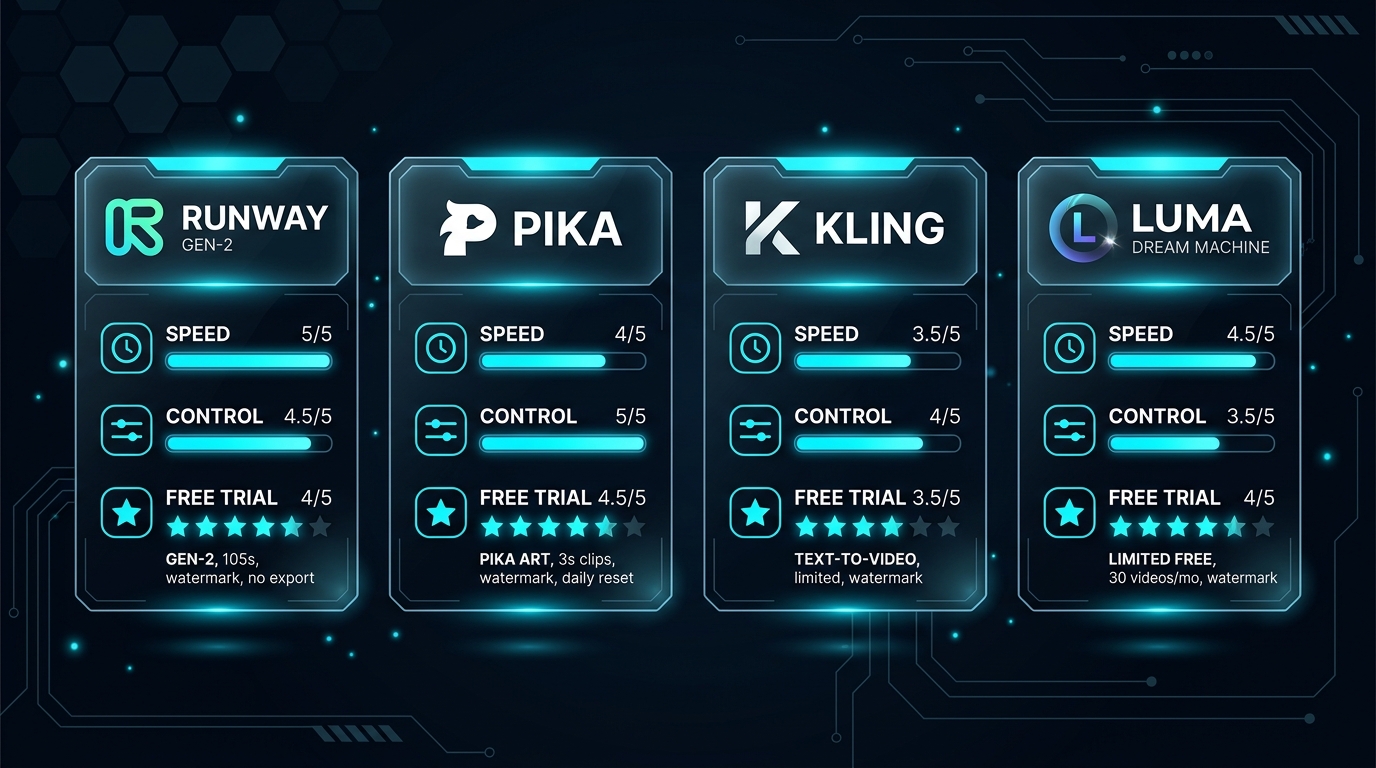
What to look at before calling any tool the best
Three checks matter more than brand hype when you test image-to-video tools.
- Look for motion consistency first. A flashy demo means very little if faces, hands, or background objects drift between frames.
- Check whether the free tier gives you real control over prompt strength, duration, aspect ratio, or camera movement.
- Pay attention to render speed and queue times, because a free plan that is too slow to test is not much of a free plan.
Free tools worth testing first
A practical shortlist should separate beginner-friendly tools from output-first tools.
- Runway is a good first stop if you want a balanced mix of usability and recognizable video quality.
- Pika works well when you want quick, stylized motion and a creator-friendly interface.
- Kling is worth testing if you care more about ambitious motion than a simple beginner workflow.
- Luma Dream Machine is a smart option when cinematic motion matters more than fast experimentation.
How to choose based on your real use case
The best tool changes depending on what you plan to publish.
- Choose beginner-friendly tools if your goal is fast idea validation for reels, ads, or short experiments.
- Choose higher-control tools if you need cleaner motion, stronger prompt adherence, or more room to iterate.
- If you are turning clips into commentary or recap workflows, your generation tool is only one part of the stack.
Common mistakes when testing free image-to-video tools
Most disappointing tests come from using the wrong benchmark.
- Judging a tool from one spectacular sample instead of several real prompts.
- Ignoring how much cleanup is needed after generation.
- Assuming a free plan that makes one good clip will scale into a repeatable workflow.
How we evaluate AI video workflows
This guide is attributed to Ben Carter, AI Image & Video Producer at Generator AI Tools. We judge video tools by output consistency, render speed, workflow control, export usefulness, and whether the tool can support repeatable publishing instead of one-off demos.
- We pay close attention to motion stability, artifact frequency, and how much fixing is required after generation.
- We separate simple creator workflows from team workflows, because fast clips and production-ready output are not the same job.
- We treat pricing, queue time, and export restrictions as product quality signals, not just billing details.
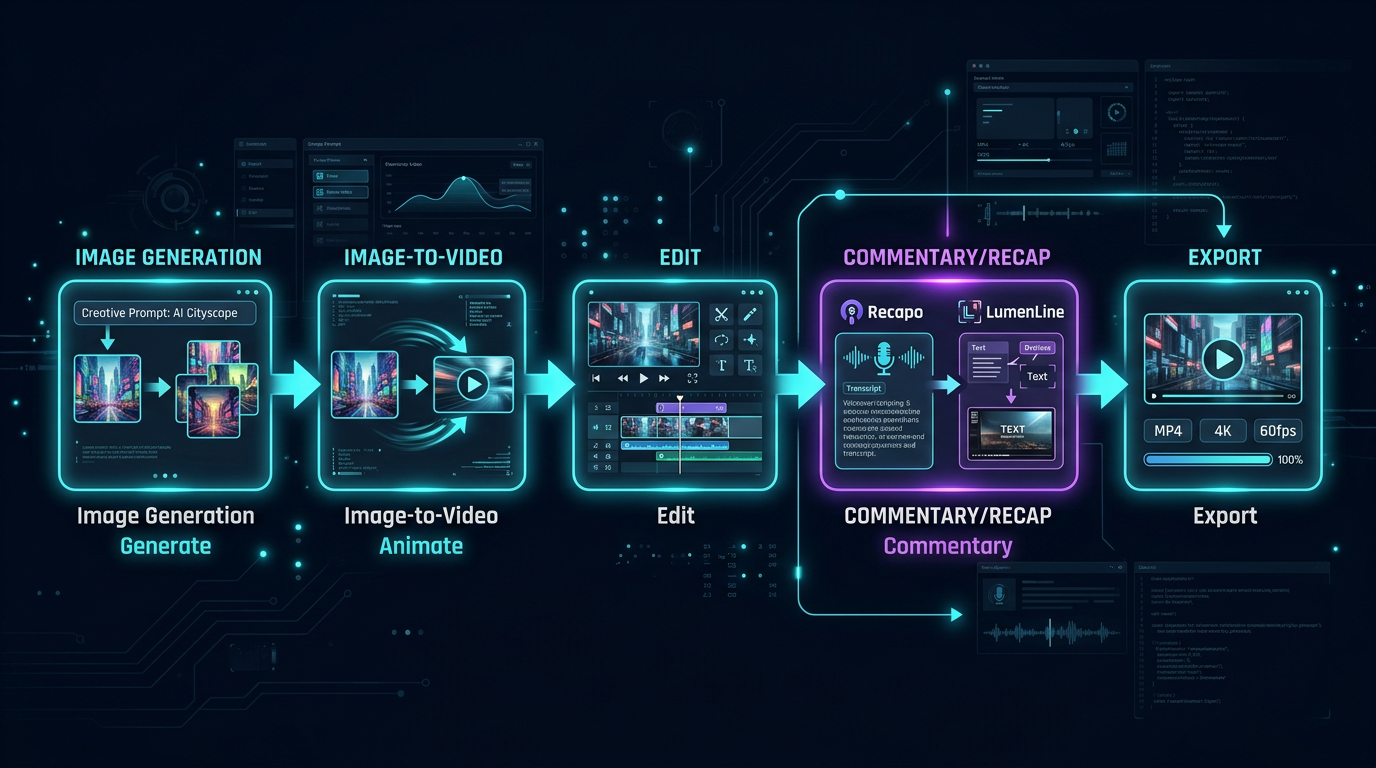
What to verify before you choose
- Check current limits on duration, aspect ratio, watermarking, and export quality.
- Verify whether the tool's strongest examples match the type of video you actually need to ship.
- Confirm whether the workflow covers only generation or also editing, narration, and publishing steps you need downstream.
Referenced product pages
The products mentioned above are linked to their Generator AI Tools profiles so readers can compare positioning, category fit, and current availability without leaving the research flow too early.
Bottom line
The right free image-to-video tool is the one that helps you decide quickly whether the workflow is worth investing in. Test motion consistency, control, and queue time first, then decide whether the paid tier is justified.
Where Recapo and LumenLine (official site) fit
Not every video workflow ends with generation. Many teams still need to turn raw clips into commentary-ready assets, short explainers, or recap-style formats. That is where Recapo can help as an AI video commentary app, and where LumenLine fits as a short-drama commentary workflow.
If you want the full product pages, you can also check the official sites: recapo.ai and lumenline.ai. They are not replacements for core generation models, but they do make sense as part of the publishing and repurposing layer.