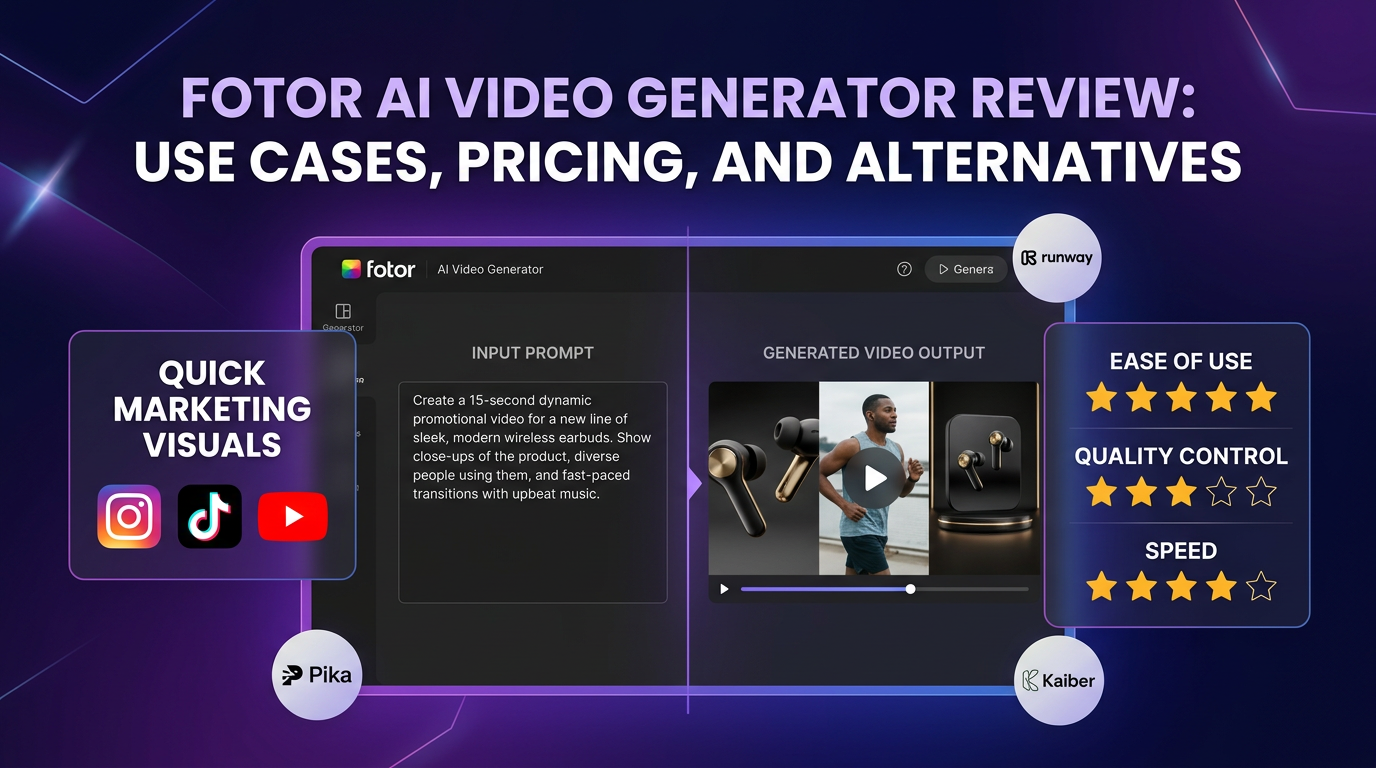
Fotor AI Video Generator appeals to users who want a familiar, accessible interface instead of a highly technical creative tool. That can be a real advantage if your goal is fast social content rather than deep video experimentation.
The question is whether that convenience is enough once you start caring about motion quality, output flexibility, and whether the workflow scales beyond one or two simple clips.
Quick verdict: Fotor is easiest to recommend to beginners and marketers who value speed and simplicity. It is harder to recommend as a serious high-control video workflow.
What it does well
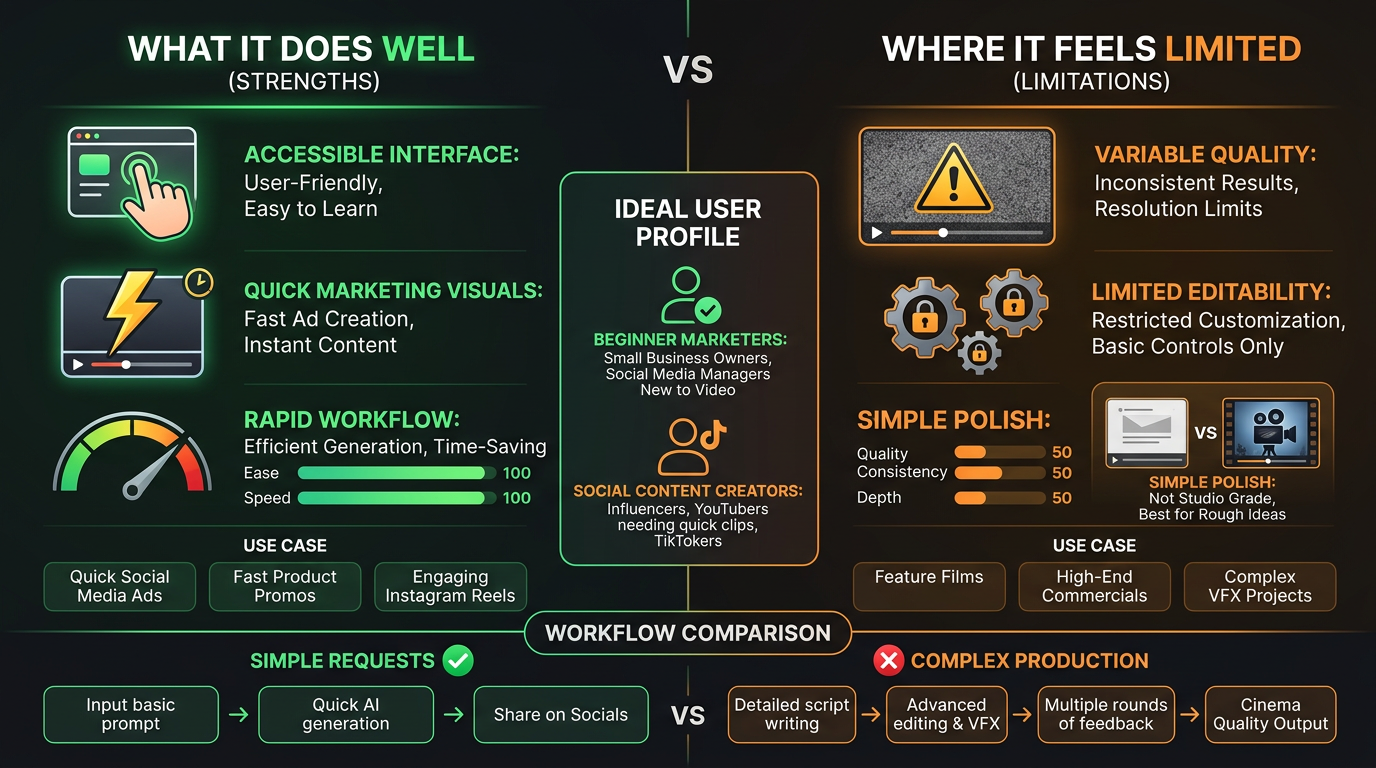
Its strongest selling point is ease of use.
- The interface is approachable for non-specialists.
- It is useful for quick marketing visuals and lightweight social content.
- The workflow can feel faster than more advanced tools when the request is simple.
Where it starts to feel limited
The ceiling appears when quality and control become more important.
- Output may not feel as polished as stronger video-focused tools.
- The workflow can feel limiting for users who want more direct creative control.
- It may work better for first drafts than for final publish-ready assets.
Who should actually use it
This is mainly a fit question, not a universal quality question.
- Good for marketers and creators who need quick, simple video output.
- Less ideal for teams doing repeatable high-quality video production.
- Worth testing if ease of use matters more than advanced control.
Alternatives worth considering
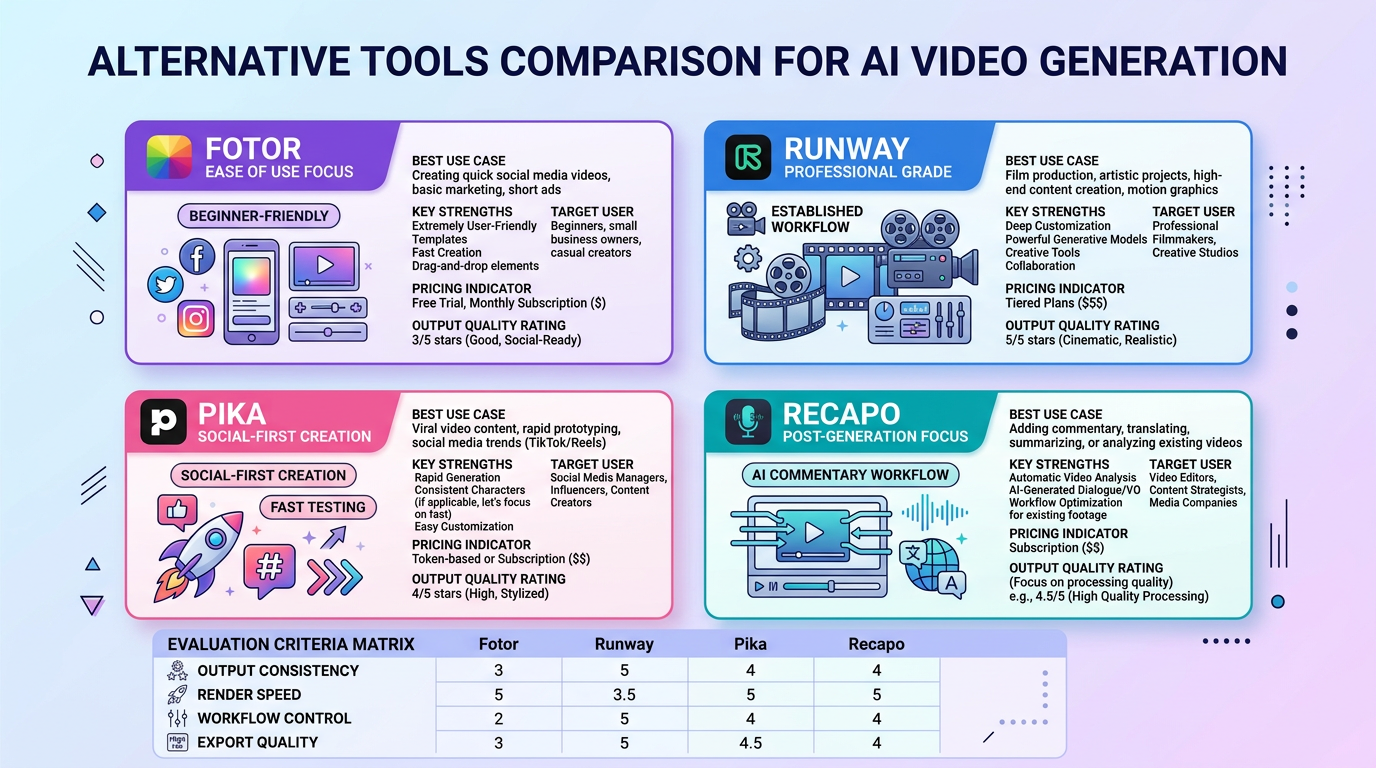
The alternative set changes depending on the job.
- Runway is stronger when you want a more established AI video workflow.
- Pika is a smart comparison for social-first creation and faster idea testing.
- If the workflow is more about commentary and recap than generation, Recapo and LumenLine are relevant adjacent tools to compare.
How we evaluate AI video workflows
This guide is attributed to Ben Carter, AI Image & Video Producer at Generator AI Tools. We judge video tools by output consistency, render speed, workflow control, export usefulness, and whether the tool can support repeatable publishing instead of one-off demos.
- We pay close attention to motion stability, artifact frequency, and how much fixing is required after generation.
- We separate simple creator workflows from team workflows, because fast clips and production-ready output are not the same job.
- We treat pricing, queue time, and export restrictions as product quality signals, not just billing details.
What to verify before you choose
- Check current limits on duration, aspect ratio, watermarking, and export quality.
- Verify whether the tool's strongest examples match the type of video you actually need to ship.
- Confirm whether the workflow covers only generation or also editing, narration, and publishing steps you need downstream.
Referenced product pages
The products mentioned above are linked to their Generator AI Tools profiles so readers can compare positioning, category fit, and current availability without leaving the research flow too early.
Bottom line
Fotor AI Video Generator is best treated as a fast-access option for everyday creators. If you need deeper control or more polished repeatability, you will probably compare it against stronger generation tools quickly.
Where Recapo and LumenLine (official site) fit
If your workflow continues after generation, it is worth looking at Recapo for AI video commentary and LumenLine for short-drama commentary formats. Their official sites are recapo.ai and lumenline.ai.