Editorial note, draft prepared April 22, 2026: This draft compares workflow fit, not feature parity. Validate current product names, availability, and screenshots before publishing.
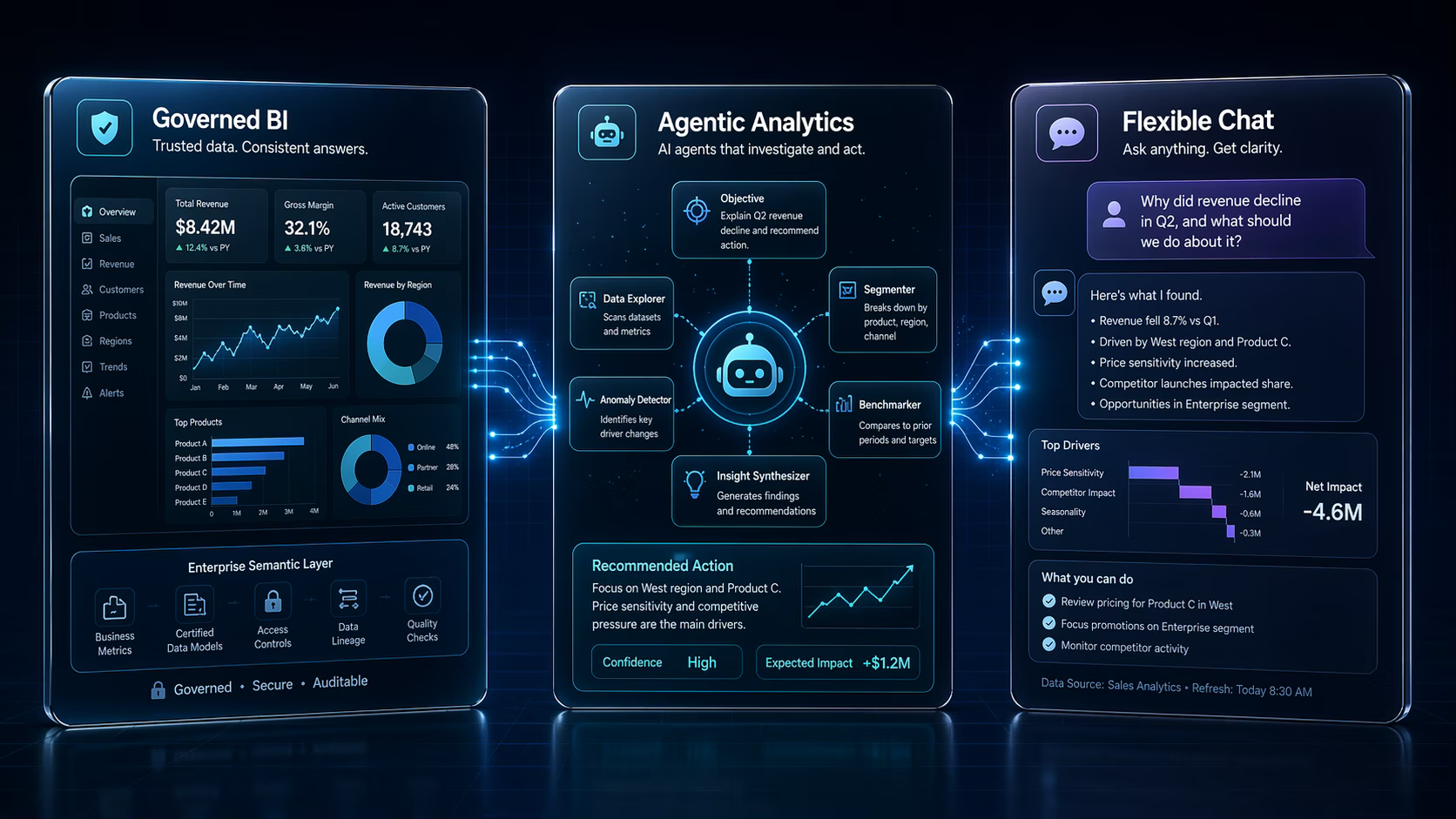
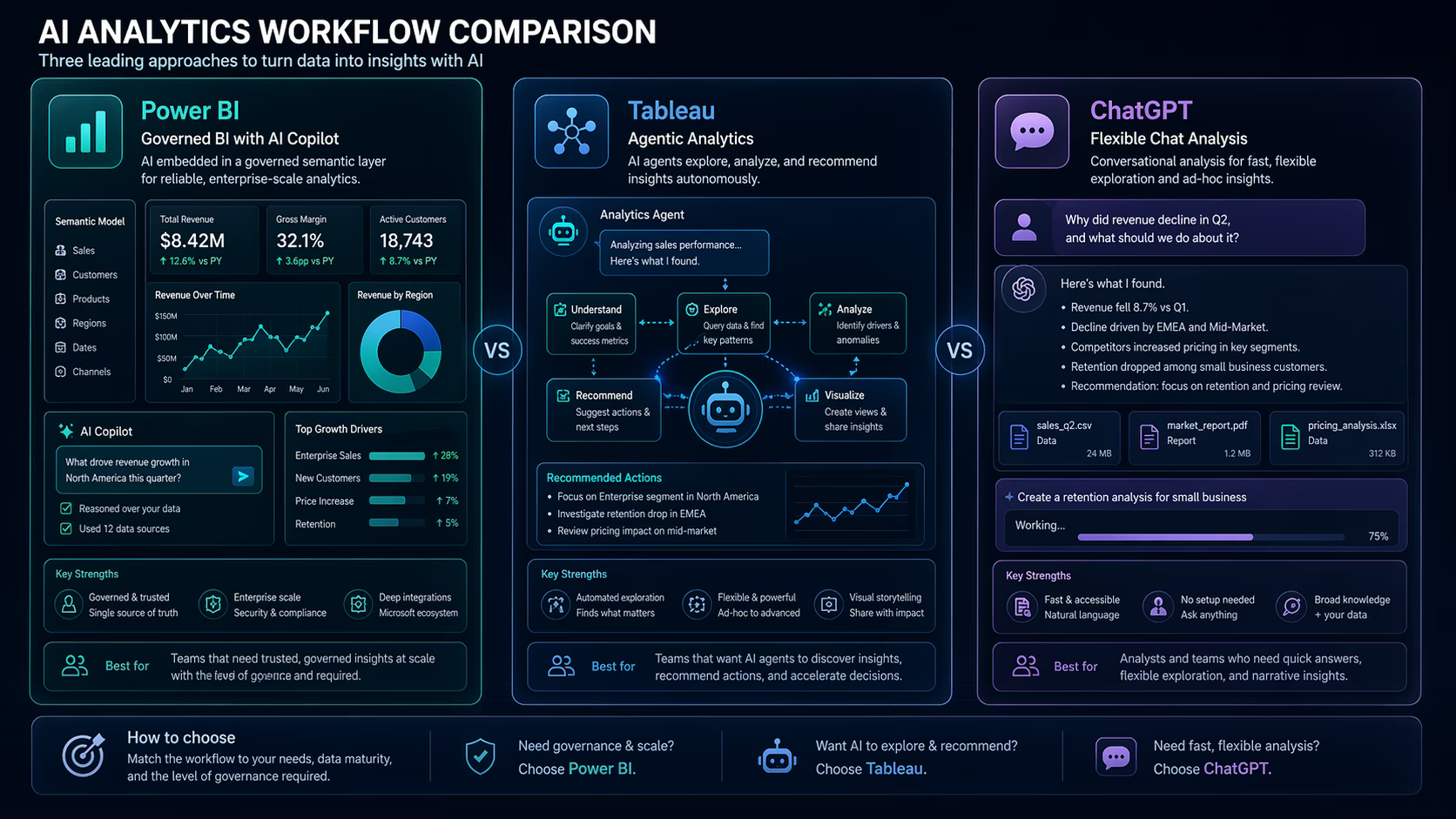
Power BI Copilot, Tableau Next, and ChatGPT-style analysis all promise faster analytics, but they solve different parts of the work. One helps inside a governed BI environment, one points toward agentic analytics, and one is flexible for explanation and exploration.
A practical Power BI Copilot vs Tableau Next comparison should ask where your data lives, who defines metrics, and whether the output needs to become a dashboard, a decision memo, or a quick exploratory answer.
TL;DR: Use Power BI Copilot when your team is already in Microsoft BI workflows, Tableau Next when agentic analytics and governed visual exploration matter, and ChatGPT-style analysis for flexible exploration, explanation, and narrative drafts. Do not use any of them without verifying sources and calculations.
Who this guide is for
This guide is for analysts, RevOps teams, data leaders, and operators choosing an AI analytics workflow from the broader AI tools directory.
- Teams deciding whether to keep AI inside BI platforms or use general assistants.
- Analysts comparing natural-language analytics workflows.
- Managers who need a readable decision guide before tool testing.
The practical framework
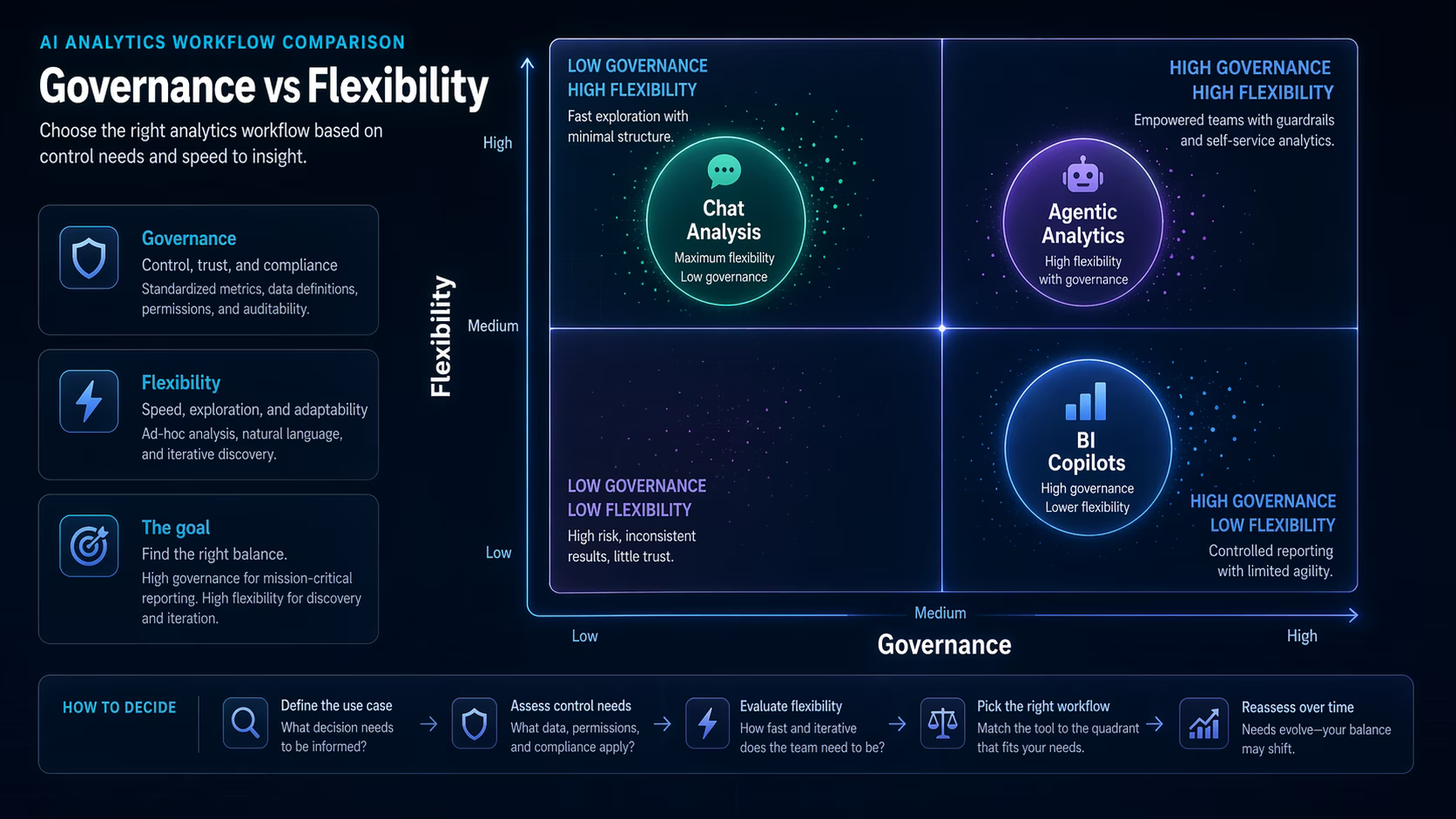
The right AI analytics workflow depends on governance, flexibility, and where the final decision happens.
| Workflow | Best fit | Main trade-off |
|---|---|---|
| Power BI Copilot | Microsoft-centered BI teams | Depends on model, permissions, and semantic layer quality |
| Tableau Next | Visual analytics and agentic exploration | Requires adoption of Tableau ecosystem direction |
| ChatGPT-style analysis | Flexible explanation and draft reporting | Needs stronger source and calculation verification |
Power BI Copilot fits governed Microsoft workflows
Power BI Copilot is most compelling when the organization already uses Microsoft data workflows and has a reasonably clean semantic layer. In that environment, natural language can help users draft report pages, summarize visuals, and explore metrics faster.
The limitation is the same as any BI assistant: if the underlying model is messy, AI may produce a confident explanation of messy data. Governance still comes first.
Tableau Next points toward agentic analytics
Tableau Next and Tableau Agentforce position analytics around agents, actions, and workflow assistance. That matters for teams that want AI to do more than answer one-off questions; they want analytics to connect with business processes.
Teams should evaluate whether that agentic direction fits their current stack. The concept is promising, but adoption depends on data readiness, permissions, and whether business users trust the recommended actions.
- Check how the tool defines and preserves governed metrics.
- Test whether generated insights are explainable enough for stakeholders.
- Review how agent actions are approved or audited.
ChatGPT-style analysis is flexible but needs guardrails
ChatGPT-style analysis is useful for quick exploration, explaining formulas, drafting SQL, and turning analysis notes into a readable memo. It is flexible because it is not locked inside one BI environment.
That same flexibility creates risk. Teams must manage data privacy, source files, calculation checks, and whether the final output can be reproduced.
| Use case | Recommended workflow | Verification step |
|---|---|---|
| Board dashboard summary | Power BI or Tableau with governed metrics | Check metric definitions and filters |
| Exploratory CSV analysis | ChatGPT-style assistant | Verify calculations and row counts |
| Business action recommendation | Tableau-style agentic workflow | Review action logic and approval path |
Implementation checklist
- Map where trusted data already lives.
- Check whether metrics are defined in a governed semantic layer.
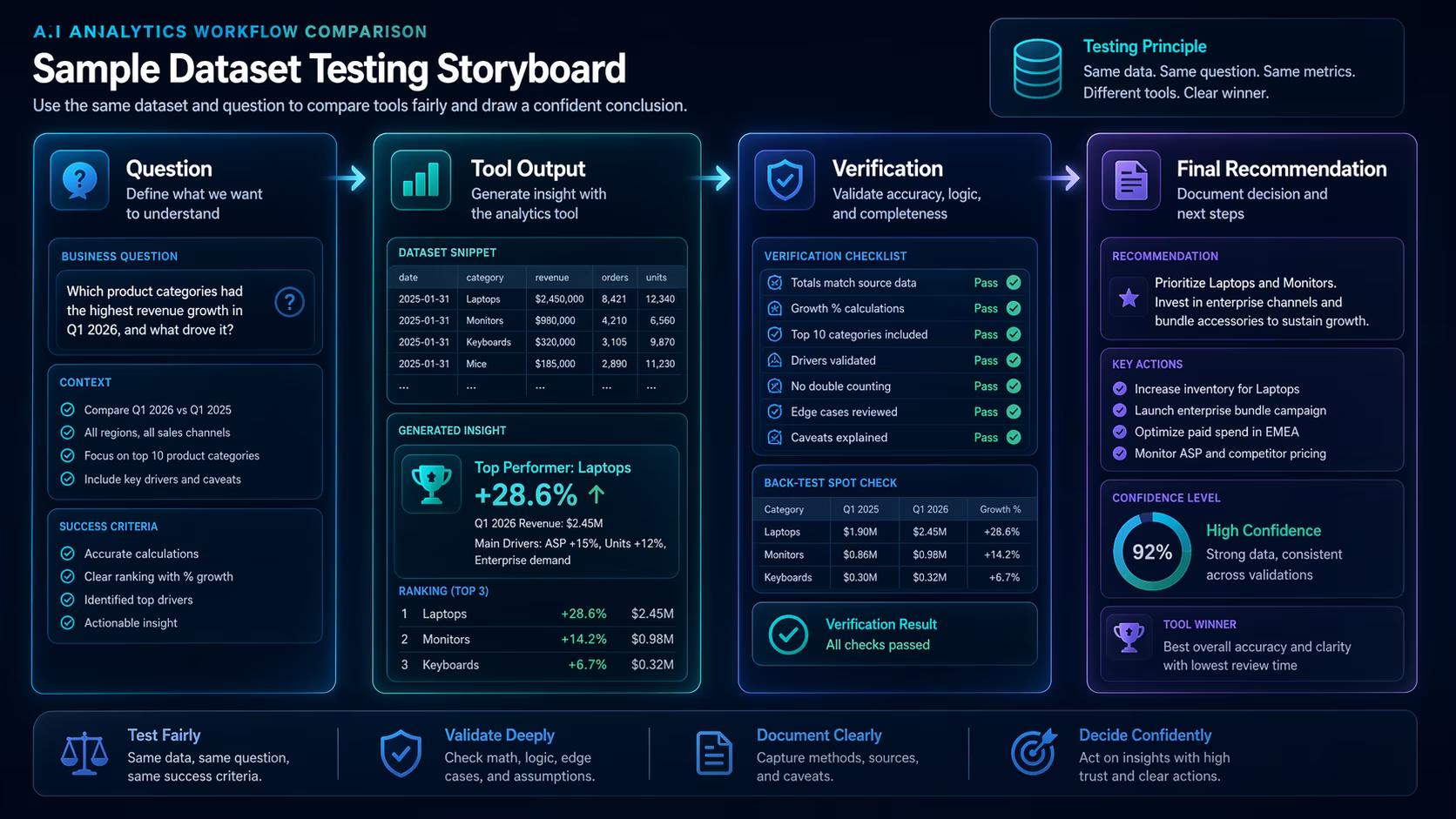
- Run the same business question through each candidate workflow.
- Compare explanation quality, reproducibility, and review effort.
- Choose the workflow that stakeholders can understand and audit.
E-E-A-T notes for editors
Sophia should add a hands-on test using the same sample dataset in all three workflows. Include screenshots, calculation checks, and a short note about what each tool got wrong.
References and further reading
- Microsoft Power BI blog - official Power BI product updates
- Tableau Agentforce overview - official Tableau AI analytics positioning
- OpenAI ChatGPT product page - general ChatGPT context
Where to go next
Use these related pages to move from research into tool selection, comparison, and implementation.
- ChatGPT tool page - review ChatGPT in the directory
- Research and data tools - compare analytics and research tools
- AI tool reviews - read more evaluation articles
Final recommendation
Power BI Copilot, Tableau Next, and ChatGPT-style analysis are not interchangeable. Choose based on governance, workflow location, review burden, and whether the answer must become a dashboard, an action, or a narrative.