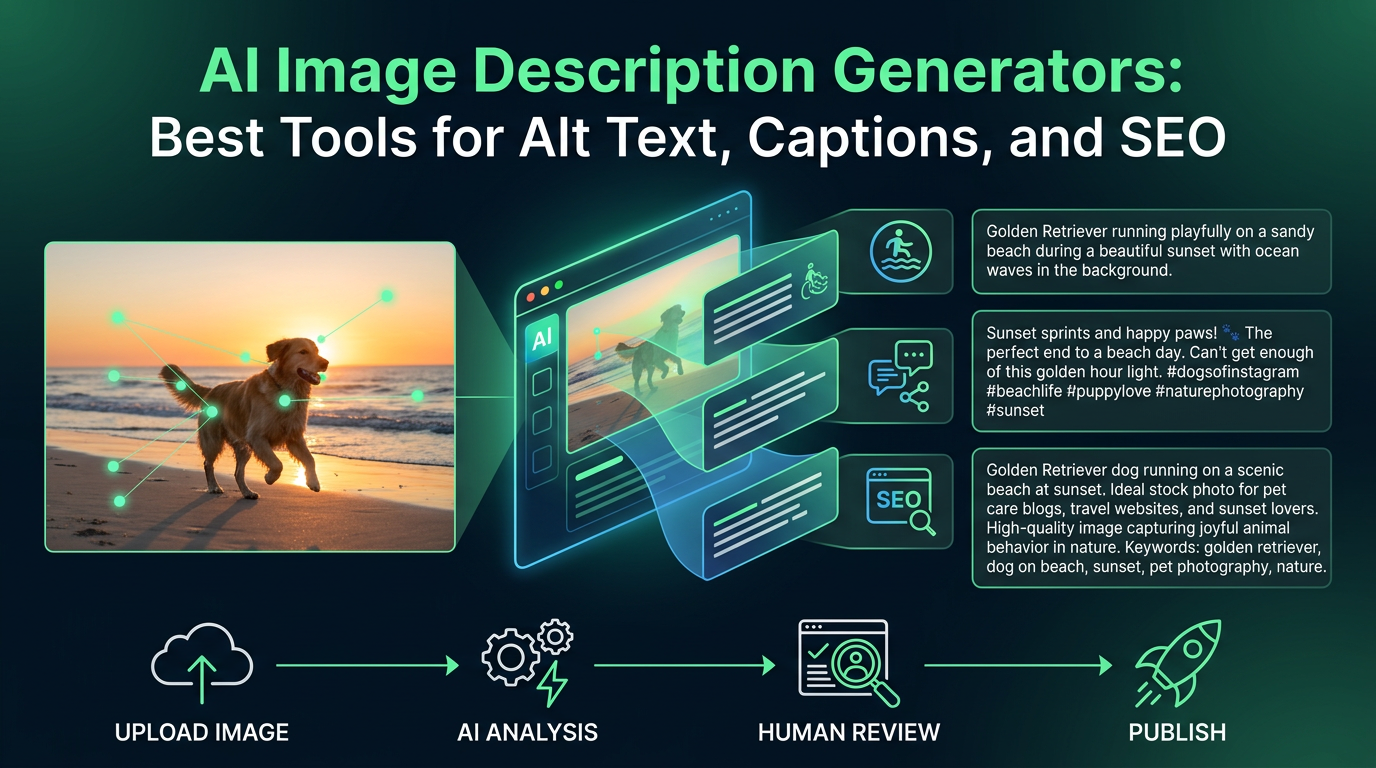
AI image description generators are most useful when they turn a messy visual workflow into something more accessible, searchable, and easier to publish. That includes alt text, captions, metadata support, and internal content organization.
The best tools do more than describe what is literally in an image. They help you write image text that is clear, context-aware, and usable in a real publishing workflow.
TL;DR: The strongest image description tools balance accuracy, speed, and editorial control. For SEO and accessibility work, the best option is usually the one that lets you review and refine output quickly.
What to evaluate first
A good image description tool should help with clarity, not just automation.
- Descriptions should capture the meaningful subject, not only a loose object list.
- The workflow should let you edit output before publishing.
- The text should adapt well to accessibility and search use cases.
Useful tools for alt text and image descriptions
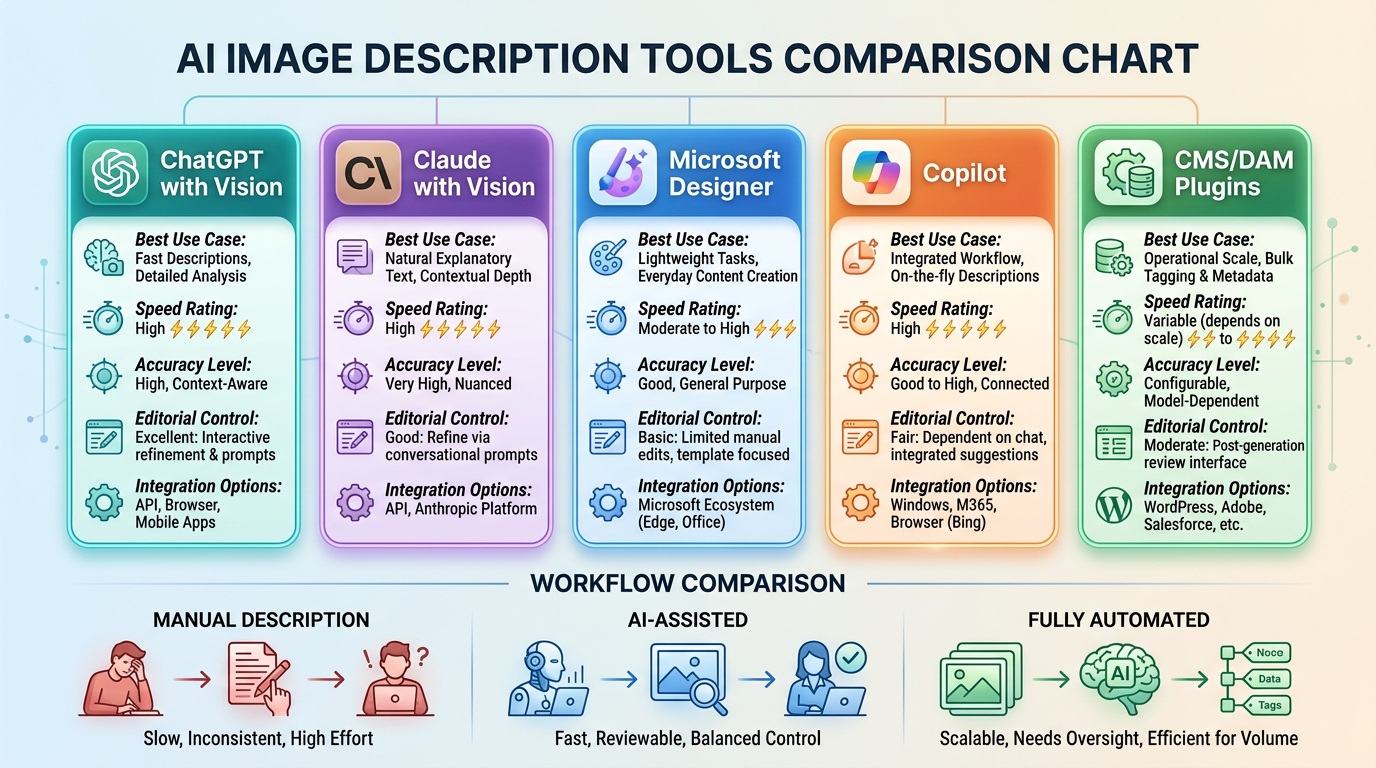
Different tools work better depending on how much review you want to do.
- ChatGPT with vision is useful when you want fast image descriptions plus editing help.
- Claude with vision is strong for cleaner, more natural explanatory text.
- Microsoft Designer and Copilot workflows can help with lightweight everyday content tasks.
- Accessibility plugins inside CMS or DAM tools often make sense for operational scale.
How to use these tools well
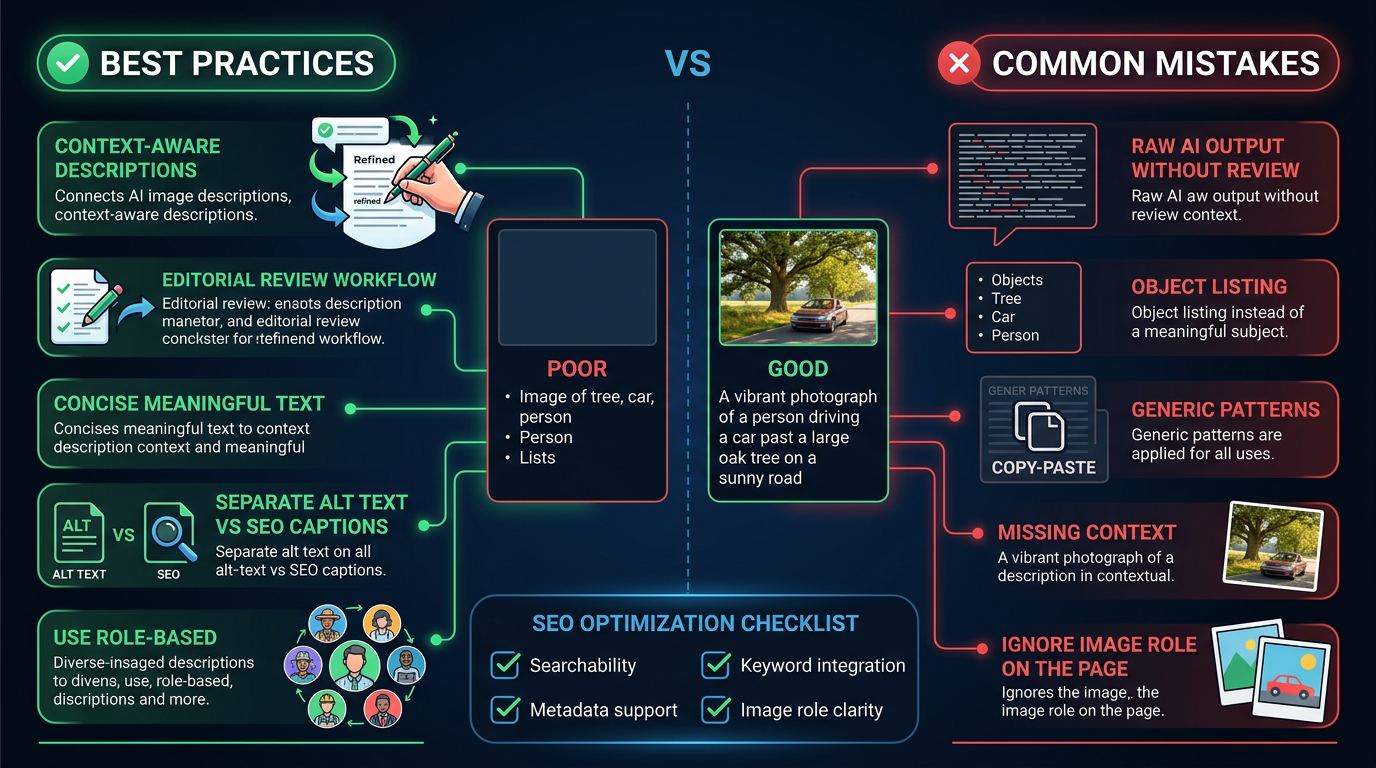
The best result usually comes from a human-in-the-loop workflow.
- Use AI to generate a first draft of the description quickly.
- Edit for context so the description matches the role the image plays in the page.
- Keep alt text concise, but do not strip away useful meaning.
Common mistakes
Most weak image descriptions fail because they are technically correct but editorially useless.
- Publishing raw AI output without checking context.
- Writing alt text that lists everything in the image instead of the meaningful subject.
- Using the same generic pattern for accessibility and for search-oriented captions.
How we approach prompt and workflow tools
This guide is attributed to Aisha Hassan, Prompt Design Coach at Generator AI Tools. For prompt-heavy categories, we focus on usability, controllability, how easy the tool is to iterate with, and whether the output improves with better instructions instead of collapsing into generic filler.
- We look for tools that help users shape tone, structure, and intent with reasonable control.
- We separate ideation value from publication-ready value, because a useful prompt tool is not always a strong final-writing tool.
- We prefer workflows that make revision and human editing easier rather than hiding weak output behind polished marketing copy.
What to verify before you choose
- Check how much prompt control and revision flexibility the tool actually gives you.
- Compare current output quality against your real task, not just example screenshots.
- Verify pricing, usage limits, and any restrictions that affect repeated daily use.
Referenced product pages
The products mentioned above are linked to their Generator AI Tools profiles so readers can compare positioning, category fit, and current availability without leaving the research flow too early.
Bottom line
AI image description generators are valuable because they reduce repetitive work. They become truly useful when paired with quick human review and a clear understanding of what the image is doing on the page.