Last updated May 12, 2026: This draft targets "AI research assistant for students" with a practical, responsible-use angle.
An AI research assistant for students should help organize notes, compare sources, explain difficult passages, and build study questions. It should not write assignments in a way that breaks academic rules or hides where ideas came from.
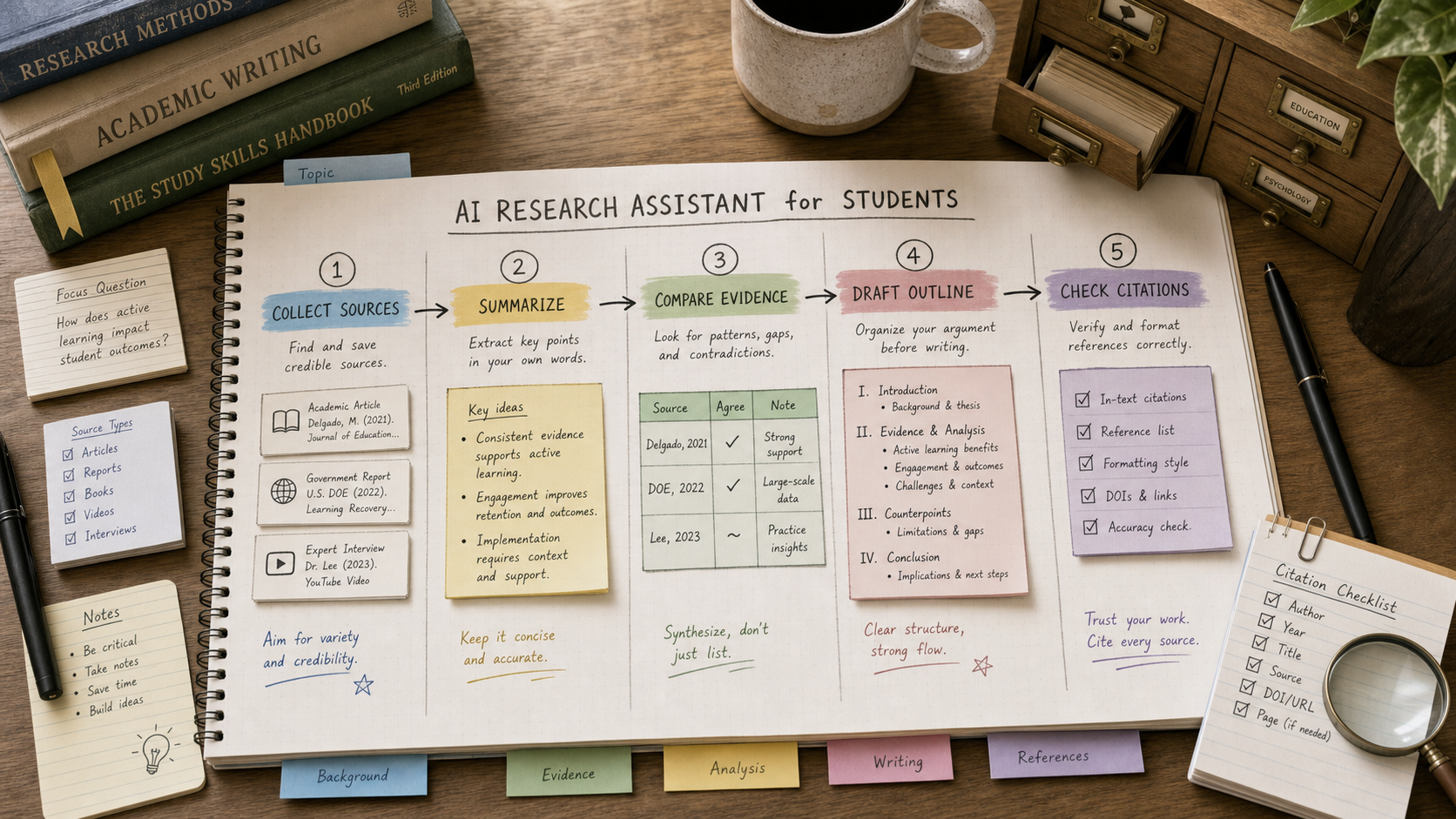
The safest workflow is source-first: collect materials, summarize each source, extract evidence, write your own outline, then use AI to check clarity. Tools in the AI research tools category can help, but students still need to verify every source used in submitted work.
Key takeaways
- Students should use AI to understand sources, not replace source reading.
- The best assistant keeps notes connected to original documents and links.
- Citation checks matter more than fluent paragraphs.
- AI can help produce study questions, outlines, flashcards, and comparison tables.
- Every school has different AI policies, so students should follow course rules first.
What should students look for in an AI research assistant?
Students should look for tools that keep sources visible, support note organization, and make it easy to separate direct evidence from AI explanation. If a tool cannot show where an answer came from, it is weak for academic research.
| Need | Useful feature | Risk to avoid |
|---|---|---|
| Reading faster | Source summaries and key passages. | Skipping the original source entirely. |
| Taking notes | Notebook, tags, and source-linked highlights. | Mixing AI output with your own notes without labels. |
| Checking claims | Citation links and quoted evidence. | Using unsupported claims in essays. |
| Studying | Flashcards, practice questions, and explain-like-I-am-new prompts. | Memorizing inaccurate summaries. |
| Writing | Outline feedback and clarity checks. | Submitting AI-written work against course policy. |
A responsible student workflow
Start by collecting three to six credible sources. Ask the assistant to summarize each source separately, then create a comparison table with claims, evidence, and uncertainties. After that, write your own thesis or study answer. Use AI only to critique structure, gaps, and clarity.
- Label AI-generated notes separately from your own notes.
- Keep source URLs, PDF names, and page numbers visible.
- Ask for counterarguments or limitations, not just support for your idea.
- Use direct quotes sparingly and verify every quote manually.
- Check your instructor's AI policy before using generated text in assignments.
Where do NotebookLM and Perplexity fit?
Tools such as NotebookLM are useful when you want answers grounded in a set of uploaded or selected sources. Tools such as Perplexity are useful for web research and source discovery. For serious coursework, both workflows still need source review and citation cleanup.
Final recommendation
The best AI research assistant for students is the one that makes sources easier to understand and harder to lose. Choose a tool for note organization, citation visibility, and study support, then keep final judgment with the student and instructor policy.
E-E-A-T review notes
Experience: Before publishing, add a sample mini-workflow using one article, one PDF, and one source comparison table.
Expertise: Maya Bennett should keep this article focused on student research workflows, source verification, citation hygiene, and responsible AI study habits.
Trust: Avoid encouraging academic misconduct. Make clear that students should follow school and course AI policies.
References
- Google guidance on helpful content - source quality and reader-first content
- NotebookLM help - official help center for source-based AI notebooks
- Google Scholar help - official help for research discovery
Where to go next
Use these internal links to continue from the article into tool comparison, product pages, and related workflows.
- AI research tools - browse research, source, and note tools
- NotebookLM - compare source-grounded notebook workflows
- Perplexity - review web research and cited answer workflows
- Best AI Tools for Students - connect this guide to the broader student stack