Editorial note, reviewed April 17, 2026: AI plans and student access change quickly. This guide prioritizes tools with practical student workflows, public product information, and a clear reason to use them. Always check your school policy and each official site before relying on a tool for graded work.
If you are searching for the best AI tools for students, the honest answer is slightly annoying but useful: there is no single winner. A source-grounded research tool is not the same thing as a writing coach, a flashcard system, a presentation maker, or an AI coding assistant.
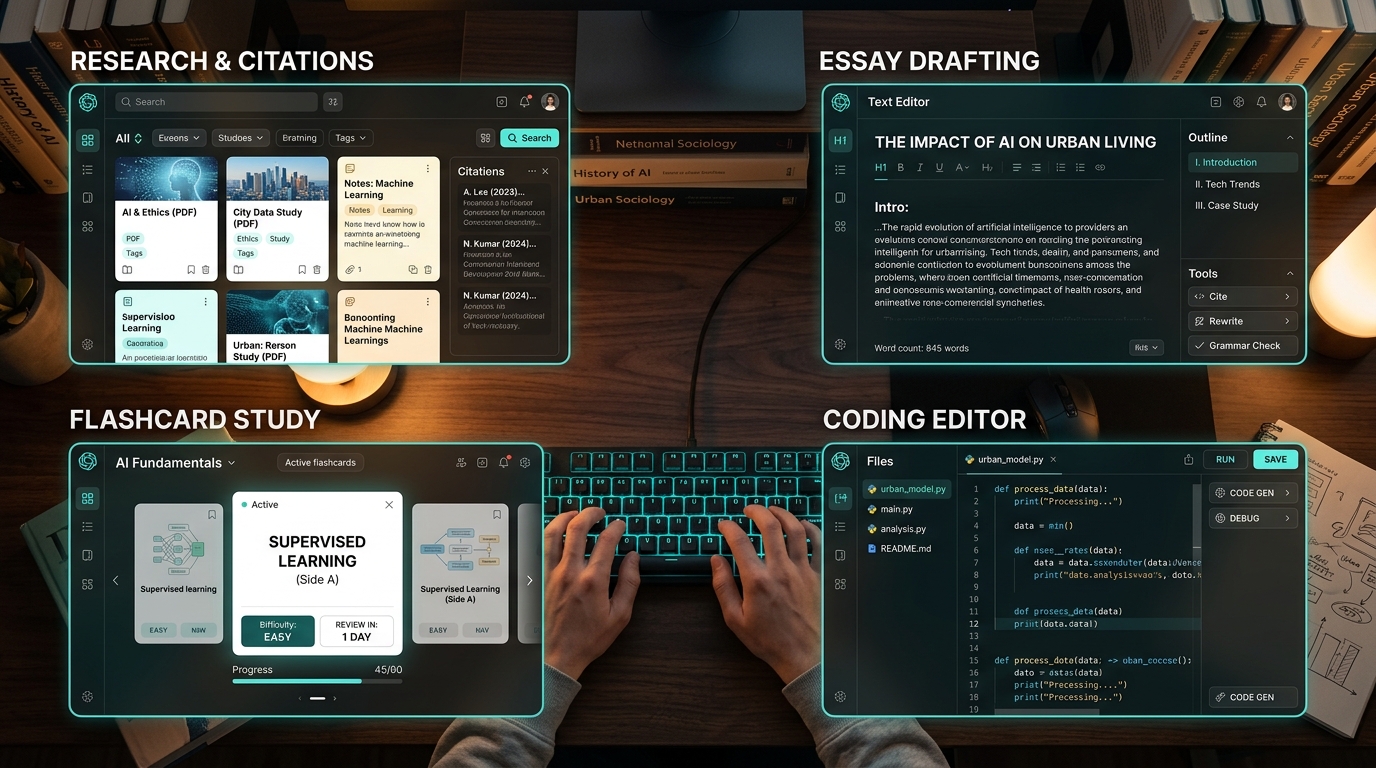
The stack I would recommend to most students in 2026 is NotebookLM for course materials, ChatGPT or Claude for explanations and drafting, Perplexity for source discovery, Canva AI for presentations, and GitHub Copilot for coding classes. That mix covers the actual school workflow: find sources, understand them, write clearly, study actively, and build projects without pretending one chatbot is magic.
For a budget-first version of this stack, see our companion guide to free AI tools for students. If your main need is academic source work, jump to our deeper guide to best AI research tools.
Best AI tools for students by task
| Tool | Best For | Free Access | Key Strength | Main Limitation | Best Student Use |
|---|---|---|---|---|---|
| NotebookLM | Research notes and study packs | Yes, with plan limits | Answers grounded in your uploaded sources | Weak before you have materials | Reading lists, lecture notes, PDFs |
| ChatGPT | Everyday tutoring, brainstorming, outlining | Yes, with limits | Flexible across many school tasks | Can sound confident when wrong | Explaining concepts, drafting outlines, practice prompts |
| Claude | Long reading, essay revision, synthesis | Yes, with limits | Strong long-document reasoning and natural editing | Requires citation discipline | Draft review, rubric checks, close reading |
| Perplexity | Fast source discovery | Yes, with limits | Search-style answers with cited sources | Easy to skim without reading deeply | Mapping a new topic before research |
| Canva AI | Presentations and visuals | Free and education options vary | Turns ideas into editable slide drafts | Templates still need human cleanup | Class decks, visual summaries, posters |
| GitHub Copilot | Coding coursework | Student and free options vary by eligibility | In-editor coding support | Can hide weak understanding | Debugging, examples, repetitive code |

The best choice depends on the assignment. A student writing a literature review should not use the same workflow as a student building a Python project. That is where many generic AI-tools lists fall down: they rank apps instead of mapping them to work.
Research and source-based study
For AI tools for research students, the main question is grounding. Does the tool work from your actual class readings, or is it giving a polished answer from the open web?
NotebookLM is the first tool I would test when you already have PDFs, lecture slides, notes, or reading links. It is useful because the conversation stays tied to your uploaded source set. A better student workflow looks like this:
- Upload the assigned papers, class notes, and rubric.
- Ask for a comparison of the authors' main claims.
- Ask it to identify disagreements, repeated terms, and concepts you should verify manually.
- Turn those into active-recall questions.
That is not cheating. That is a study system, as long as you still read the core material and check the claims.
Perplexity is better before you have the source set. Use it to discover background material, vocabulary, competing viewpoints, and possible references. Then move the useful sources into a grounded workflow. For more options, browse the AI research tool directory.
Writing, essays, and revision
For essays, reports, scholarship drafts, and discussion posts, the best AI tools for students are the ones that improve your thinking, not the ones that produce the prettiest paragraph.
ChatGPT is helpful for outlines, thesis alternatives, examples, and simpler explanations. Claude is often stronger when you paste a longer draft and ask for structural critique. The useful prompt is not “write my essay.” It is closer to this:
Review this draft against the rubric. Flag unsupported claims, repeated ideas, weak transitions, and places where I need evidence. Do not rewrite the whole essay; give me a revision checklist.
That prompt keeps the authorship with you. It also produces a better result because the tool is editing your thinking instead of replacing it.
If you are new to the category, our beginner-friendly AI tools guide explains how to build a first stack without paying for every shiny app.
Study, homework, and exam prep
The best AI study tools help with retrieval practice. Summaries feel productive, but practice questions reveal what you actually know.
For exam prep, ask AI to behave like a tutor:
Use these lecture notes to make 12 mixed-difficulty questions. Give hints before answers. After each answer, explain why the wrong options are tempting.
This is where NotebookLM, ChatGPT, and Claude can all help. The difference is source control. For a closed-book class, use uploaded materials and keep the scope tight. For open-ended homework help, use a general assistant to explain concepts, compare approaches, or create practice problems.
The boundary is simple: do not submit AI output you cannot explain. If a professor asks why your proof, paragraph, or citation works, you should be able to answer without the model.
Presentations and visual assignments
Students often underestimate presentation work. A deck needs structure, hierarchy, and a visual rhythm, not just generated slides.
Canva AI is useful for first-pass decks, especially when you give it a clear audience and class goal. Start with a prompt like:
Create a 7-slide presentation for a sophomore biology class explaining CRISPR ethics. Keep each slide under 35 words and suggest one simple visual per slide.
Then edit hard. Remove filler slides, simplify charts, and check whether visuals match the course tone. AI can get you to a rough deck quickly, but a human still has to decide what belongs on the slide and what belongs in the spoken explanation.
Coding classes and technical projects
For AI coding tools for students, GitHub Copilot is the obvious specialist because it works where code happens. ChatGPT and Claude are still useful for conceptual explanations, debugging walkthroughs, and comparing approaches.
If you are learning, do not let the assistant silently complete everything. Use it to explain errors, generate small examples, and compare solutions. A healthy coding prompt looks like:
Explain this Python error in beginner language. Show the smallest fix first, then give one optional improvement. Do not rewrite the whole program.
Students working on config-heavy projects may also like our guide to AI tools for generating YAML code. If you want a broader developer shortlist, see best free AI coding assistants.
How students should choose an AI tool
Choose by bottleneck, not brand.
- If you have sources already: start with NotebookLM.
- If you are confused by a topic: use ChatGPT or Claude as a tutor.
- If you need sources: start with Perplexity, then verify.
- If you need a deck: use Canva AI for structure, then edit.
- If you need code help: use GitHub Copilot or a coding assistant, but ask for explanations.
AI Generator Tools exists for exactly this kind of comparison. You can browse AI study and productivity tools, AI writing assistants, and AI coding assistants without opening twenty tabs.
Responsible use rules
Here is the blunt version. AI tools for homework are useful when they make you better at the work. They become risky when they create work you cannot defend.
Use AI for explanations, outlines, practice questions, feedback, formatting, debugging, and study plans. Be careful with citations, direct answers, hidden policy violations, and anything your school explicitly prohibits. If your course has an AI policy, follow the course policy, not a blog post.
FAQ
What are the best AI tools for students in 2026?
The most practical student stack is NotebookLM for source-based study, ChatGPT or Claude for tutoring and writing support, Perplexity for discovery, Canva AI for presentations, and GitHub Copilot for coding coursework.
What are good AI tools for homework?
Good homework uses include explanations, examples, practice questions, draft feedback, and debugging. Riskier uses include generating final answers, fake citations, or work you cannot explain.
Which AI tools are best for research students?
NotebookLM is best when you have the sources already. Perplexity helps with discovery. Elicit, Consensus, and Scite are stronger for formal literature review and evidence checking.
What are the best AI coding tools for students?
GitHub Copilot, Cursor, Replit, ChatGPT, and Claude are common starting points. The best tool depends on whether you need autocomplete, debugging, explanations, or browser-based coding.
Final verdict
The best AI tools for students are not a trophy list. They are a workflow. Start with NotebookLM + ChatGPT or Claude for everyday study and writing. Add Perplexity when you need source discovery, Canva AI when you need slides, and GitHub Copilot when coding becomes a serious part of your coursework.
Official sources checked: NotebookLM, ChatGPT plans, Claude pricing, GitHub Copilot plans, Canva for Education.