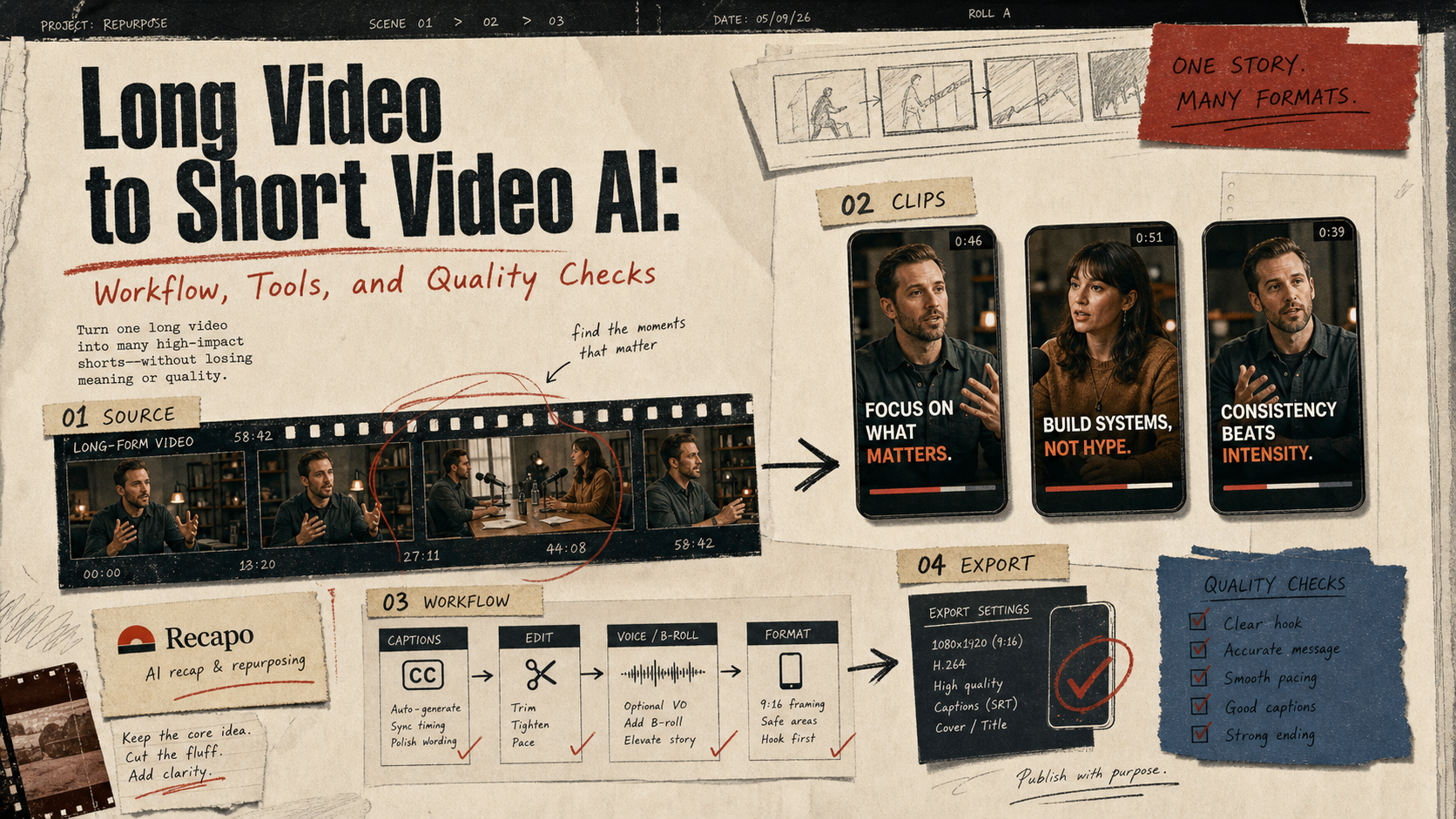
Last updated May 12, 2026: This draft targets the long-tail keyword "long video to short video AI" and should be reviewed with one real source video before publishing.
Long video to short video AI is useful when it turns a real recording into clips people can actually publish, not when it creates random highlight reels. The workflow matters more than the model name: source quality, clip selection, script compression, captions, review, and export settings decide whether the final short works.
For teams that already have webinars, podcasts, tutorials, product demos, or recorded livestreams, a tool such as Recapo can help move from long-form source material to recap scripts, subtitles, voiceovers, and shorter clips. The article below gives a repeatable workflow and a quality checklist.
Key takeaways
- Start with one source video and one target channel before choosing tools.
- AI clipping is strongest when the source has clear sections, clean audio, and obvious takeaways.
- Recapo fits the middle of the workflow: recap angle, script, voiceover, subtitles, and clip packaging.
- Every short clip needs a human review for context, claims, pacing, and captions.
- Measure clip quality by retention, clarity, source accuracy, and export readiness.
What is the best workflow for turning long videos into short videos?
The best workflow is source-first: choose the long video, define the audience, select 3-5 candidate moments, create a short script, add captions, review the message, and export for the target platform. If you skip the brief, AI can find interesting moments but still miss the publishing goal.
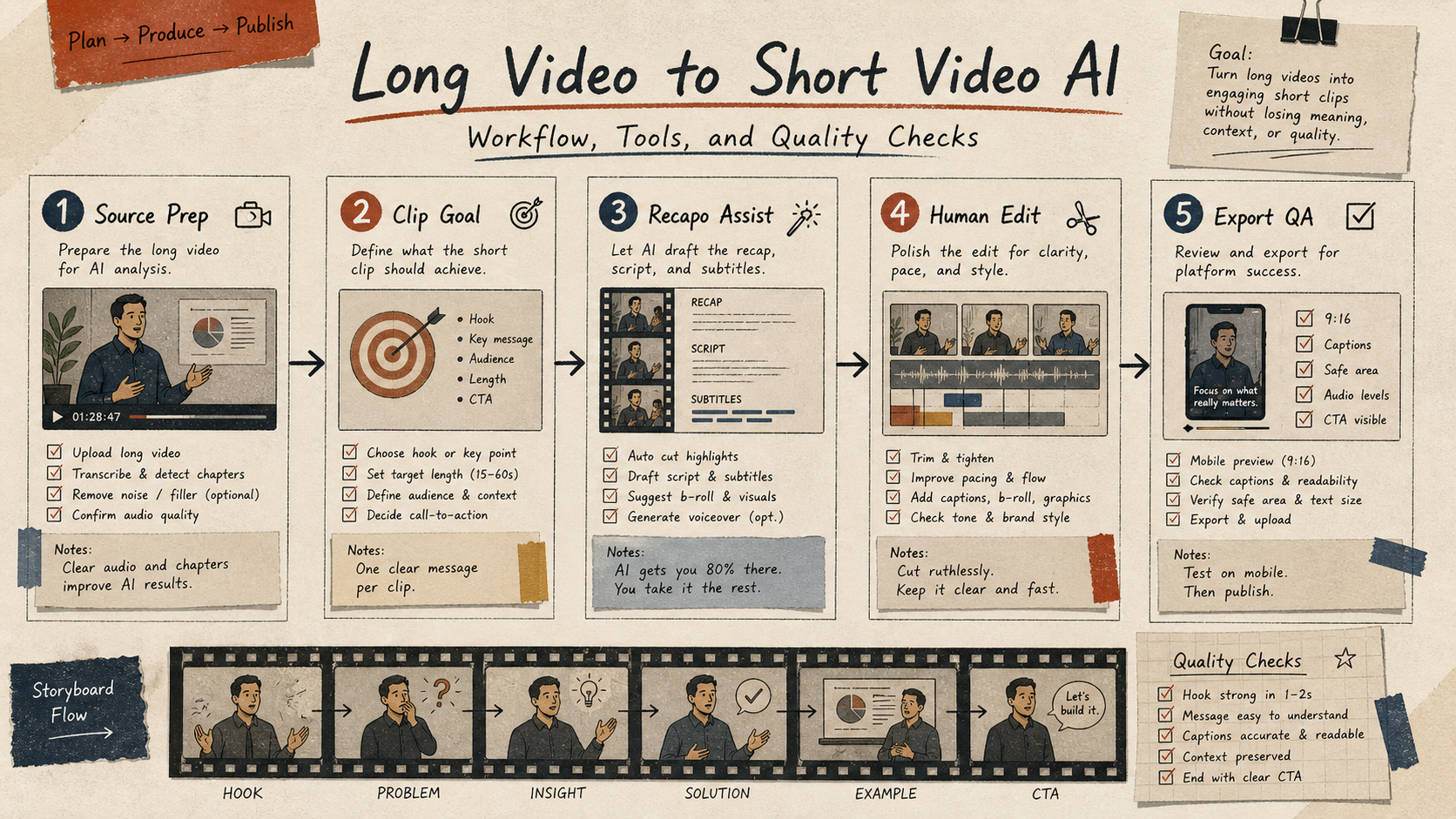
| Step | What to do | Quality check |
|---|---|---|
| Source prep | Use a clean webinar, podcast, interview, product demo, or tutorial. | Audio is understandable; topic segments are easy to identify. |
| Clip goal | Pick one outcome: teach, tease, compare, warn, or recap. | The clip has one viewer promise. |
| AI assist | Use Recapo or another workflow tool to draft recap angle, script, captions, or voiceover. | The draft preserves the source meaning. |
| Human edit | Tighten hook, remove filler, adjust captions, and check pacing. | The clip works muted and on mobile. |
| Export QA | Check aspect ratio, safe area, compression, caption timing, and attribution. | The file is ready for the channel. |
Which long videos make the best short clips?
The easiest long videos to repurpose have clear topic breaks and strong moments. Product walkthroughs, tutorials, interviews with crisp answers, expert webinars, and conference talks can all work. Long videos with rambling audio, many speakers talking over each other, or visuals that require too much context usually need more manual editing.
A good first test is a 15-30 minute video with one clear topic. Run it through a recap workflow, then compare the AI-selected clip ideas with what a human editor would choose. Keep the clips where both agree, and inspect the disagreements. That is where workflow quality becomes visible.
Quality checklist before publishing
- Does the hook match the actual content?
- Does the short clip remove necessary context from the source video?
- Are captions readable on a phone screen?
- Does the voiceover or script invent claims that were not in the source?
- Is the clip cropped correctly for Shorts, Reels, TikTok, LinkedIn, or YouTube?
- Does the description link back to the full video, product page, or related article when helpful?
When should you use Recapo?
Use Recapo when you already have long-form video and need to create scripts, subtitles, voiceovers, and recap clips faster. Do not use it as a substitute for editorial judgment. The best use case is a repeatable workflow: long source video in, several reviewed short formats out.
E-E-A-T review notes
Experience: Before publishing, run one real webinar or product demo through the workflow and add a short note about how many candidate clips were usable.
Expertise: Ben Carter should keep this article focused on AI video production workflows, caption review, source-video repurposing, and publishing QA, with examples that a small team can repeat before buying a tool.
Trust: Keep tool limits, export quality, and caption guidance current. Do not claim that AI clipping guarantees higher retention without a measured test.
Final recommendation
Long video to short video AI is a workflow, not a magic export button. Start with a clear source, use Recapo or another tool to speed up script and caption work, then apply human review before publishing. That is the path from raw recording to clips that feel useful instead of automated.
References
- Recapo tool page - internal product page for video recap, scripts, subtitles, and voiceover workflows
- YouTube automatic captions help - caption quality and limitations context
- YouTube Reimagine announcement - current AI video creation context for Shorts
Where to go next
Use these internal links to continue from the article into tool comparison, production checks, and related workflows.
- Recapo - turn long videos into scripts, voiceovers, subtitles, and recap clips
- AI video generators - browse video creation and editing tools
- Short Video Workflow - plan hook, script, captions, and export
- Video Editing Tips for AI-Assisted Creators - tighten pacing, captions, and final QA