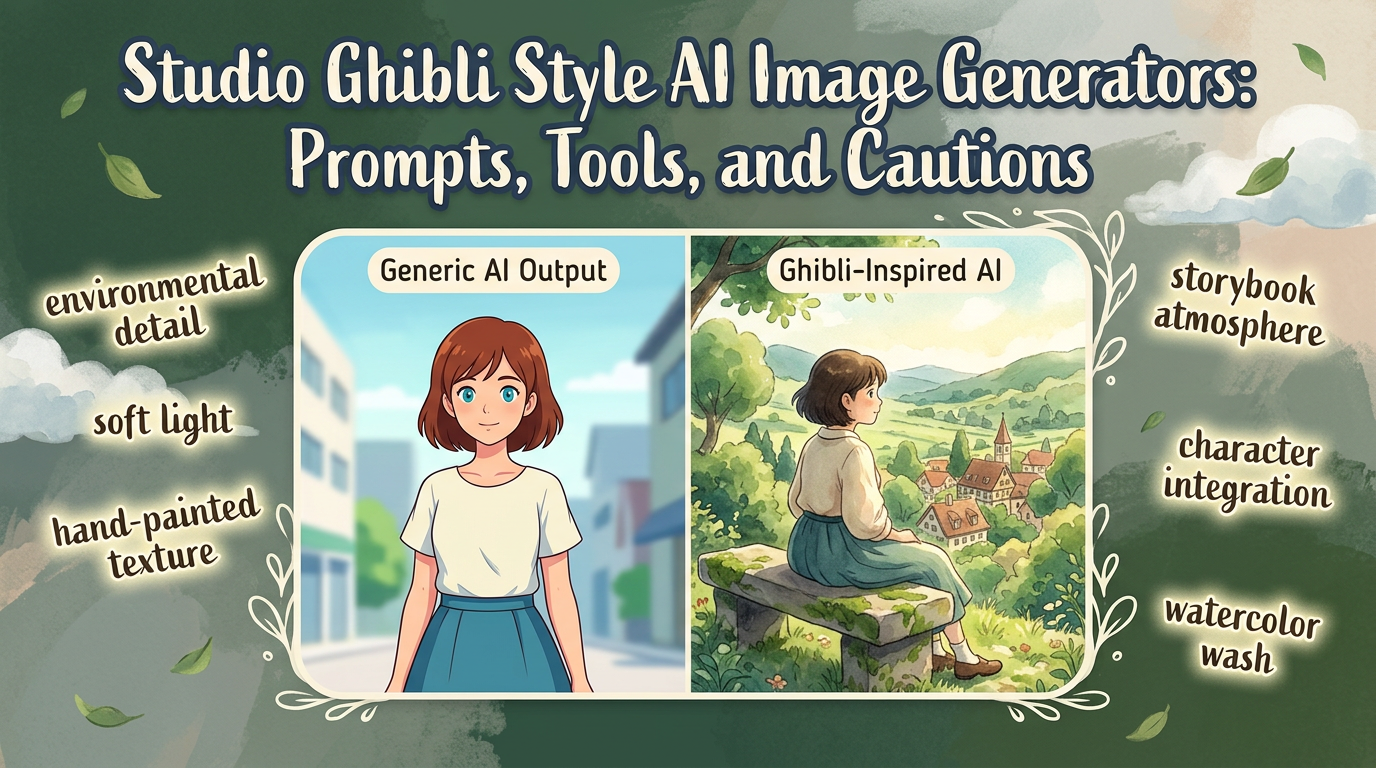
Studio Ghibli-style AI image generation is popular because people are not really searching for just any anime image. They are looking for a softer, storybook-like atmosphere with warmth, environmental detail, and a feeling of lived-in motion.
That is also why the results often disappoint. If the prompt only says Ghibli style, the image usually collapses into a vague anime look instead of the quieter visual storytelling people are actually after.
TL;DR: The best results come from prompting for mood, environment, light, and narrative detail rather than relying on a single style label. The strongest tools are the ones that let you iterate on atmosphere.
What the image needs to get right
This style depends more on atmosphere than on spectacle.
- Environmental detail should feel lived-in and emotionally coherent.
- Color, light, and scale should support a calm storybook mood.
- Characters should feel integrated into the scene, not pasted on top of it.
Tools that usually perform best
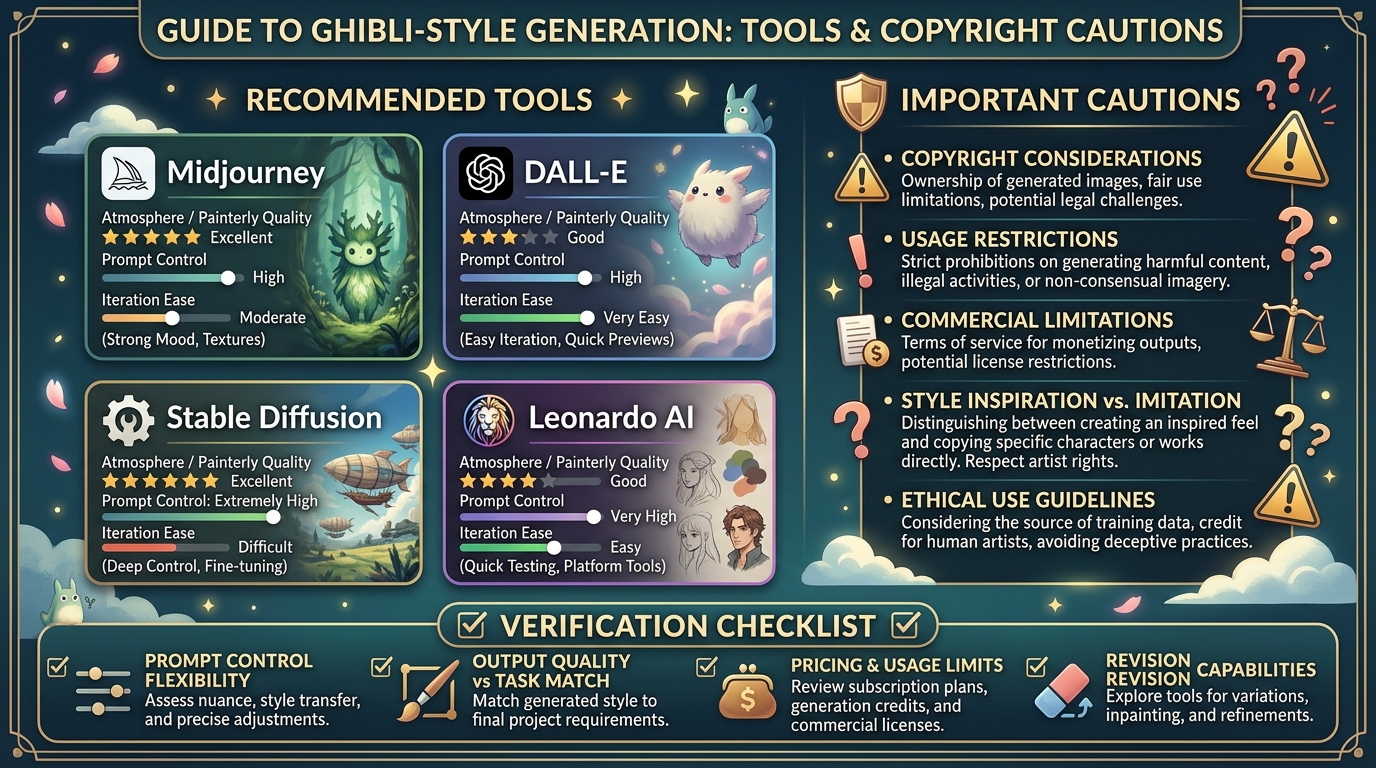
Some tools are better at painterly atmosphere than others.
- Midjourney is often strong for mood, texture, and cinematic composition.
- DALL-E is useful when you want easier prompt iteration and scene adjustments.
- Stable Diffusion workflows are a better choice when you want deeper stylistic control.
- Leonardo AI can be useful for testing multiple visual directions quickly.
Prompting tips that improve the output
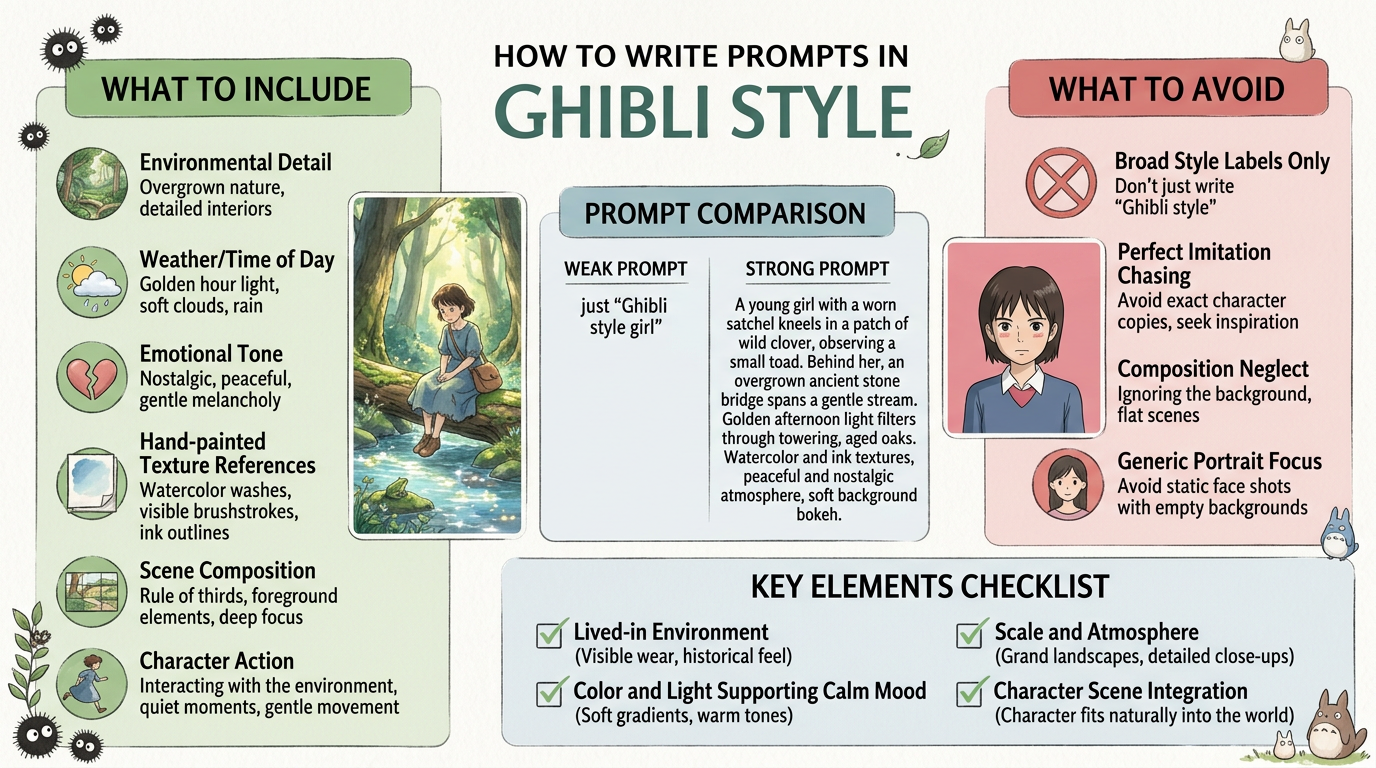
The best prompts describe scene language, not just brand language.
- Describe the environment, weather, time of day, and emotional tone.
- Use references to hand-painted textures, soft light, and quiet narrative moments.
- Prompt for scene composition and character action instead of only visual style.
Why many results fall flat
The most common failure is under-describing the scene itself.
- Using only a broad style label without environment detail.
- Chasing perfect imitation instead of focusing on mood and storytelling qualities.
- Ignoring composition and ending up with generic portrait art instead of scene-based imagery.
How we approach prompt and workflow tools
This guide is attributed to Aisha Hassan, Prompt Design Coach at Generator AI Tools. For prompt-heavy categories, we focus on usability, controllability, how easy the tool is to iterate with, and whether the output improves with better instructions instead of collapsing into generic filler.
- We look for tools that help users shape tone, structure, and intent with reasonable control.
- We separate ideation value from publication-ready value, because a useful prompt tool is not always a strong final-writing tool.
- We prefer workflows that make revision and human editing easier rather than hiding weak output behind polished marketing copy.
What to verify before you choose
- Check how much prompt control and revision flexibility the tool actually gives you.
- Compare current output quality against your real task, not just example screenshots.
- Verify pricing, usage limits, and any restrictions that affect repeated daily use.
Referenced product pages
The products mentioned above are linked to their Generator AI Tools profiles so readers can compare positioning, category fit, and current availability without leaving the research flow too early.
Bottom line
If you want better Studio Ghibli-style AI images, direct the model toward atmosphere, place, and story feeling. That is where the recognizable magic really comes from.