

Trust note, prepared May 6, 2026: This article is safety and compliance guidance for readers evaluating converter pages. It does not endorse downloading videos without permission.
A search for YouTube to MP4 converter risks usually starts with one practical fear: "Can I trust this page?" That fear is reasonable. Converter SERPs often mix legitimate format tools with aggressive ads, fake buttons, forced extensions, pop-ups, and unclear copyright claims.
Before you click a converter, answer two questions: do you have the right to convert this content, and do you actually need a video file? If either answer is unclear, stop and use a safer alternative.
Key takeaways
- The biggest risks are not only legal. They include malware, misleading ads, privacy exposure, and unwanted extensions.
- A converter should never need your YouTube login, browser extension, or unrelated software install.
- If you only need notes or quotes, use transcripts and timestamps instead of a full MP4.
- For your own files, prefer reputable local software or tools with clear privacy policies.
- Treat "free unlimited conversion" claims with suspicion, especially when the page is ad-heavy.
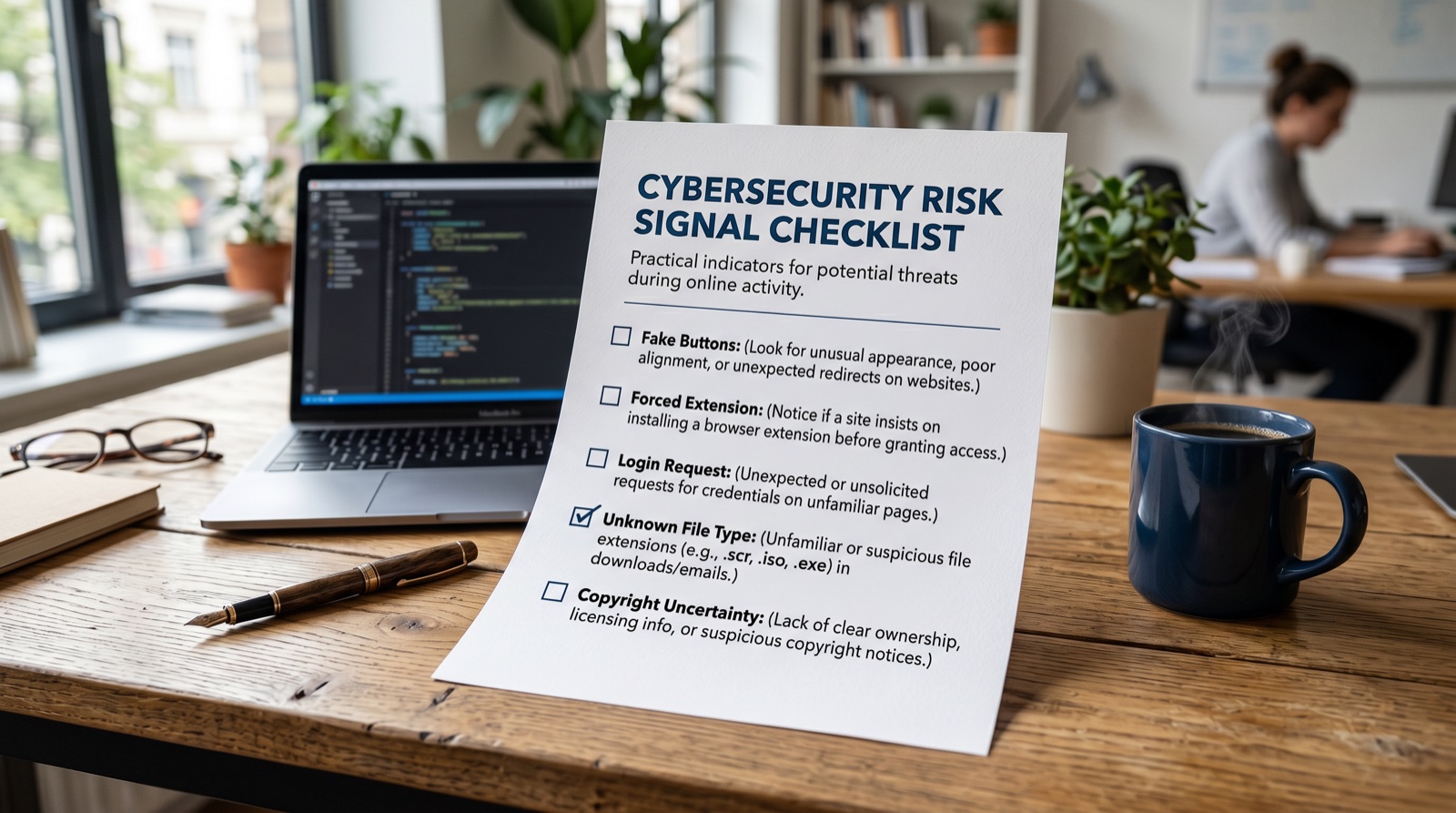
Risk checklist before using any converter
| Signal | Why it matters | Safer response |
|---|---|---|
| Multiple fake download buttons | Users may click ads or malware links instead of the file. | Leave the page. |
| Forced browser extension | Extensions can access browsing data or inject ads. | Do not install. |
| Login request | A converter should not need your YouTube credentials. | Never enter account details. |
| Unknown file extension | The file may not be the media file promised. | Delete it and scan the device. |
| No privacy or contact info | You cannot assess data handling or accountability. | Use a different workflow. |
| Copyright confusion | Permission may not exist even if the converter works. | Use official/offline/licensed options. |
The legal question comes before the format question
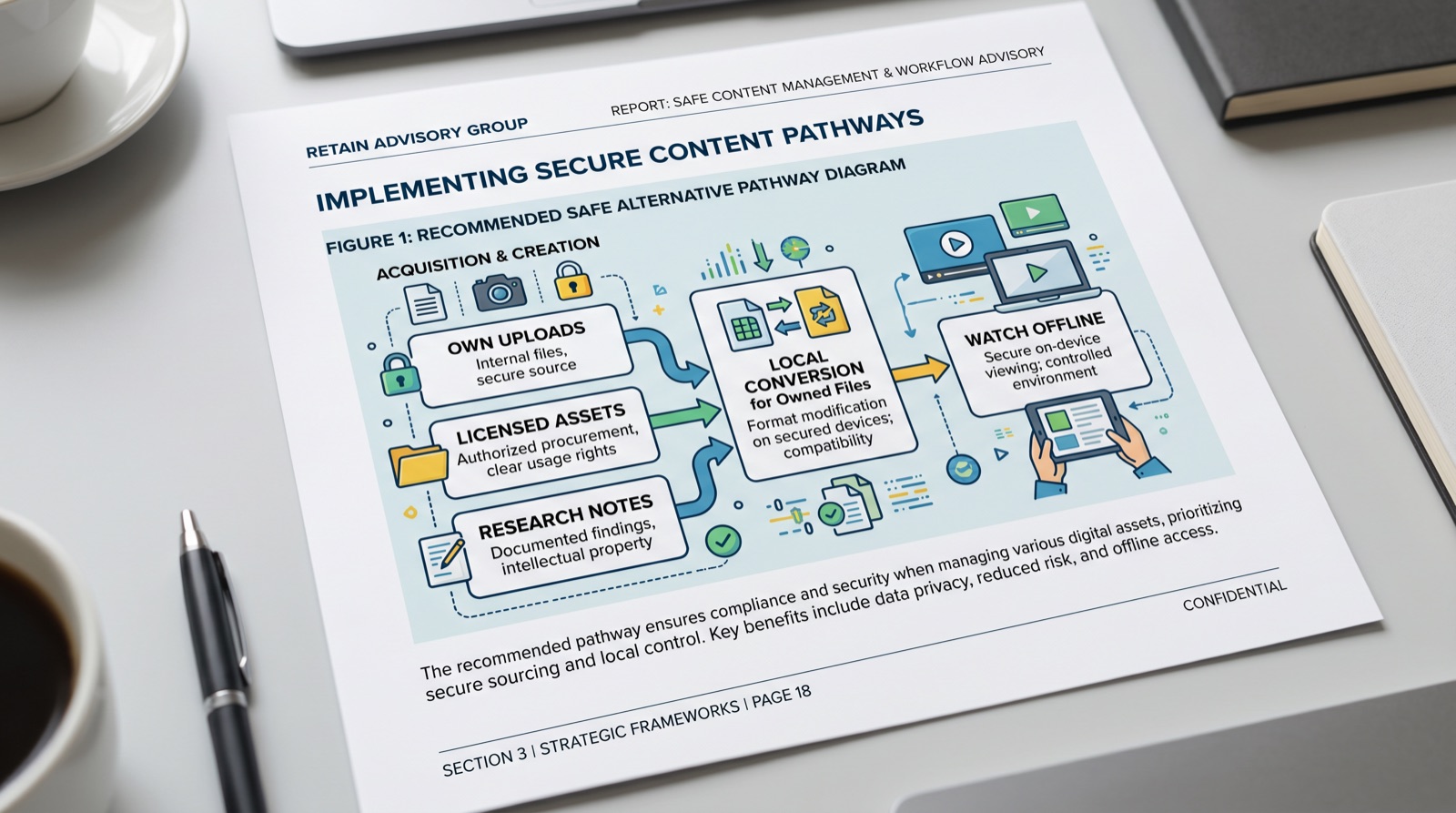
MP4 is just a file format. The more important question is whether you are allowed to create and reuse that file. Your own uploads, licensed assets, and content with explicit permission are different from videos owned by someone else.
For viewers, YouTube Premium offline downloads may solve the "watch later" use case without creating a local file. For creators, YouTube Studio and original project files are safer than random converter pages.
Safer alternatives by intent
| Intent | Better option | Why |
|---|---|---|
| Watch offline | YouTube Premium offline download where available | Official path for viewing, not republishing. |
| Back up your own upload | YouTube Studio or original source files | Clearer ownership and cleaner archive. |
| Research a public video | Transcript, timestamps, playlist, citation | No full download needed. |
| Edit owned footage | Local converter or editing software | Avoids uploading private files to unknown sites. |
| Repurpose a clip | Get permission or use licensed assets | Reduces copyright and trust risk. |
When a converter is the wrong tool
- You are trying to save a video you do not own and do not have permission to reuse.
- The page asks for an extension, login, notification access, or executable installer.
- You only need a quote, note, citation, thumbnail reference, or transcript.
- The content includes private, sensitive, paid, or copyrighted material.
E-E-A-T notes for editors
Because this topic touches user safety and legal risk, keep the language careful. Add screenshots only if they are redacted and used to teach risk signals, not to promote a specific converter.
References and source notes
- YouTube Terms of Service - platform rules reference
- YouTube Premium download help - official offline viewing guidance
- YouTube Help: Download videos you have uploaded - official creator download guidance
Where to go next
Use these internal links to move from the article into the right comparison, category, or tool research path.
- YouTube video converter safety guide - broader converter comparison
- Save YouTube videos legal options - official-first alternatives
- Short video editing tips - plan editing once rights and access are clear
Final recommendation
A converter is never the first step. Start with rights, safety, and intent. If you do not own the video, do not have permission, or only need notes, choose a safer path. If you do own the file, use a tool you can trust and inspect.



