
GPT Image 2 and the Same New AI Shift: When AI Images Start Looking Trustworthy
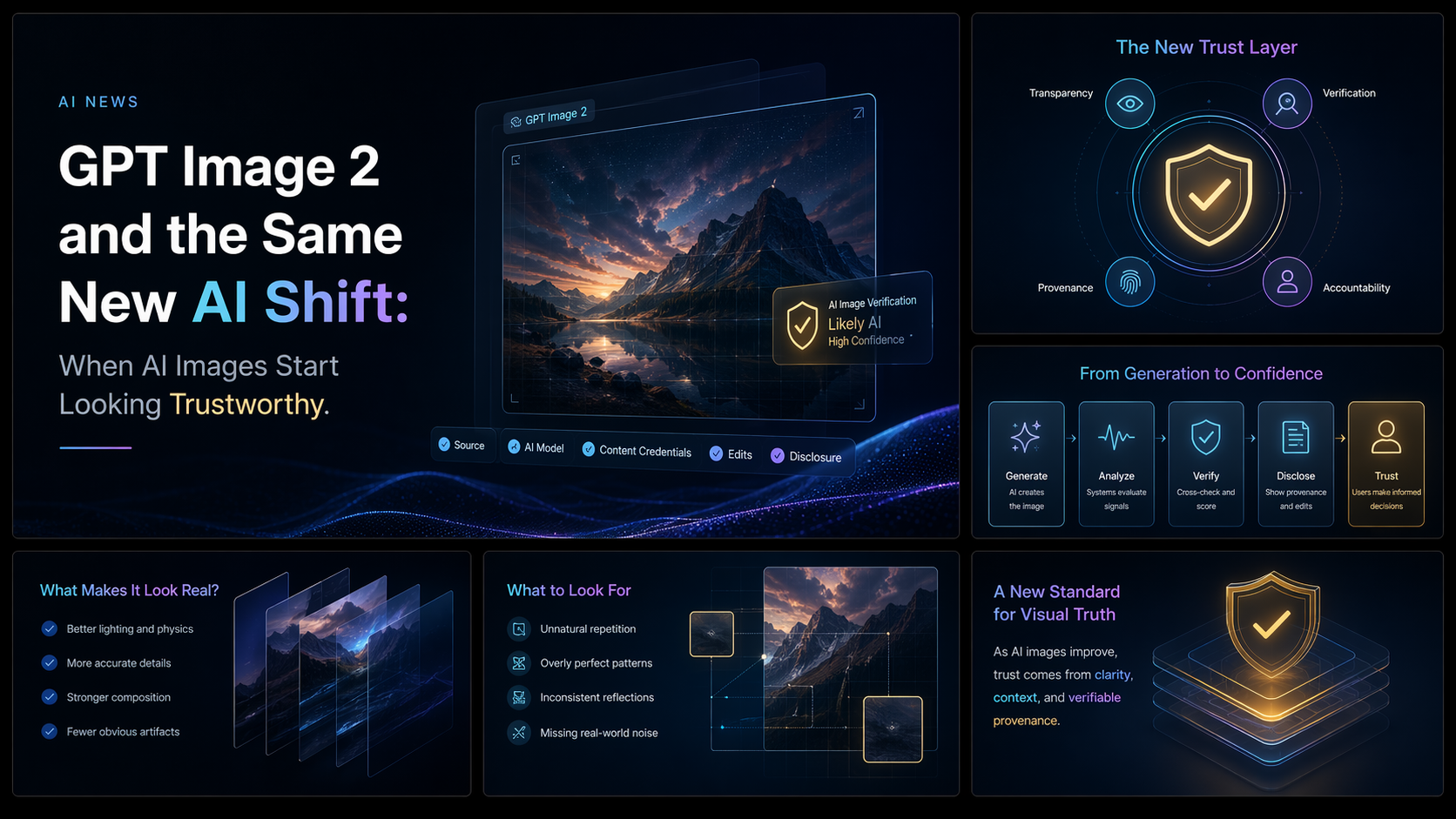
OpenAI's new GPT Image 2, introduced through ChatGPT Images 2.0, is less interesting as a prettier image generator than as a signal of where AI visuals are going next. The important shift is credibility: images that look less like fantasy art and more like plausible digital artifacts.
That distinction matters for marketers, product teams, educators, and newsrooms. A model that can generate posters, UI mockups, product cards, social screenshots, diagrams, and multilingual text-heavy layouts changes the production workflow. It also changes the trust problem, because synthetic visuals can start resembling documents, interfaces, or screenshots people normally treat as evidence.
Key takeaways
- GPT Image 2 is positioned as a workflow model, not just an art model. OpenAI describes it as a state-of-the-art image generation and editing model for fast, high-quality output.
- The biggest practical change is visual believability. The model is being discussed around screenshots, ads, posters, product mockups, UI screens, and structured graphics.
- Text rendering is the feature to watch. OpenAI and early coverage emphasize stronger text handling, which has historically been one of the hardest parts of AI image generation.
- Chinese and multilingual workflows may benefit most. If text-heavy layouts become reliable, teams can reduce the need to rebuild AI images manually in Figma or Photoshop.
- The safety problem becomes more concrete. Fake screenshots, synthetic public-opinion images, and convincing interface mockups are harder to debunk than obviously surreal AI art.
What OpenAI actually announced
OpenAI's April 2026 announcement frames ChatGPT Images 2.0 as a major update to image creation in ChatGPT. The company's developer documentation lists gpt-image-2 as an image generation model supporting image generation and image editing, with flexible image sizes and high-fidelity image inputs.
That official framing is important because it avoids some of the noisier launch-week language. OpenAI is not merely describing a model that makes attractive pictures. It is emphasizing professional creative work: ads, posters, mockups, and more complex visual requests. Axios also reported that OpenAI highlighted improved text rendering and more complex request handling as part of the release.
The practical takeaway is simple: image generation is moving closer to a general-purpose visual production layer. That means the same prompt-based workflow people already use for writing and coding is now becoming more useful for design assets.
From image generation to visual reconstruction
Earlier AI image models were often judged by whether they could make cinematic portraits, dreamy landscapes, or polished illustrations. GPT Image 2 is being discussed in a different category: whether it can reconstruct the visual logic of a real artifact.
A prompt like "make a phone screenshot of a product launch conversation" is not asking for a painting. It asks the model to understand interface hierarchy, typography, spacing, icons, status bars, buttons, and the small imperfections that make a digital moment feel real. The more accurately a model handles those details, the more the output shifts from "AI art" to "synthetic evidence."
That is why the release feels connected to a broader same new AI shift. The web is moving from models that generate isolated content to models that simulate complete work artifacts: codebases, documents, dashboards, slide decks, product pages, and now credible-looking images.
Why text rendering is the real commercial breakthrough
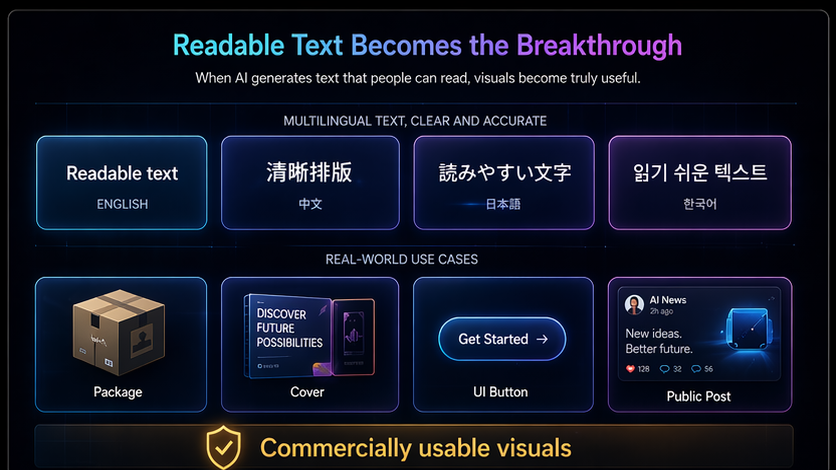
For creators and marketing teams, the most useful upgrade may not be realism. It may be readable text.
Text has been a stubborn weakness in AI image generation. A model could produce a beautiful poster, but the slogan might collapse into nonsense. It could design a product page, but the button labels would be misspelled. Chinese, Japanese, Korean, and Arabic text were especially fragile because malformed characters could make an otherwise strong image unusable.
If GPT Image 2 materially improves this, it changes the workflow. Teams can move from "generate a background, then rebuild the typography by hand" to "generate a near-finished visual with layout and copy together." That is a large difference for social media covers, public account headers, event posters, recruitment graphics, product-detail images, and educational infographics.
| Old AI image workflow | GPT Image 2 direction | Why it matters |
|---|---|---|
| Generate visual concept | Generate visual concept plus readable labels | Less manual repair after generation |
| Use Figma or Photoshop for text | Use design tools mainly for final polish | Faster iteration for teams without designers |
| Avoid dense charts or posters | Attempt structured layouts and multilingual copy | More useful for business and education assets |
| Prompt engineering-heavy | More natural-language visual direction | Lower skill barrier for non-designers |
World knowledge is becoming a design skill
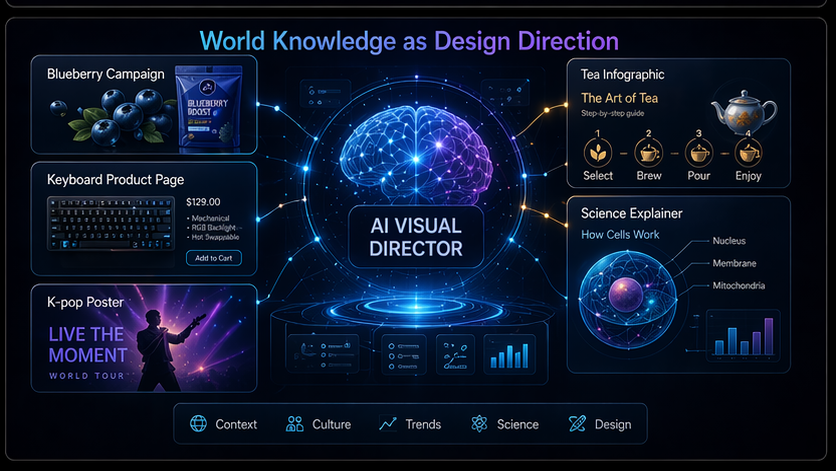
Another important change is that image models are beginning to act less like blank renderers and more like visual directors. A useful model does not only draw a blueberry; it understands that a blueberry campaign may need clean packaging, agricultural cues, supermarket lighting, or a recipe-card style. It does not only draw a keyboard; it can infer the visual language of consumer electronics.
That kind of world knowledge becomes a design capability. It helps the model choose composition, surface texture, product emphasis, typography, and mood with less instruction from the user. For non-designers, that can feel like the design equivalent of vibe coding: describe the intent, then guide the system toward a finished artifact.
The risk is that this same contextual literacy also makes synthetic images harder to dismiss. A fake livestream screenshot with the right platform chrome and plausible UI details may be more persuasive than a photorealistic fantasy scene, because users already know how a screenshot is supposed to look.
Where GPT Image 2 could change real workflows
The release matters most where visual quality, speed, and structured information meet. The strongest near-term use cases are not necessarily gallery art; they are business visuals that need to communicate clearly.
- Marketing: campaign posters, launch graphics, ad concepts, YouTube thumbnails, creator covers, and brand variations.
- E-commerce: product-detail cards, lifestyle mockups, clean backgrounds, packaging concepts, and A/B testing visuals.
- Product design: app screens, onboarding mockups, website hero concepts, UI screenshots, and feature illustrations.
- Education and publishing: timelines, explainer diagrams, research summaries, relationship maps, and multilingual infographics.
- Content operations: social post systems, newsletter headers, public account covers, thumbnails, and recurring series templates.
In each case, the value is not that AI replaces designers completely. The value is that it compresses the first 60% of visual production: ideation, draft layout, copy fitting, background styling, and asset variation.
GPT Image 2 versus Gemini Imagen 4: not one winner for every job
Launch-week comparisons have naturally focused on Google's Gemini Imagen 4. The fairest interpretation is not that one model wins every workflow. GPT Image 2 appears especially relevant for text-heavy commercial visuals, screenshot-like artifacts, and fast creative iteration. Gemini remains relevant where users want lower-cost experimentation, Google ecosystem integration, and image-to-video workflows connected to Google's broader model stack.
| Decision factor | GPT Image 2 fit | Gemini Imagen 4 fit |
|---|---|---|
| Text-heavy posters and UI mockups | Strong candidate, especially if multilingual text holds up | Useful, but compare text reliability case by case |
| Fast creative exploration | Strong if speed and prompt following are the priority | Good for iterative refinement inside Google workflows |
| Cost-sensitive production | Check official pricing before scaling | Often discussed as cost-competitive |
| Image plus video pipeline | Image-first workflow | Potential advantage through Google's video ecosystem |
The trust problem is now impossible to ignore
GPT Image 2's most important consequence may be cultural rather than creative. When AI images look obviously synthetic, audiences can rely on visual flaws: warped hands, broken reflections, strange teeth, nonsense letters. When images become screenshot-like, those habits are less useful.
A fake chat log does not need cinematic perfection. It needs plausible interface spacing. A fake product announcement does not need a perfect human face. It needs a convincing layout, readable text, and enough brand grammar to pass a casual glance. That is the deeper trust issue.
This does not mean credible AI images should be treated only as a threat. Better generation can help small teams communicate ideas, teachers explain concepts, founders mock up products, and creators ship more polished work. But it does mean organizations need clearer verification habits: source checking, watermark awareness, metadata review, reverse-image search, and skepticism toward screenshot-only claims.
What teams should do next
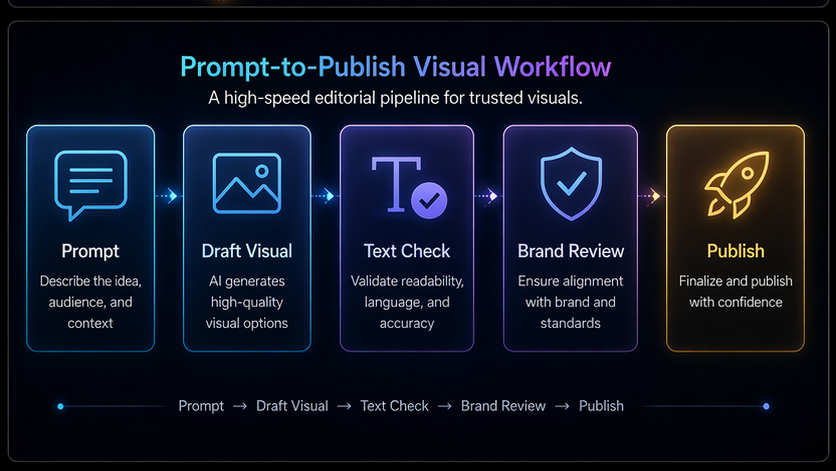
For teams adopting GPT Image 2 or ChatGPT Images 2.0, the next step is not simply to generate more images. It is to build a workflow that separates draft, review, and publish.
- Create a visual approval checklist for text accuracy, factual claims, brand fit, and disclosure needs.
- Keep prompts and source images for commercial assets so teams can audit how a visual was produced.
- Use AI for drafts, not unchecked evidence. Treat screenshot-style generations as illustrations unless their source is verified.
- Test multilingual text before scaling. Run Chinese, English, and mixed-language layouts through real production examples.
- Label synthetic visuals when context requires it, especially in news, public affairs, education, or sensitive commercial claims.
Bottom line
GPT Image 2 marks a meaningful step in AI visual generation because it pushes beyond attractive pictures toward believable artifacts. The model's value will come from text rendering, interface literacy, world knowledge, and fast visual iteration. Its risk will come from those same strengths.
The future of AI images will not be defined only by quality. It will be defined by whether creators, platforms, and audiences can build verification habits as quickly as models learn to build credibility.
Sources and further reading
Related Coverage
Related AI news
AI News
OpenAI Releases GPT-5.5 for ChatGPT and Codex
OpenAI is rolling out GPT-5.5 to paid ChatGPT users and Codex, positioning the model for agentic coding, research, data analysis, and multi-tool work.
AI News
OpenAI Rebuilds Agents SDK to Push AI Agents Toward Production
OpenAI has rolled out a major rewrite of its Agents SDK, turning what had largely been a lightweight chatbot-oriented toolkit into a more complete foundation for production-grade AI agents.
AI News
OpenAI Privacy Filter Brings Local PII Redaction Into the AI App Stack
OpenAI released Privacy Filter, an open-weight model for detecting and masking personally identifiable information in text, giving teams a local option for safer AI data pipelines.