
An AI logo generator is most useful when you need to move from a blank page to a few credible brand directions quickly. It is much less reliable when you expect final trademark-ready identity work with perfect vector control. That distinction matters, because many buyers come in expecting the second result and get disappointed.
TL;DR
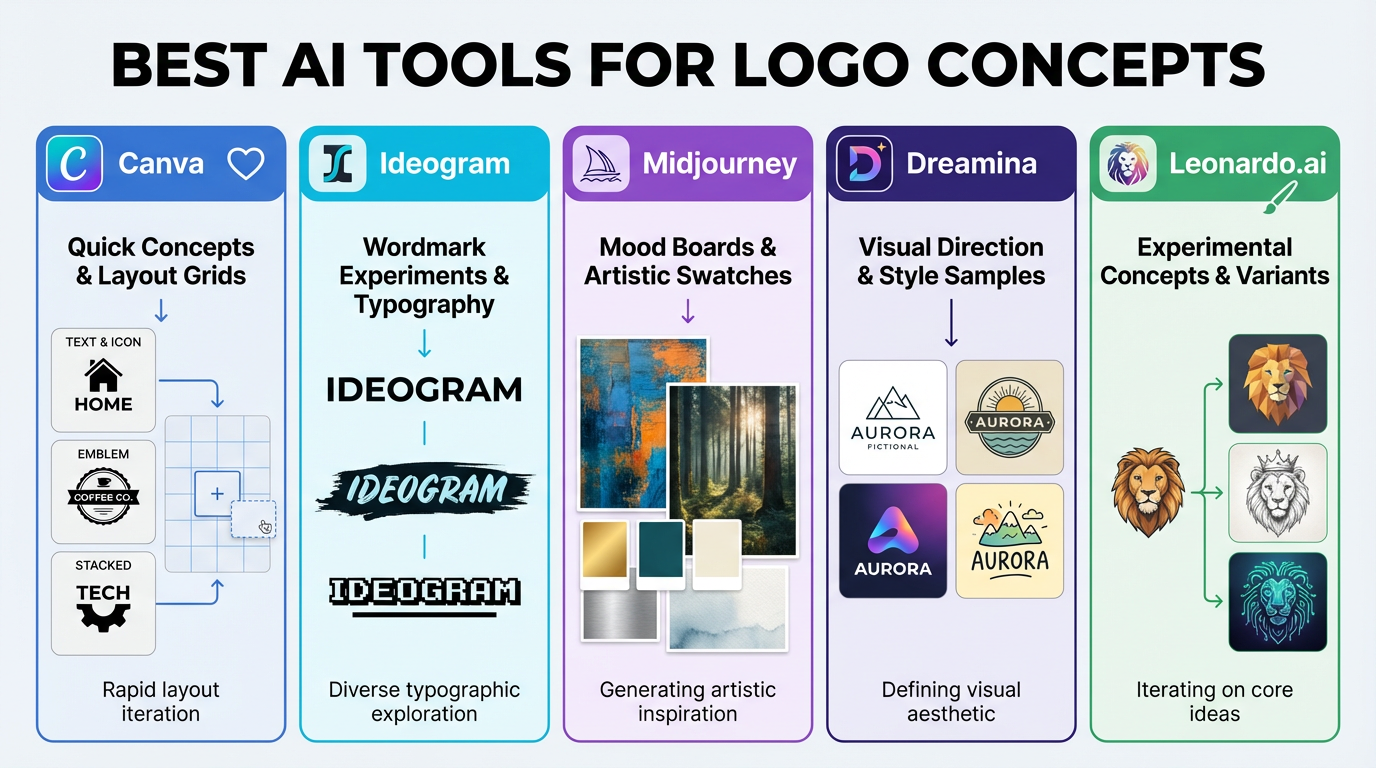
- Canva is one of the easiest places to turn a rough concept into something presentation-ready.
- Ideogram is useful when typography or wordmark experimentation matters.
- Midjourney, Dreamina, and Leonardoai are often stronger for moodboards and visual directions than for final logo files.
How we evaluate an AI logo generator
For this keyword, the real test is not whether the tool can produce one attractive mark. It is whether it can help you explore directions quickly, keep the concept readable at small sizes, and move smoothly into a real branding workflow.
| Use case | Best starting point | Why | Watch out for |
|---|---|---|---|
| Fast startup concepting | Canva | Easy layout, quick edits, simple export flow | Outputs can feel templated if you stop too early |
| Wordmark exploration | Ideogram | Better at text-forward visual ideas | You still need cleanup for a final identity system |
| Brand moodboards | Midjourney or Dreamina | Strong for visual direction and atmosphere | Not ideal as your only production path |
| More experimental concept work | Leonardoai | Useful for variant exploration and art direction | Takes more effort to keep results brand-safe |
Where an AI logo generator helps most
- Early concepting: getting from zero ideas to three usable directions quickly.
- Moodboarding: pairing logo directions with color, texture, and visual style references.
- Client alignment: showing rough routes before investing in detailed design polish.
Where it usually falls short
- Trademark clearance is still a manual legal and branding process.
- Small-size readability often needs human refinement.
- Most outputs still need cleanup before they feel like a real identity system.
- A logo alone is not a brand. You still need typography, color use, spacing rules, and applications.
A smarter workflow for teams
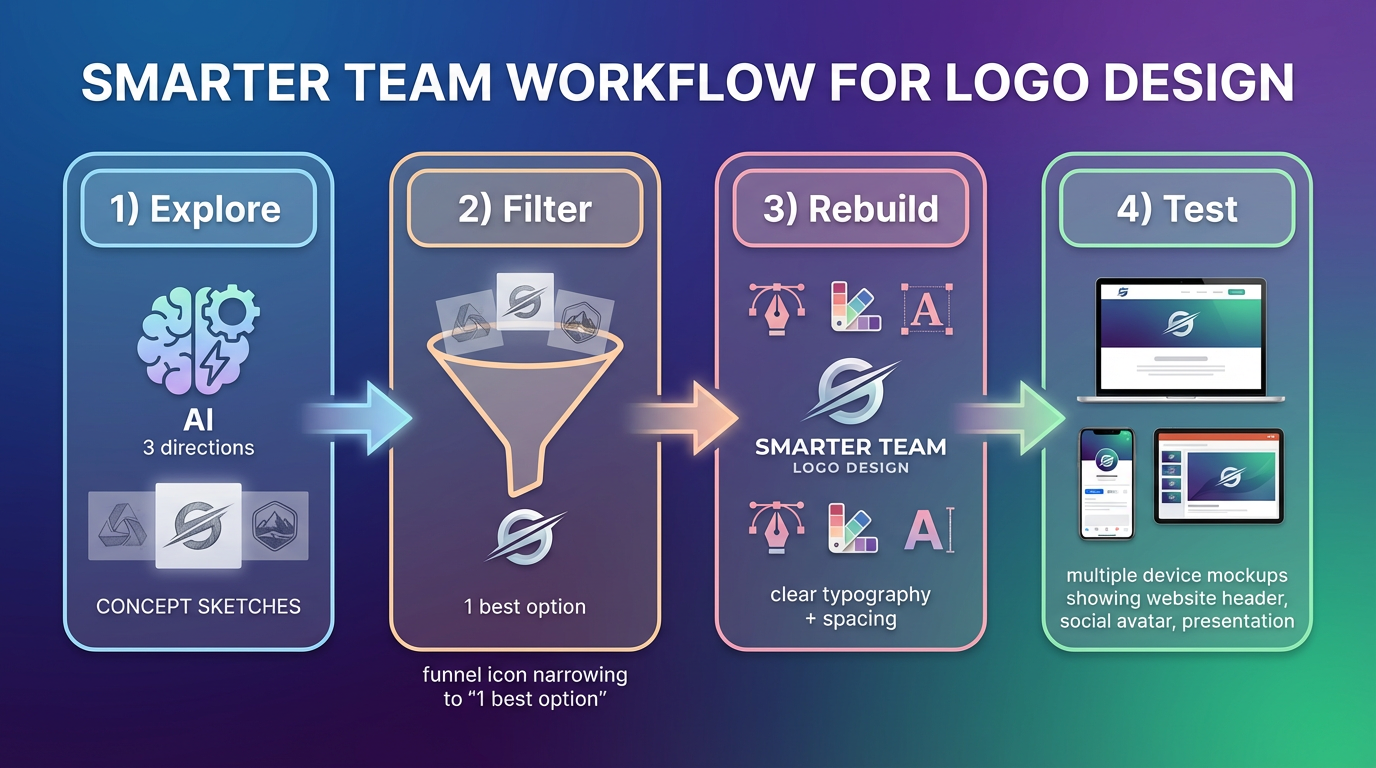
Use an AI logo generator to explore routes, not to skip brand thinking. A practical workflow is: generate three directions, shortlist one, rebuild the strongest option with cleaner typography and spacing, then test it in real placements like website headers, social avatars, and presentation covers.
Good related reads
If your next step is brand presentation, read AI Font Generators: Best Tools for Logos, Posters, and Brand Concepts. If you are still in the broader design exploration phase, Best Free AI Image Generators You Can Use Today helps narrow the starting tool list.
Final take
The best AI logo generator is usually the one that speeds up concepting without trapping you in a low-quality final file. For most teams, that means using AI to explore and refine ideas faster, then applying a human design pass before calling the work done.



