Last updated May 12, 2026: This draft targets "AI subtitle generator for videos" and should be reviewed with a real caption sample before publishing.
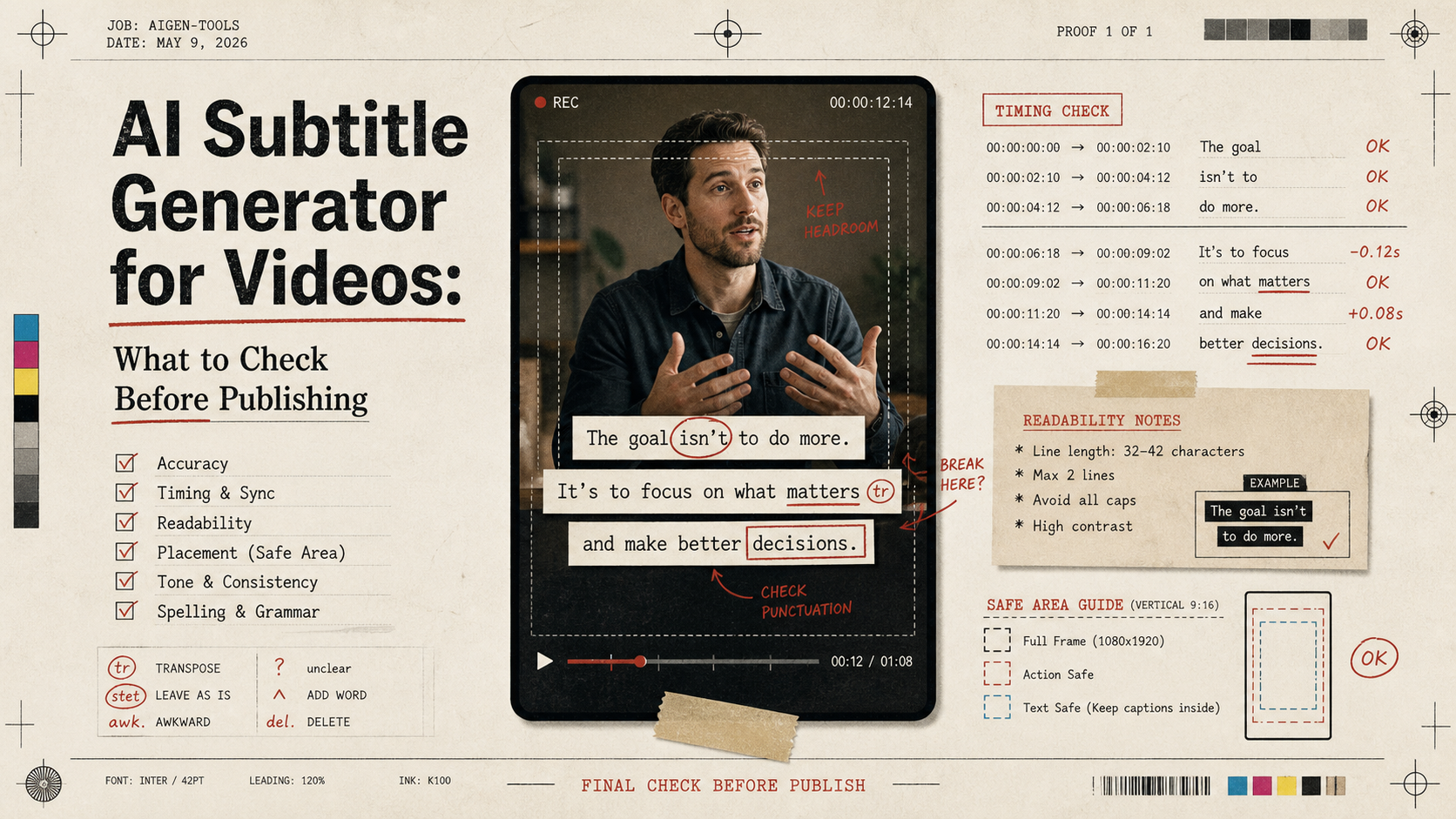
An AI subtitle generator for videos can save hours, but subtitles are not safe to publish just because they appear on screen. Captions affect accessibility, viewer trust, retention, and whether the final video accurately represents the source.
If you use Recapo or another tool to draft subtitles from long-form videos, treat the result as a strong first pass. The publishing decision still depends on accuracy, timing, line breaks, speaker names, brand terms, and whether the captions block important visuals.
Key takeaways
- AI subtitles should always be reviewed before publishing.
- The most common problems are names, jargon, timing, line breaks, and caption placement.
- Recapo can support subtitle drafts as part of a broader video recap workflow.
- Burned-in captions should be tested on mobile before export.
- For multilingual subtitles, check meaning rather than literal word matching.
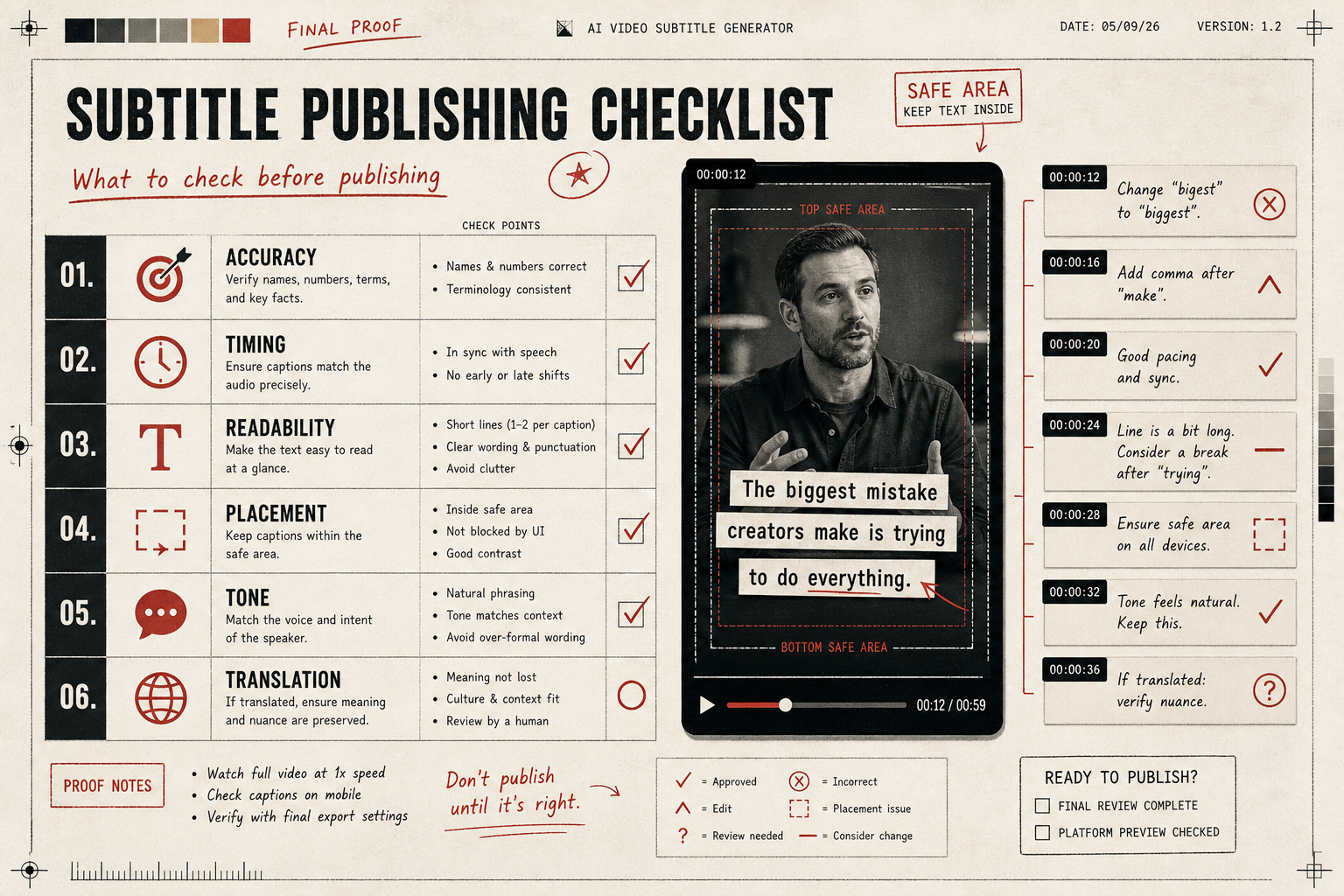
What should you check before publishing AI subtitles?
| Check | What can go wrong | How to review |
|---|---|---|
| Accuracy | Names, tools, brand terms, numbers, and technical words may be wrong. | Watch once with audio and captions together. |
| Timing | Captions may appear too early or too late. | Check cuts, pauses, and fast transitions. |
| Readability | Lines can be too long for mobile. | Use short caption groups and natural line breaks. |
| Placement | Captions can cover faces, UI, or product text. | Preview in the final aspect ratio. |
| Tone | Auto-punctuation may change meaning. | Read the caption text without audio. |
| Translation | Literal translation can miss intent. | Have a fluent reviewer check meaning. |
Where does Recapo fit?
Recapo fits when subtitles are part of a larger repurposing workflow. A long video may need a recap script, a shorter clip, a voiceover, and subtitles. Keeping those outputs connected helps the editor catch mismatches between what the source said and what the short clip claims.
A practical workflow is: generate subtitle draft, review source accuracy, tighten lines for mobile, check safe area, export, and watch the final clip muted. If the muted version makes sense, the subtitle layer is doing useful work.
Caption review checklist
- All names, product terms, URLs, and numbers are correct.
- Captions do not cover the main speaker, UI labels, or product demo area.
- No line stays on screen too briefly to read.
- The first three seconds are understandable when muted.
- The caption style fits the brand and platform.
- The exported file has been checked on a phone, not only in the editor.
Final recommendation
Use AI subtitle generators to speed up transcription and first-pass formatting. Before publishing, review captions like editorial copy. For Recapo workflows, keep subtitles tied to the original source and the recap script so the final short remains accurate and readable.
E-E-A-T review notes
Experience: Before publishing, add one screenshot of a subtitle safe-area review and one example of a corrected caption line.
Expertise: Sarah Miller should keep this article focused on caption readability, mobile safe areas, subtitle accuracy, and creator publishing workflows, with examples that a small team can repeat before buying a tool.
Trust: Tell readers to verify captions for accessibility, names, claims, numbers, and translated meaning before publishing.
References
- YouTube automatic captions help - official caption limitations and review context
- Recapo tool page - internal product page for subtitle and recap workflows
Where to go next
Use these internal links to continue from the article into tool comparison, production checks, and related workflows.
- Recapo - generate recap clips, scripts, voiceovers, and subtitles
- AI video recap tool - turn long videos into reviewed short clips
- Video Editing Tips for AI-Assisted Creators - review captions inside the final edit