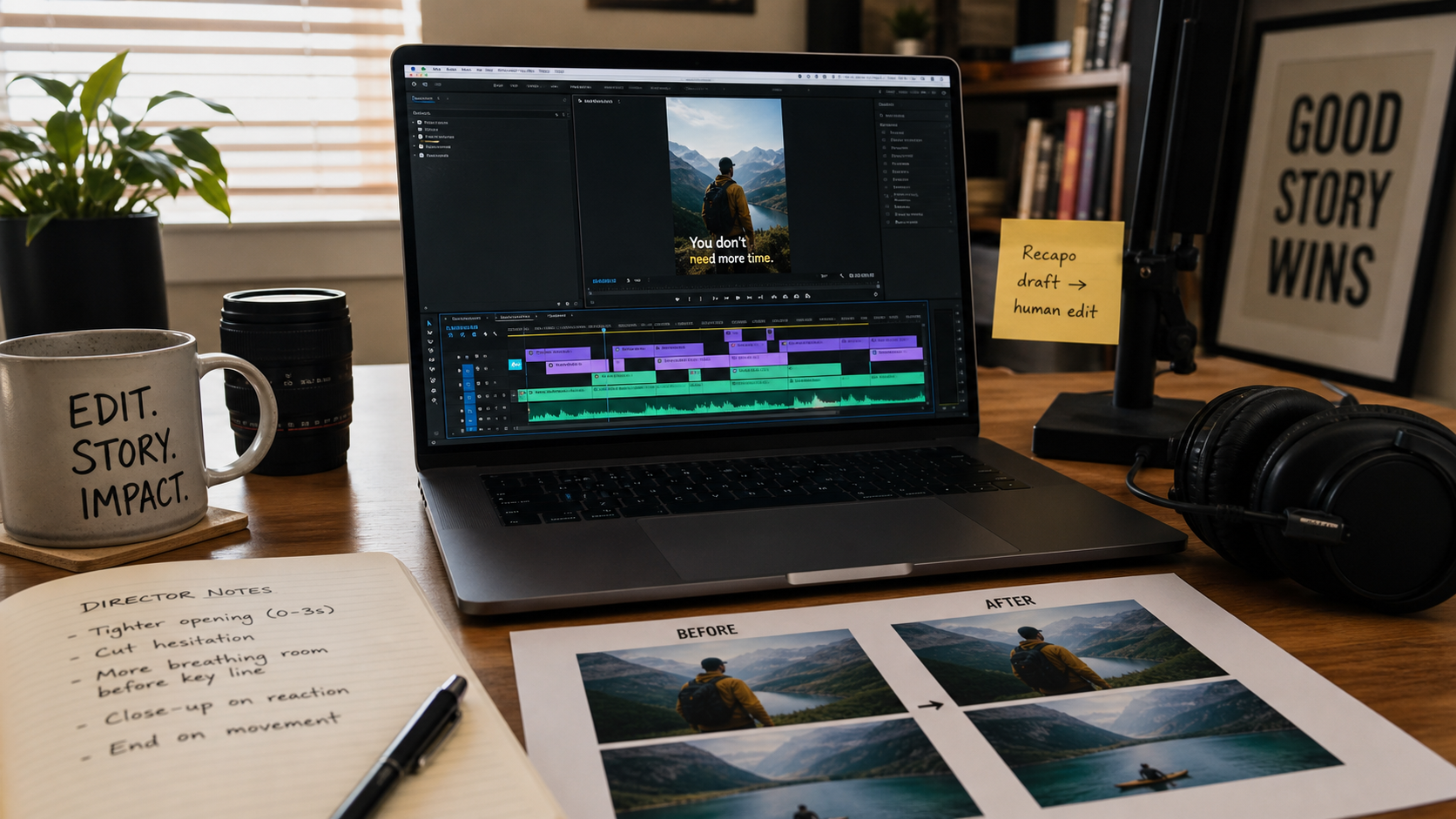
Editorial note, prepared May 9, 2026: Add one before/after editing example and one mobile screenshot before publishing. Keep Recapo as the internal product example for recap clips and subtitle workflows.
AI can generate clips, summarize footage, draft scripts, and create captions. It cannot decide what your viewer should feel in the first three seconds. That is still editing.
These video editing tips are for AI-assisted creators who want the speed of tools like Recapo without losing clarity, pacing, or trust. Use AI to reduce mechanical work, then use human judgment to shape the final story.
Key takeaways
- Edit around one viewer promise, not around every good clip you generated.
- Use AI-generated captions and scripts as first drafts, then tighten them manually.
- Use Recapo to turn long source videos into recap clips, voiceovers, subtitles, and script options.
- Check every AI-assisted edit for factual accuracy, misleading cuts, and audio-caption mismatch.
- Export once from the final timeline to avoid unnecessary compression loss.
Tip 1: Choose the story before the tool
The fastest way to make a weak AI-assisted video is to start with tool features. Start with the story instead. What should the viewer know, believe, or do after watching? Once that is clear, the tool choice becomes easier.
If the story is "this product demo had one useful moment," use Recapo to find the recap angle and draft a short script. If the story is "this concept needs a visual metaphor," use a generator. If the story is "this workflow needs polish," use an editor.
Tip 2: Cut for comprehension first
AI-assisted creators often over-edit because generation feels cheap. Resist that. The first job is comprehension. The viewer should understand the subject, the claim, and the visual sequence without needing to replay the clip.
- Remove context that matters only to the creator.
- Keep product screens on screen long enough to read.
- Use zooms to clarify, not to manufacture energy.
- Keep captions away from UI labels, faces, and important motion.
- End with one clear next step.
Tip 3: Treat captions as design
Captions are not only accessibility features. On mobile, they are part of the visual design. AI can draft subtitles quickly, but an editor should still review line breaks, timing, capitalization, and whether the text blocks the key visual.
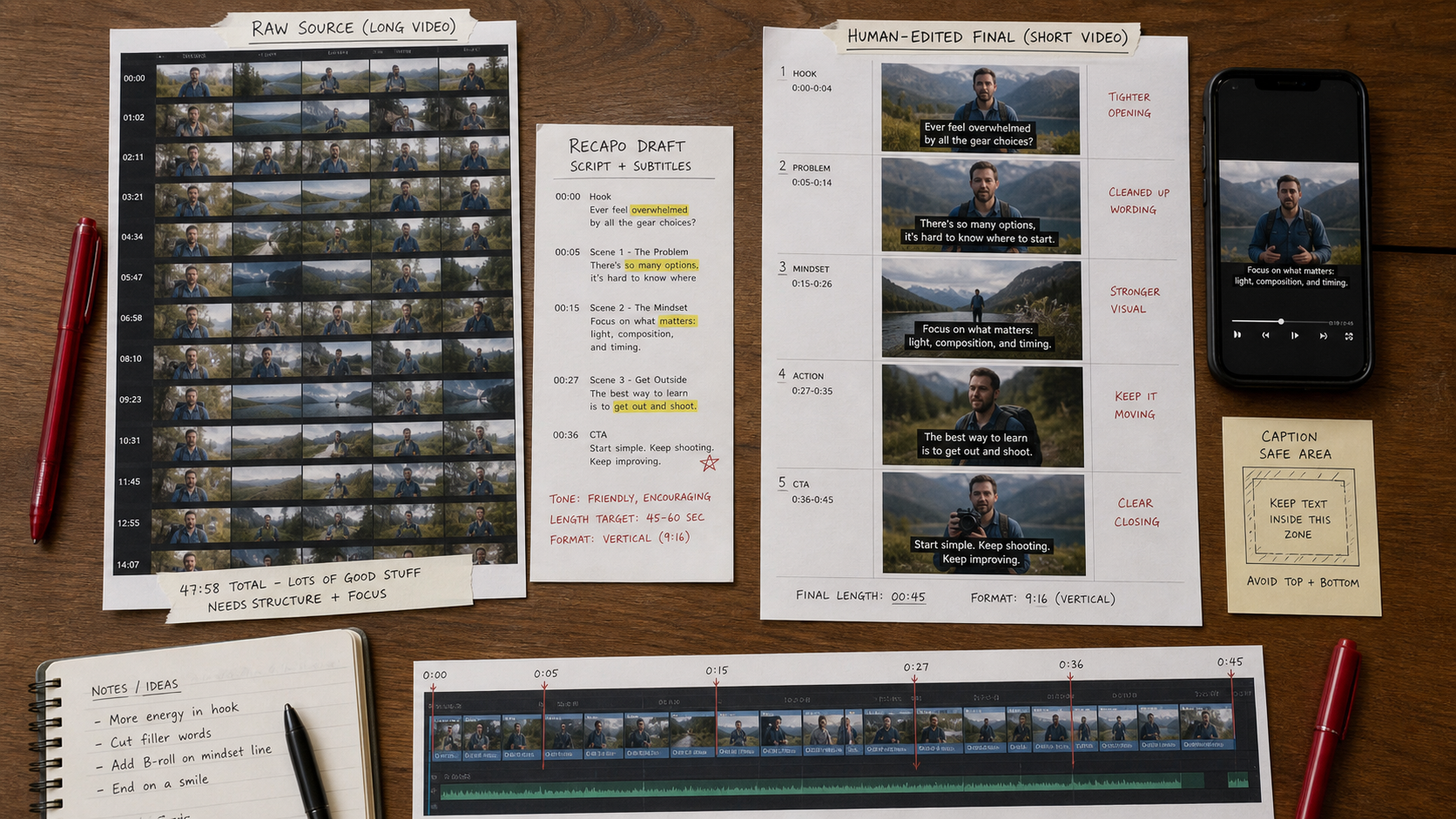
When Recapo creates subtitle drafts from long videos, use that output as the editing base. Then adjust lines for rhythm and readability. A caption that is technically accurate can still be too long for a fast-moving short.
Tip 4: Keep voiceover honest
AI voiceover can make a clip feel finished quickly, but it also raises trust issues. Do not use a voiceover to overstate what the source shows. If the video is a recap, the narration should match the actual source material.
| Editing check | Question to ask | Why it matters |
|---|---|---|
| Claim check | Does the narration say something the source supports? | Prevents misleading edits. |
| Pacing check | Can viewers understand the line before the next cut? | Improves retention. |
| Caption check | Do subtitles match the spoken line? | Protects accessibility and trust. |
| Visual check | Does the image prove or support the line? | Avoids empty B-roll. |
Tip 5: Build a repeatable export routine
Export routines save creators from accidental quality loss. Decide platform, aspect ratio, safe margins, captions, thumbnail frame, and file format before the final render. Then test on a phone, not only on a desktop preview.
E-E-A-T review notes
Experience: Add a before/after editing example before publishing. The strongest version would show a raw long-form clip, a Recapo-generated recap/script/subtitle draft, and the final human-edited short clip.
Expertise: Keep the guidance rooted in practical video craft: viewer promise, pacing, caption readability, voiceover accuracy, source context, and final export checks.
Trust: Make clear that AI-assisted editing should not distort the meaning of source footage. If a recap clip changes order, removes context, or adds narration, the editor should check that the final message still matches the source.
- Add one mobile screenshot for caption safe-area review.
- Use Recapo as the concrete recap and subtitle workflow example.
- Avoid claiming a tool replaces the editor; the final recommendation should keep human review central.
Final recommendation
AI-assisted editing works best when AI handles extraction, drafting, captions, and first-pass structure while the creator owns story, pacing, and review. Recapo can speed up long-video repurposing, but the final clip still needs a human editor who knows what the viewer should remember.
References
- Recapo tool page - internal product reference for recap clips, subtitles, voiceovers, and scripts
- AI video generators category - internal category context for video tools
- Video Editing Tips for Short Videos That Convert - related internal editing guide
Where to go next
Use these internal links to move from planning into tool selection, editing, and publishing workflows.
- Recapo - turn long videos into scripts, voiceovers, subtitles, and recap clips
- AI video generators - browse generation and editing tools
- Video Editing Tips for Short Videos That Convert - read the existing short-video editing guide
- Best Free Image to Video AI Tools - compare image-to-video options
- Video Production Tools - connect editing tips to production workflows