Editorial note, draft prepared April 22, 2026: This draft should be reviewed against current product docs before publishing because AI coding products change quickly. Keep the comparison workflow-based rather than feature-hype based.
The question is not whether Claude Code, Cursor, or GitHub Copilot is "best." The better question is which AI coding workflow fits your team, codebase, review habits, and risk tolerance.
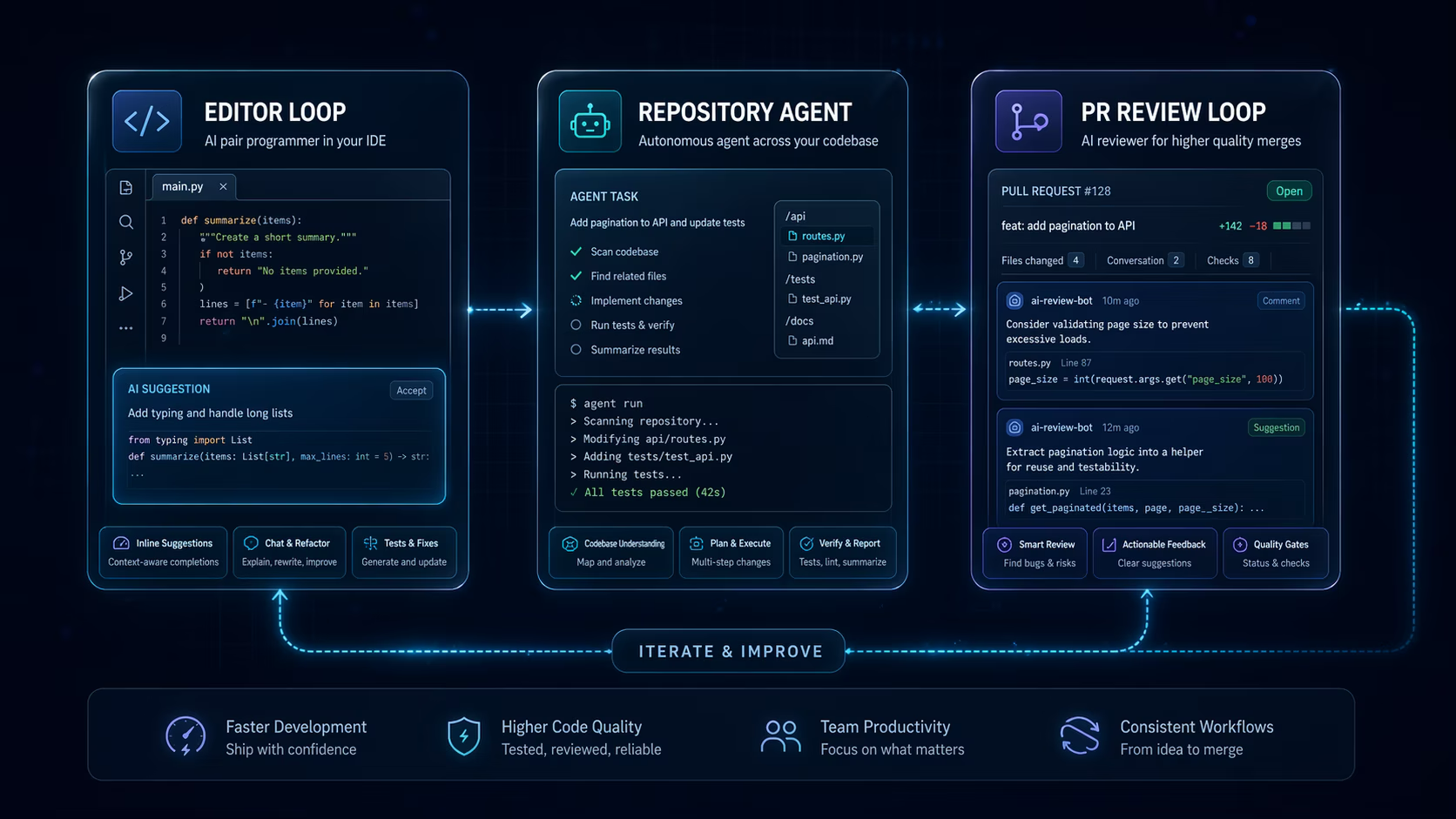
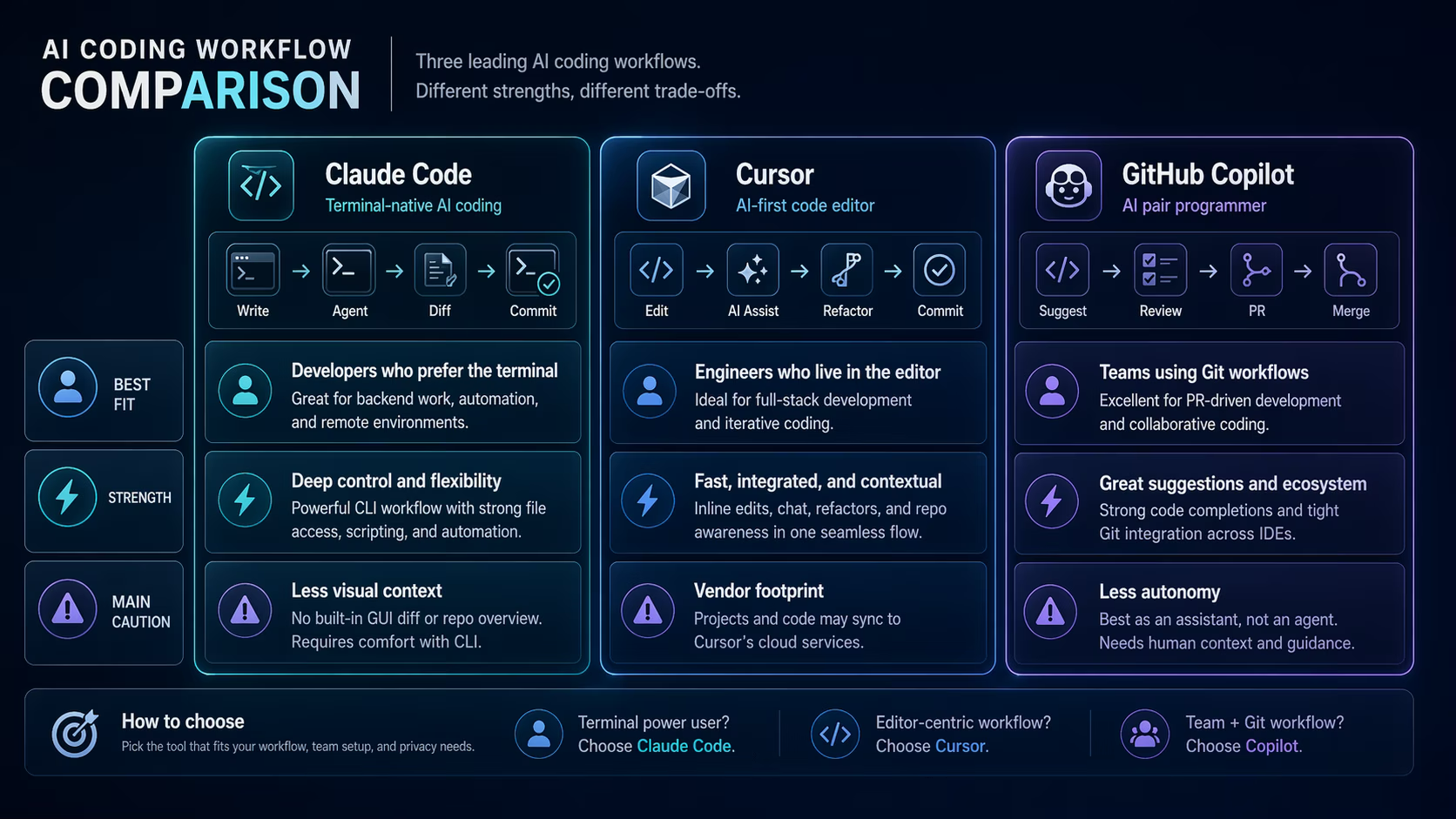
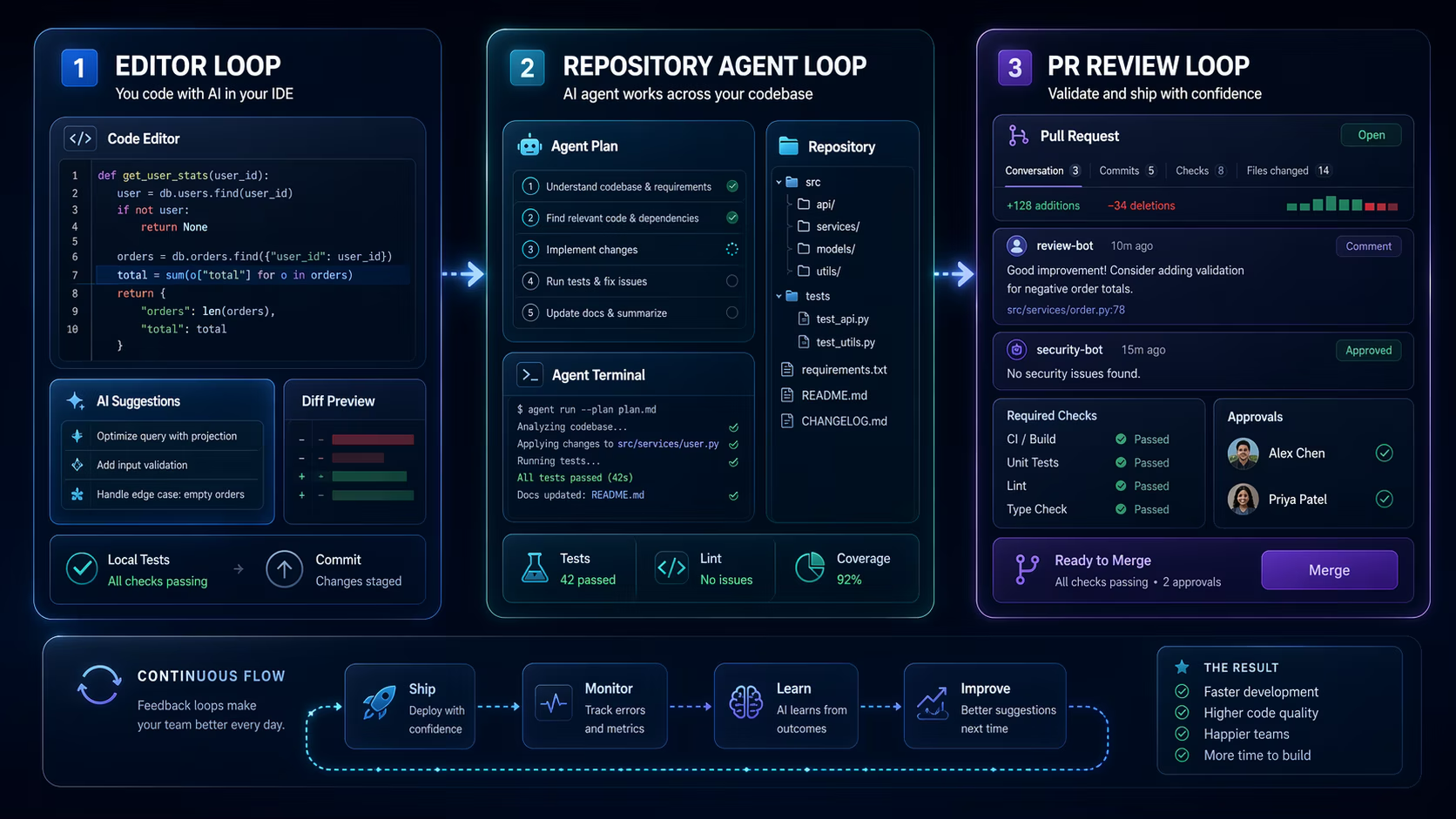
A useful Claude Code vs Cursor vs GitHub Copilot comparison should look at where the assistant sits: inside the editor, inside the repository workflow, inside a terminal-like agent loop, or across pull requests and team processes.
TL;DR: Choose Cursor when editor-native iteration matters, GitHub Copilot when your team lives in GitHub and wants broad IDE support, and Claude Code-style workflows when deeper task execution and repository reasoning are the main need. Test each on your own code before standardizing.
Who this guide is for
This guide is for developers and architects comparing AI developer tools before changing their coding workflow.
- Engineering teams moving beyond autocomplete.
- Staff engineers choosing a standard assistant policy.
- Developers who want a workflow comparison before reading individual AI tool reviews.
The practical framework
Compare AI coding tools by workflow fit. The same feature can feel powerful or annoying depending on where it interrupts the developer.
| Workflow need | Best-fit signal | Question to test |
|---|---|---|
| Editor iteration | Fast inline edits and chat in context | Can it improve a file while I stay in flow? |
| Repository tasks | Multi-file reasoning and task handoff | Can it inspect enough context to make a coherent change? |
| Team governance | Policy, PR, and admin controls | Can leads manage access and review expectations? |
Cursor fits editor-first development
Cursor is strongest when the developer wants AI help while staying inside the coding environment. That makes it useful for refactors, local explanations, quick edits, and file-aware iteration.
The risk is over-reliance on fast edits. Teams should still require authors to understand generated changes and keep diffs reviewable.
GitHub Copilot fits broad team rollout
GitHub Copilot is often easier for organizations already standardized on GitHub and common IDEs. Its value is not just completion. It is the surrounding workflow: docs, policy controls, chat, PR assistance, and broad developer familiarity.
For architecture-heavy work, Copilot still needs clear repository context and human review. Treat it as a team productivity layer, not a replacement for design review.
Claude-style coding agents fit deeper task loops
Claude and Claude Code-style workflows are more interesting when the job involves understanding a task, inspecting files, proposing changes, and reporting what was verified. That can be powerful for experienced developers who know how to supervise an agent.
The main risk is scope. Agentic coding can create large changes quickly. Teams should define file ownership, test expectations, and when the agent must stop for human input.
| Tool family | Strongest workflow | Main caution |
|---|---|---|
| Cursor | Editor-native iteration | Fast changes can hide weak reasoning |
| GitHub Copilot | Team-wide IDE and GitHub workflows | Policies and review rules still matter |
| Claude Code-style agents | Multi-step repository tasks | Scope control and verification are essential |
Implementation checklist
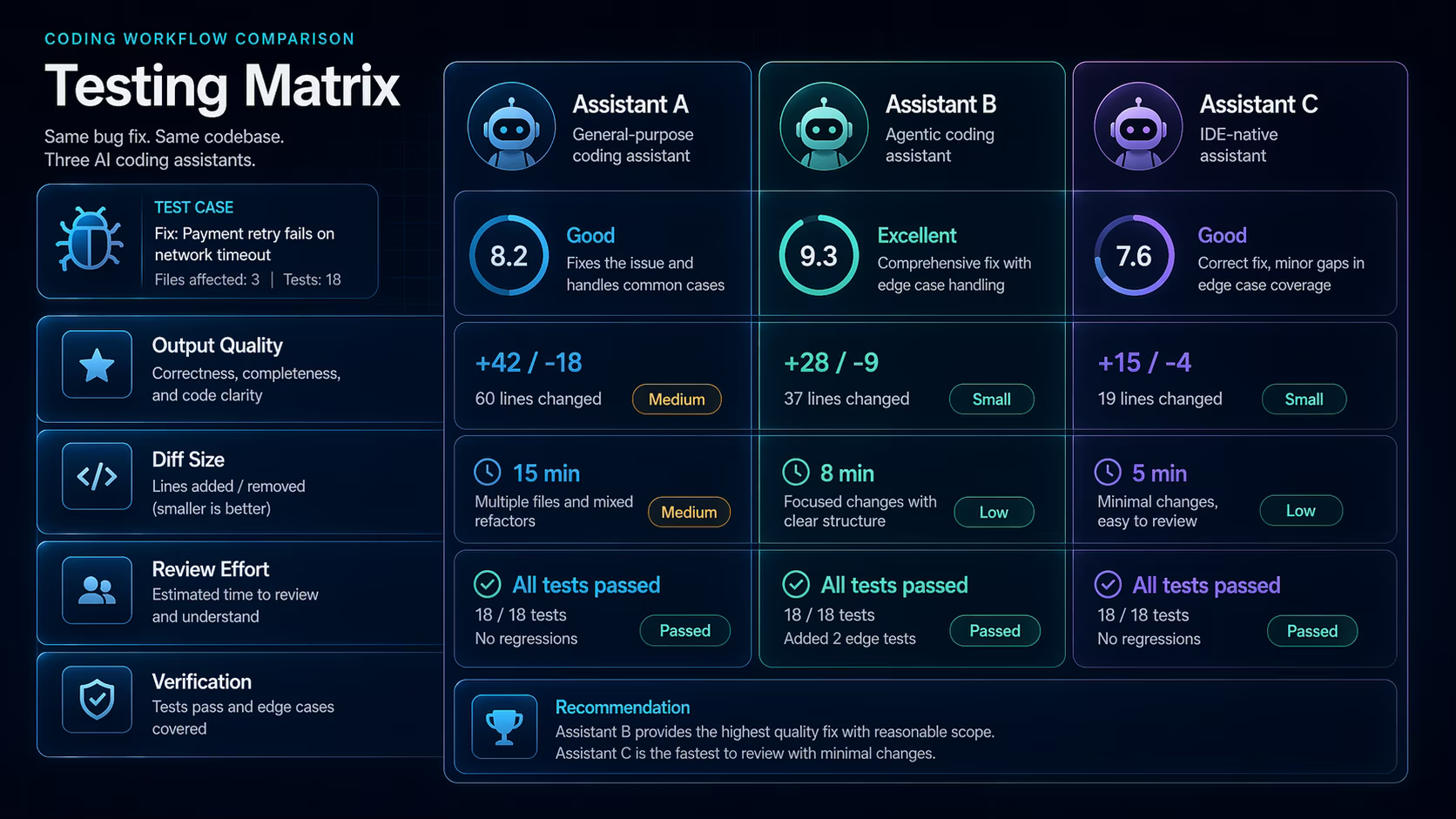
- Run the same bug fix in all candidate tools.
- Measure time to correct output, not first output.
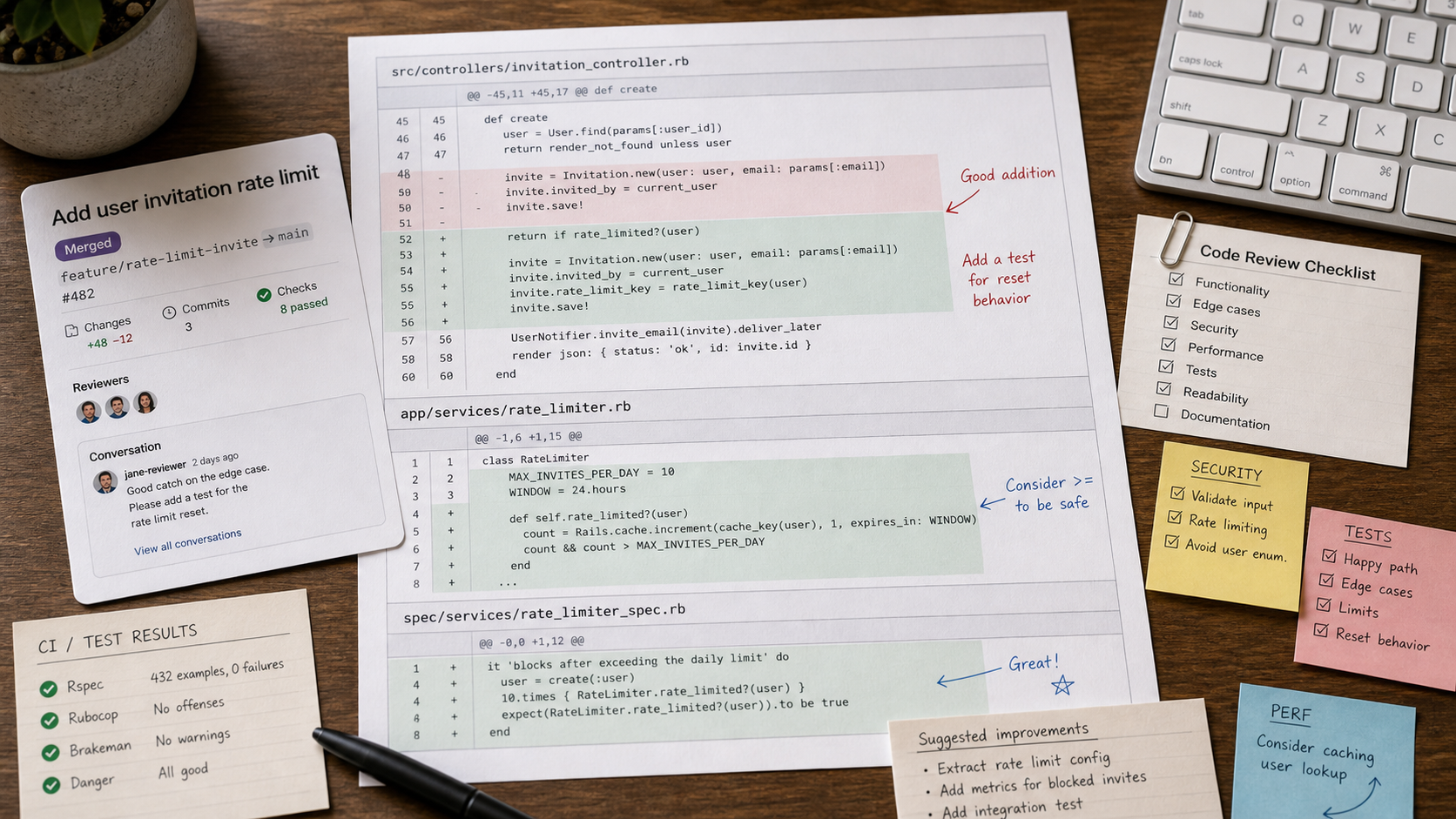
- Review diff size and explanation quality.
- Check admin controls, data policy, and repository access.
- Pick a default workflow and document when exceptions are allowed.
E-E-A-T notes for editors
Add a hands-on comparison table after testing the same repo task in all three workflows. Screenshots of the task, diff, and final verification will make this article much stronger.
References and further reading
- GitHub Copilot documentation - official Copilot documentation
- Cursor documentation - official Cursor docs
- Anthropic Claude Code documentation - official Claude Code overview
Where to go next
Use these related pages to move from research into tool selection, comparison, and implementation.
- Claude tool page - review Claude in the directory
- Cursor tool page - review Cursor in the directory
- Developer workflow articles - more coding and dev content
Final recommendation
The best AI coding workflow is the one your team can review, explain, and govern. Test tools on real code, compare cleanup time, and standardize around the assistant that improves delivery without weakening engineering judgment.