Editorial note, updated May 7, 2026: Free-plan details change often. Before publishing client work, paid ads, or brand assets, verify the current pricing page, watermark policy, credit rules, and commercial-use terms for the exact tool and account you plan to use.
If you search for image to video AI free, the real question is not simply which AI video generator has a free plan. The real question is whether the clip you make on that plan is clean enough, licensed enough, and reliable enough to publish.
The short answer: free image-to-video plans are useful for motion tests, organic social drafts, storyboards, and creative direction. They become risky when you need watermark-free exports, commercial usage rights, consistent characters, high resolution, predictable render speed, or multiple revision passes.
Key takeaways
- Free image-to-video AI is best for tests, prototypes, internal review, and low-risk organic posts.
- The biggest blockers are usually watermark rules, non-commercial licensing, limited credits, resolution caps, and queues.
- A clip can look publishable visually but still be unsuitable for paid campaigns if the plan limits commercial use.
- Use free plans to choose direction, then upgrade only for the final tool that proves it can handle your scene.
- Keep a simple test sheet with prompt, source image, settings, credit cost, render result, and publish decision.
Can free image-to-video AI actually produce publishable clips?
Yes, but the safest publishable use case is narrow: short organic social clips, internal storyboards, YouTube B-roll tests, mood-board motion, and draft creative concepts. If the output has a visible watermark, unclear commercial rights, or low resolution, treat it as a draft asset rather than a final brand asset.
A practical test is to ask four questions before you post: Can viewers see a watermark? Does the plan allow commercial use? Is the resolution high enough for the channel? Would a reasonable viewer mistake this for a final brand deliverable? If any answer is uncomfortable, keep the clip in draft or upgrade before publishing.
Free-plan comparison for publishing decisions
| Tool | What the free plan is good for | Main publishing blocker | Best next step |
|---|---|---|---|
| Runway | Testing Gen-4 Turbo image-to-video and learning motion direction. | Free videos include a Runway watermark; the free credit deposit is limited and does not renew. | Use free credits for scene tests, then move final exports to Standard or above. |
| Pika | Fast social-style experiments and effects-heavy clips with monthly credits. | Credit usage can disappear quickly on newer models and advanced effects. | Use Pika for short hooks, product teasers, and playful social variations. |
| Luma Dream Machine | Checking physics, camera motion, and cinematic feel before committing to a direction. | Free and Lite generations are personal-use only and watermarked according to Luma licensing guidance. | Use it for creative exploration; upgrade before commercial publishing. |
| Kling AI | Motion-heavy tests, character movement, and cinematic prompt exploration. | Free credit availability and watermark/commercial rules can vary by region/account. | Verify the current membership page inside your account before using output publicly. |
| Hailuo / MiniMax | High-volume exploration and quick image-to-video tests. | Consumer free-plan terms are less stable than API/package pricing; watermark and rights need account-level confirmation. | Use for draft exploration, then verify download quality and rights before final use. |
| Sora | Exploring synced video/audio and realistic motion when access is available. | Availability, usage limits, and watermarks are tied to OpenAI rollout and plan rules. | Use it as a quality reference and verify current Sora access before planning a campaign. |
How should you test a free image-to-video plan?
Do not start by generating ten unrelated ideas. Pick one source image and one clear publishing scenario. For example: "turn this product still into a five-second vertical clip for an organic TikTok test." Then run the same source image through two or three tools. This keeps the comparison fair.
Track the result like a small production test: prompt, model, duration, resolution, credit cost, queue time, visible artifacts, watermark, and whether the clip could be posted as-is. The point is not to find the tool with the flashiest demo. It is to find the tool that survives a real publish workflow.
What counts as publishable?
A publishable AI video clip is not just "not broken." It should be clean enough for the channel, honest about its source when needed, legally usable under the plan, and consistent with the brand. A weird hand, warped logo, or jumpy camera may be acceptable in an internal storyboard but unacceptable in paid creative.
| Publishing channel | Free-plan fit | What to inspect before posting |
|---|---|---|
| Internal concept deck | Strong fit | Motion direction, composition, prompt repeatability. |
| Organic short-form test | Possible fit | Watermark visibility, visual artifacts, platform crop, music/sound rights. |
| Blog or newsletter embed | Possible fit | Alt text, compression, relevance to the article, attribution policy. |
| Paid social ad | Weak fit | Commercial license, watermark removal, brand safety, logo fidelity, usage rights. |
| Client deliverable | Weak fit | Contract terms, commercial rights, source image rights, revision control. |
When should you upgrade instead of staying free?
Upgrade only after a tool proves it can handle your real scene. The upgrade trigger is not "the free credits ran out." The trigger is evidence: one tool gave you the right motion style, fewer artifacts, better prompt control, or cleaner exports than the rest.
For most creators, the first paid month should be treated as a production sprint. Prepare source images, prompts, brand notes, and aspect ratios before you pay. That way, the subscription is spent on final generation and refinement, not on figuring out what to make.
A simple free-plan workflow
- Start with one clear source image, one channel, and one aspect ratio.
- Generate one short clip in two or three tools using similar motion instructions.
- Score each result for motion, artifacts, watermark, resolution, rights, and regeneration cost.
- Keep free outputs for draft review unless the licensing and watermark rules clearly support publishing.
- Upgrade only the tool that has already produced the strongest draft. Then regenerate the final clip under the paid plan if rights are plan-dependent.
Common mistakes to avoid
The biggest mistake is treating "free" as a production strategy. Free plans are discovery tools. They help you learn the model, test visual direction, and avoid paying for the wrong product. They are not a substitute for rights review, quality control, or a repeatable production pipeline.
- Do not remove watermarks unless the tool explicitly allows it.
- Do not assume commercial rights transfer after you upgrade; some tools tie rights to the plan active at generation time.
- Do not upload client assets, unreleased products, or private footage without checking platform data terms.
- Do not compare tools using different source images or different prompt goals.
- Do not publish free-plan clips that misrepresent product features, people, or real events.
E-E-A-T notes for editors
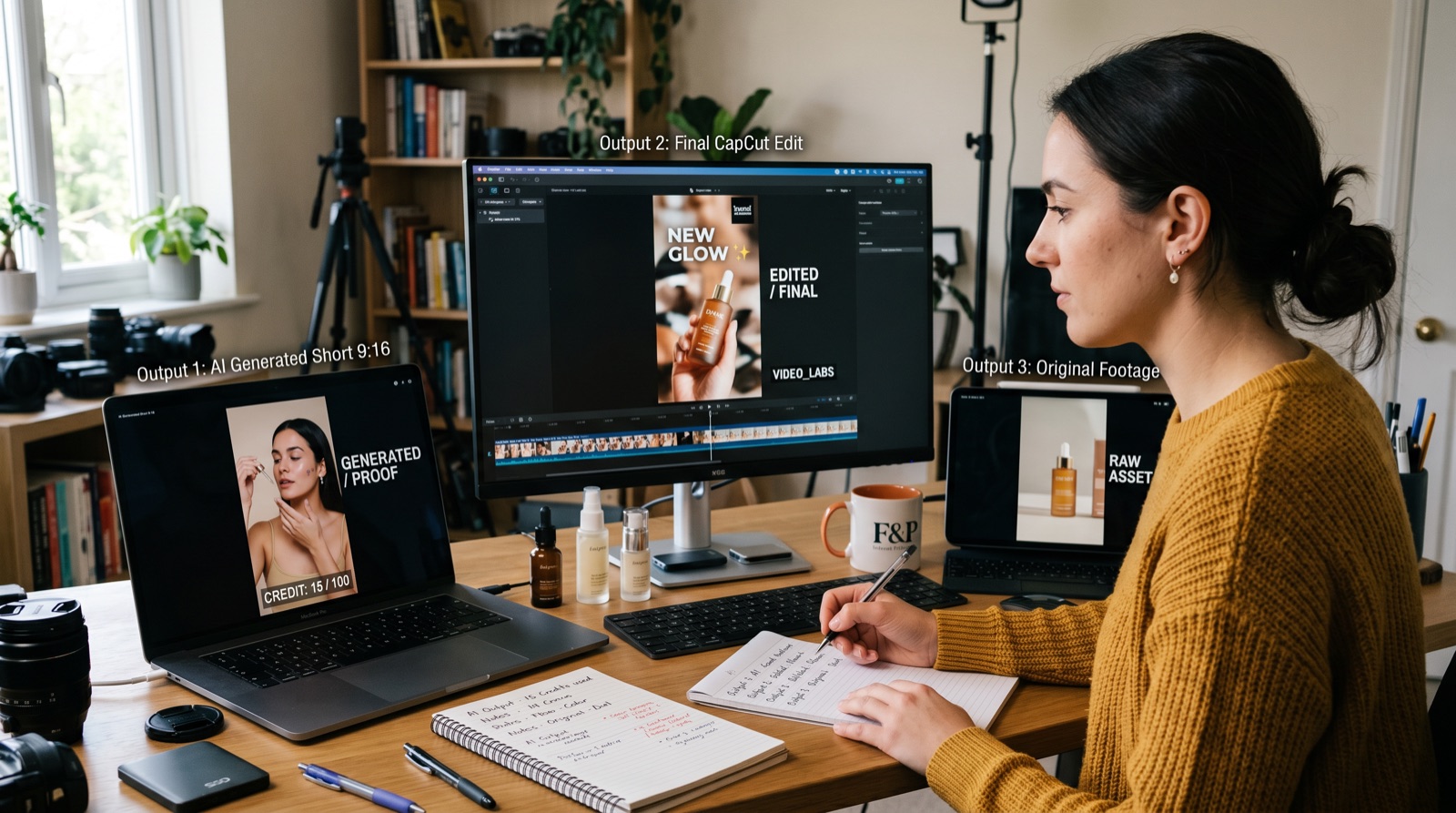
Before publishing, add at least one original screenshot or testing note: source image, tool tested, generation date, visible watermark status, and the reason the clip was or was not publishable. This gives the article first-hand evidence instead of making it another generic tool list.
References
- Runway Free plan details - free credits, supported models, and watermark guidance
- Runway usage rights - ownership and commercial-use guidance
- Pika pricing - monthly credits, model access, watermark, and commercial-use table
- Luma Dream Machine licensing - watermark and commercial-use differences by plan
- Luma Dream Machine pricing and credits - credit costs and plan notes
- MiniMax video package pricing - official API package pricing for Hailuo video models
- OpenAI Sora 2 announcement - Sora 2 availability and free access context
- OpenAI Sora responsibility note - visible watermark and provenance context
Where to go next
Use these internal links to keep readers moving from the article into tool selection, deeper comparisons, and current AI news.
- AI tools directory - compare broader AI products before choosing a workflow
- AI video generators - browse video generation tools in the directory
- AI leaderboard - check which tools are gaining attention
- 10 Best Free Image to Video AI Tools in 2026 - deeper tool shortlist for this cluster
- Video Production Tools - compare AI options for full production workflows
Final recommendation
Use free image-to-video AI plans to learn, compare, and prototype. Publish only when the clip clears the boring but important checks: watermark, rights, resolution, source-image permission, brand fit, and platform context. The best free plan is the one that helps you decide where paid production is actually worth it.