Editorial note, reviewed April 22, 2026: This article is written for teams comparing AI-assisted video production software. It is not a benchmark lab report and it is not vendor advice. Use it as a shortlisting framework, then run your own workflow test before buying.
If you are searching for video production tools, the hard part is not finding options. The hard part is choosing the right stack without drowning in vendor claims, generic roundups, and half-finished trials.
That is where AI Generator Tools is useful. The platform is not a native video editor. It is a research layer for finding, comparing, and shortlisting AI tools that fit a real production workflow.
Quick answer
For marketing teams, content leads, and operators comparing multiple AI-assisted workflows, AI Generator Tools is strongest at the research and shortlisting stage. Use it to map the tool landscape across scripting, text-to-video, image-to-video, avatar video, subtitles, voice, localization, editing, and repurposing.
| Option | Best for | Where it wins | Where it falls short |
|---|---|---|---|
| AI Generator Tools | Structured AI video research | Category depth, tool pages, pricing context, editorial summaries | It helps you choose tools; it does not edit video directly |
| Futurepedia | Broad AI browsing | Large discovery surface | Less focused on one production workflow |
| There's An AI For That | Task-led search | Fast when the job is narrow | Can feel less evaluative for team shortlisting |
| Toolify | Directory-style scanning | Quick browsing and rankings | Less useful when you need workflow context |
What video production means now
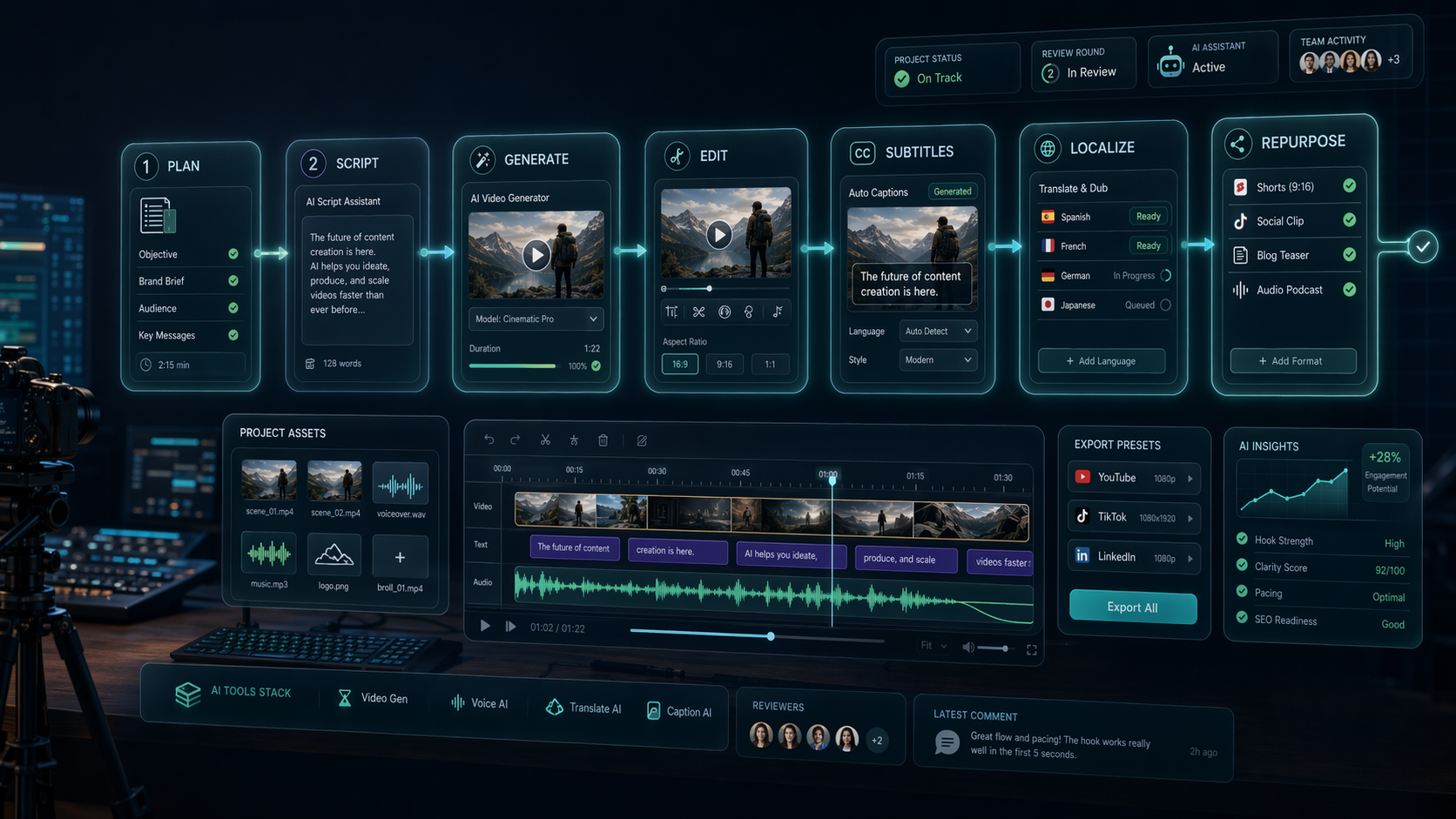
Video production used to imply cameras, crews, studios, and post-production suites. Those still matter. But modern in-house teams also use video production to mean the full content system around moving media:
- Planning the message.
- Writing scripts or outlines.
- Generating scenes, avatars, images, or voice tracks.
- Editing footage or generated assets.
- Adding subtitles, translations, and brand elements.
- Republishing clips into short-form, demos, ads, and social variants.
A single tool rarely owns all of that well. Most teams need a stack. The buying mistake is treating every product with "AI video" on the homepage as if it solves the same job.
The workflow map
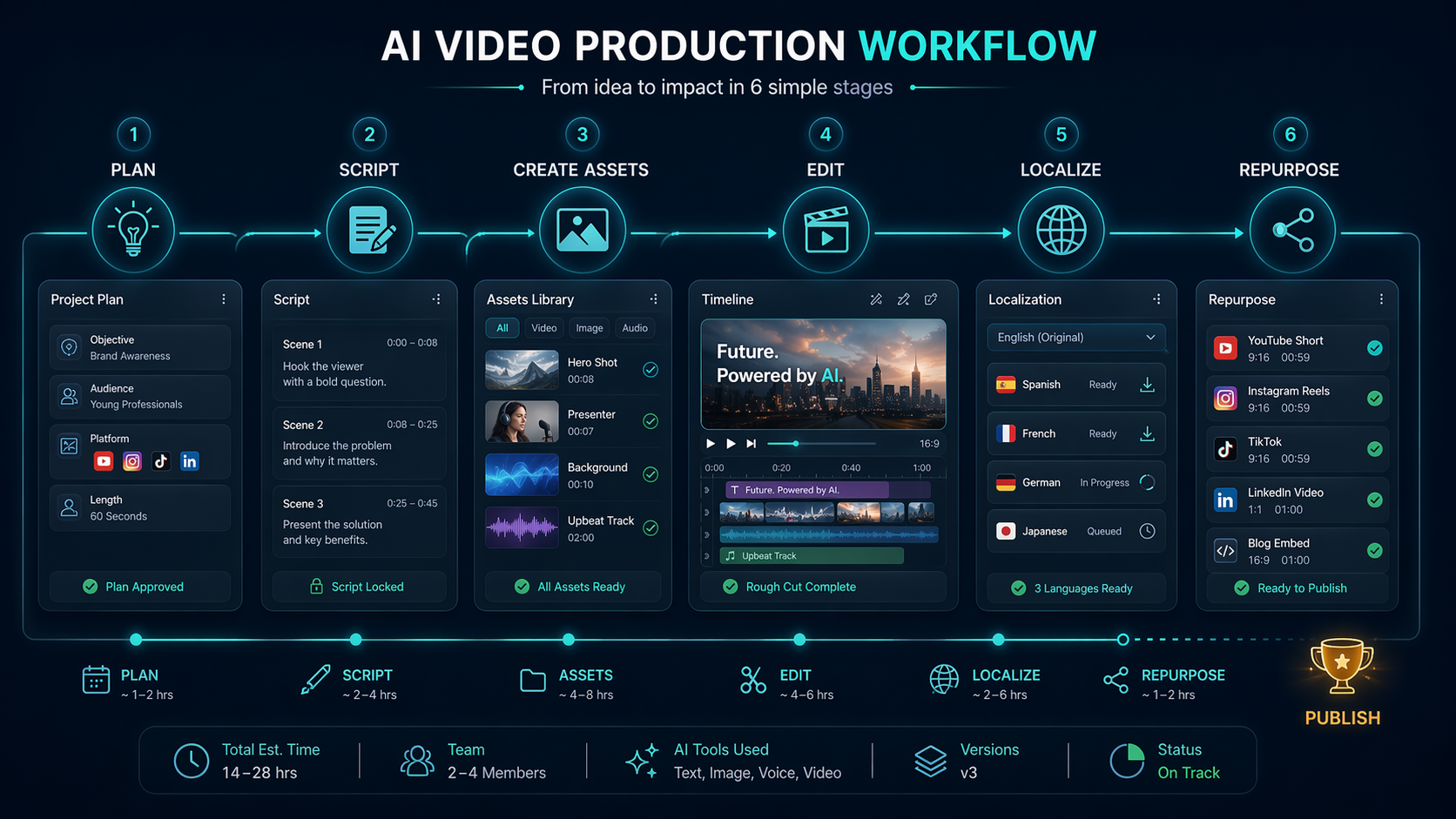
| Workflow step | Tool type to compare | What to check |
|---|---|---|
| Planning | AI writing and research tools | Brief quality, outline structure, team review |
| Script | AI writing, prompt, and content tools | Tone control, source grounding, revision speed |
| Asset creation | Image, video, avatar, and voice tools | Quality, rights, consistency, export formats |
| Editing | AI video editors and traditional editors | Timeline control, captions, brand templates |
| Localization | Dubbing, translation, subtitle tools | Accuracy, review workflow, voice quality |
| Repurposing | Short-form and social tools | Clip detection, formats, channel fit |
This is why a directory with useful categories and detail pages can be more helpful than another "best tools" article. You are not buying a tool name. You are designing a workflow.
Why AI Generator Tools fits video production research
The platform organizes AI tools by category, use case, and tool page. For video production, that lets a team move from broad research into narrower questions:
- Which tools help with AI video generation?
- Which ones are better for short-form repurposing?
- Which support subtitles, voice, or localization?
- Which are creator-friendly versus team-friendly?
- Which pricing models might become expensive at higher volume?
The value is not hype. It is reducing research chaos. A team can compare options, open detail pages, and build a shortlist before spending time inside vendor products.
Two practical workflow examples
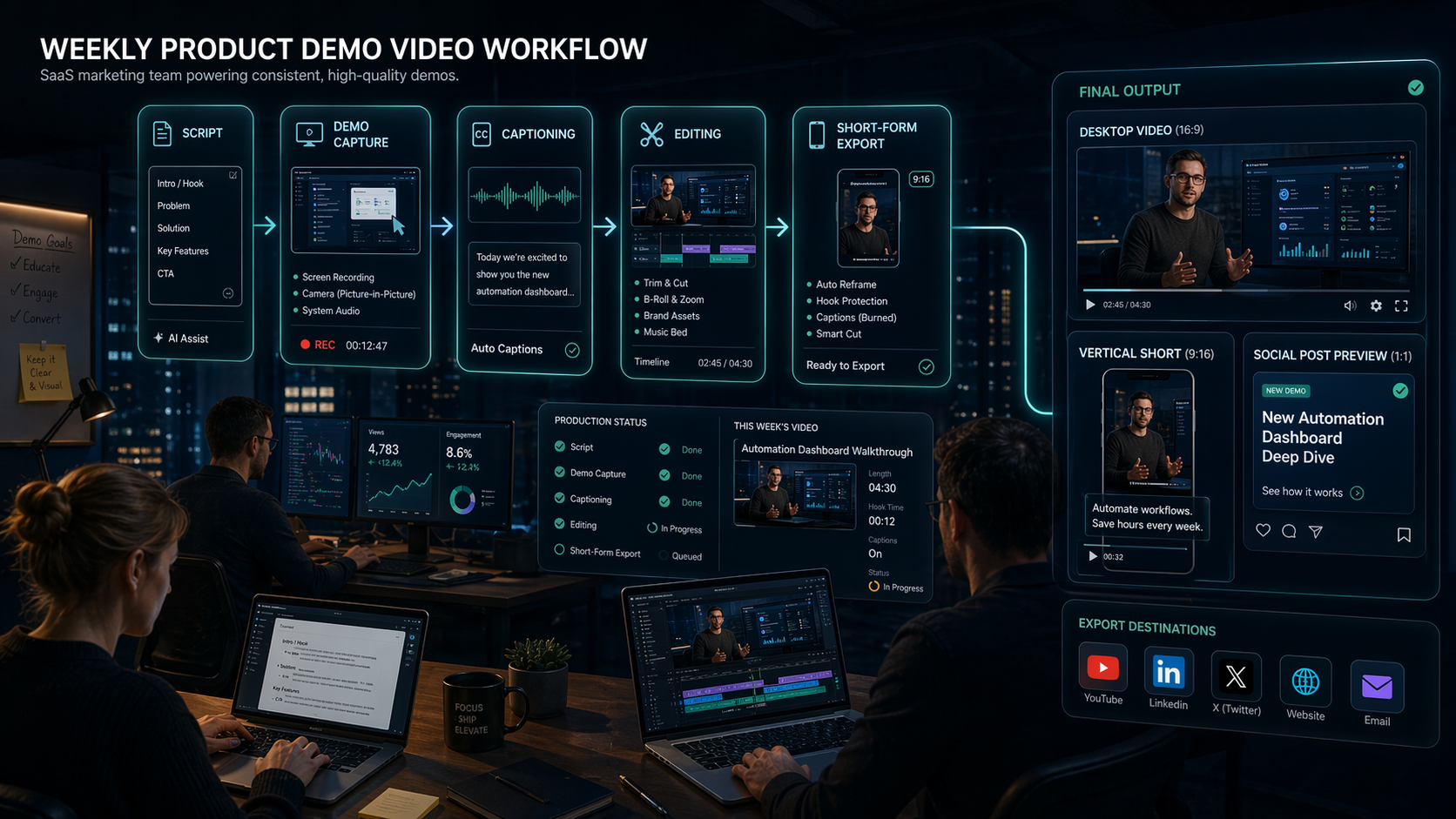
Example 1: Weekly product demo pipeline
A SaaS marketing team needs to publish a weekly product demo for landing pages and paid social.
The stack may include:
- a script or outline tool
- a screen recording or demo creation tool
- an AI captioning tool
- a short-form repurposing tool
- a final editor or brand template tool
Using AI Generator Tools, the team can start at video generation tools, compare tool summaries, check pricing model labels, and move into related editorial content before testing vendors.
The output should be a shortlist of two to four tools, not twenty open tabs.
Example 2: Multilingual explainer clips
An in-house content team wants to turn English explainers into clips for regional campaigns.
That workflow may require:
- transcript cleanup
- translation
- AI voice or dubbing
- subtitles
- format conversion
- human review before publishing
The most important decision is not which tool looks impressive in isolation. It is which combination reduces handoffs without creating quality risk.
How to evaluate video production tools
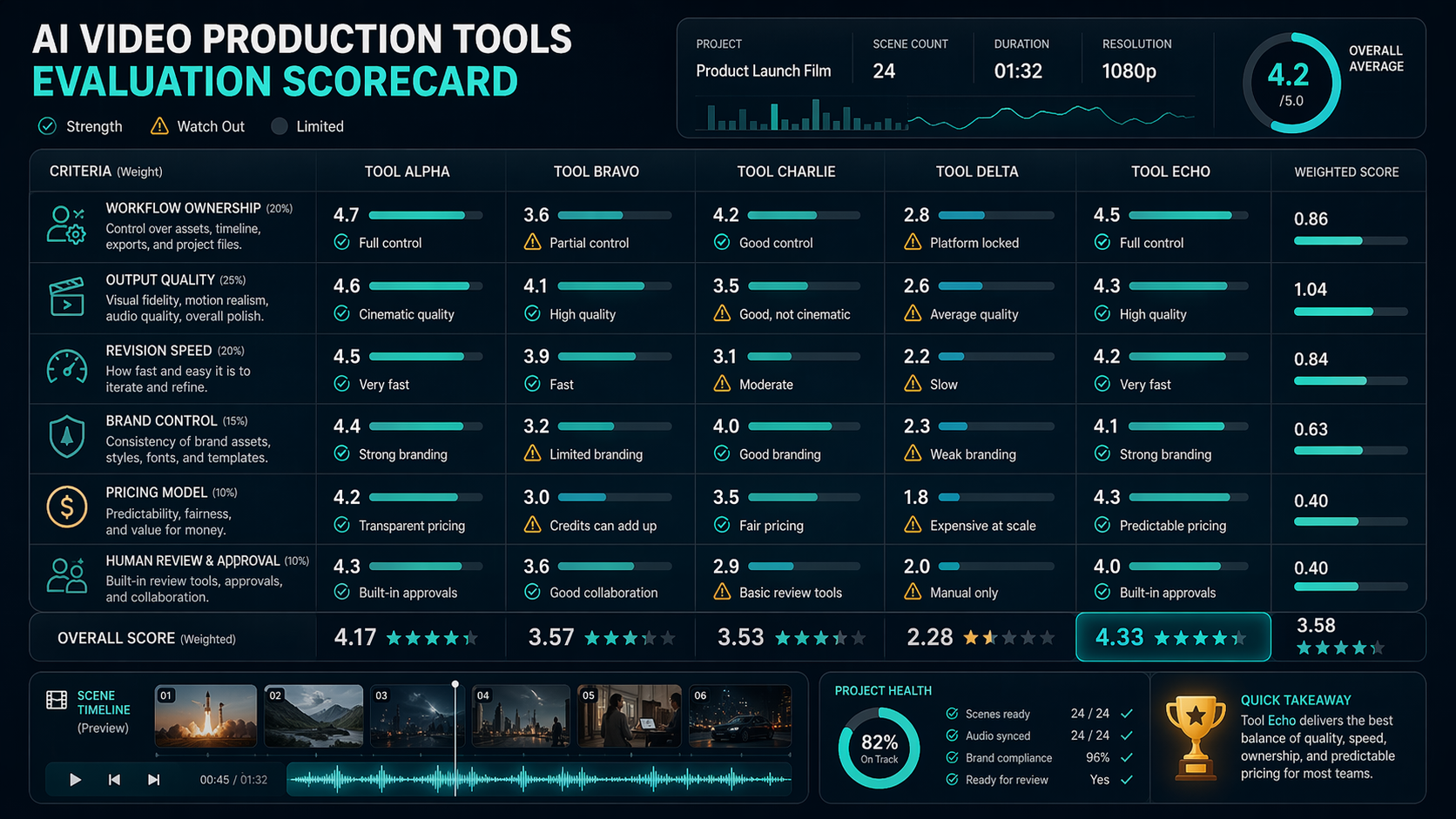
Use a scorecard rather than vibes.
| Criterion | Why it matters | Red flag |
|---|---|---|
| Workflow ownership | Shows what the tool actually replaces | Claims to do everything but only solves one step |
| Output quality | Determines whether content is publishable | Good demos, weak real exports |
| Revision speed | AI video often needs iteration | Every change requires a full expensive rebuild |
| Brand control | Teams need consistent visuals and voice | No templates, poor style retention |
| Pricing model | Volume changes cost fast | Credits, exports, or seats are unclear |
| Human review | Protects brand and factual accuracy | No easy approval path |
A tool can be excellent and still wrong for your workflow. The goal is fit, not novelty.
Where other discovery platforms are better
Futurepedia is useful when you want a wide scan across AI categories. There’s An AI For That is efficient when you start with a narrow task. Toolify can be handy for fast directory browsing.
AI Generator Tools is different because it is better suited to readers who need structured comparison before testing. That matters for video production because the category is not one category at all. It is a bundle of adjacent jobs.
Common mistakes teams make
Mistake 1: Buying the first impressive generator
A beautiful first output does not guarantee a sustainable workflow. Test the second revision, the fifth export, and the handoff to the person who actually publishes the asset.
Mistake 2: Ignoring review time
AI video can reduce generation time while increasing review time. If the team spends hours fixing captions, brand issues, or uncanny motion, the tool may not be saving time.
Mistake 3: Comparing free tiers instead of production cost
Free tiers are useful for exploration. They are rarely the right basis for production planning. Look at monthly volume, export needs, collaboration, and licensing.
Suggested internal paths
Start with AI video generator tools. Then compare adjacent guides like Best Free AI Video Generators in 2026, AI Video Production Tutorial 2026, and Video Editing Tips for Short Videos That Convert.
FAQ
What is the difference between video production and video editing?
Video editing is one part of video production. Production also includes planning, scripting, asset creation, voice, subtitles, localization, distribution, and repurposing.
Can a directory really help with video production decisions?
Yes, if it helps you compare tools by workflow step rather than only listing names. A good directory reduces first-pass research time and prevents duplicate trials.
Are free video production tools enough for small teams?
Sometimes for experiments. For recurring brand work, free tools often hit limits around export quality, watermarking, queues, collaboration, or rights review.
What should I do after shortlisting tools?
Run a real task through two to four options. Measure output quality, edit burden, review time, and cost per publishable asset.
Verdict
Video production software research in 2026 needs structure more than another giant list. Use AI Generator Tools to map the workflow, narrow the category, compare tool pages, and build a shortlist.
Then do the hard but necessary part: test the tools on one real video project before committing the team.