TL;DR
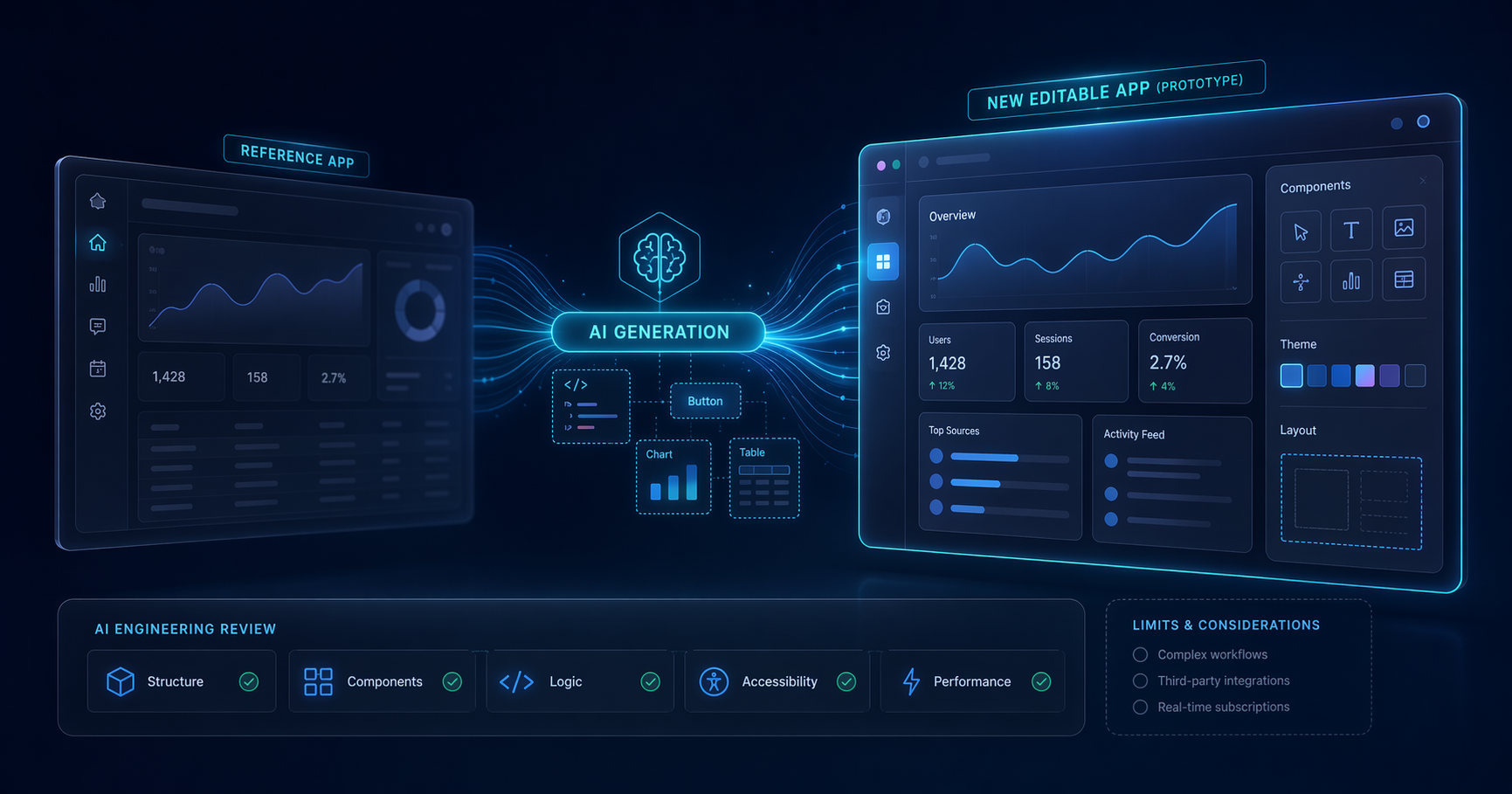
If you are searching for a same.new review before paying, the short version is this: Same.new is a fast AI tool for recreating web app interfaces and getting from idea to clickable prototype quickly. It is strongest when you already know the product pattern you want to imitate.
It is weaker when the hard part of your project is not the UI, but the backend, permissions, data logic, billing, testing, or long-term maintainability. Same new AI is useful as a speed layer, not as a full replacement for product design and engineering discipline.
What is Same.new AI?
Same.new AI is an AI app-building tool focused on cloning or closely recreating the structure and feel of existing web experiences. In practical terms, that means you can point it at an existing product idea, reference design, or interface pattern and use it to generate a similar front end much faster than starting from scratch.
That positioning matters. A lot of AI builders promise to create “full apps” from a prompt, but many of them are really strongest at one of three jobs:
- Landing pages
- UI scaffolds
- CRUD-style app shells
Same.new appears to sit in that second category, with some spillover into the first. Its appeal is obvious for founders and solo builders: if you want the rough shape of a dashboard, marketplace, admin panel, or SaaS homepage in minutes, cloning a known pattern is faster than describing every component from zero.
This also explains why the keyword same.new review is gaining traction. Buyers are not just asking whether it can generate code. They want to know whether it can generate something close enough to a real product to save meaningful time.
The core promise
The pitch is speed through imitation:
- Start with a known interface pattern
- Generate a similar app shell quickly
- Iterate visually before committing engineering time
That is a very different promise from “build my startup end-to-end.” If you go in with the right expectation, Same.new makes more sense.
How Same.new works
The clearest way to understand Same.new is to think of it as an AI-assisted cloning workflow rather than a blank-page coding assistant.
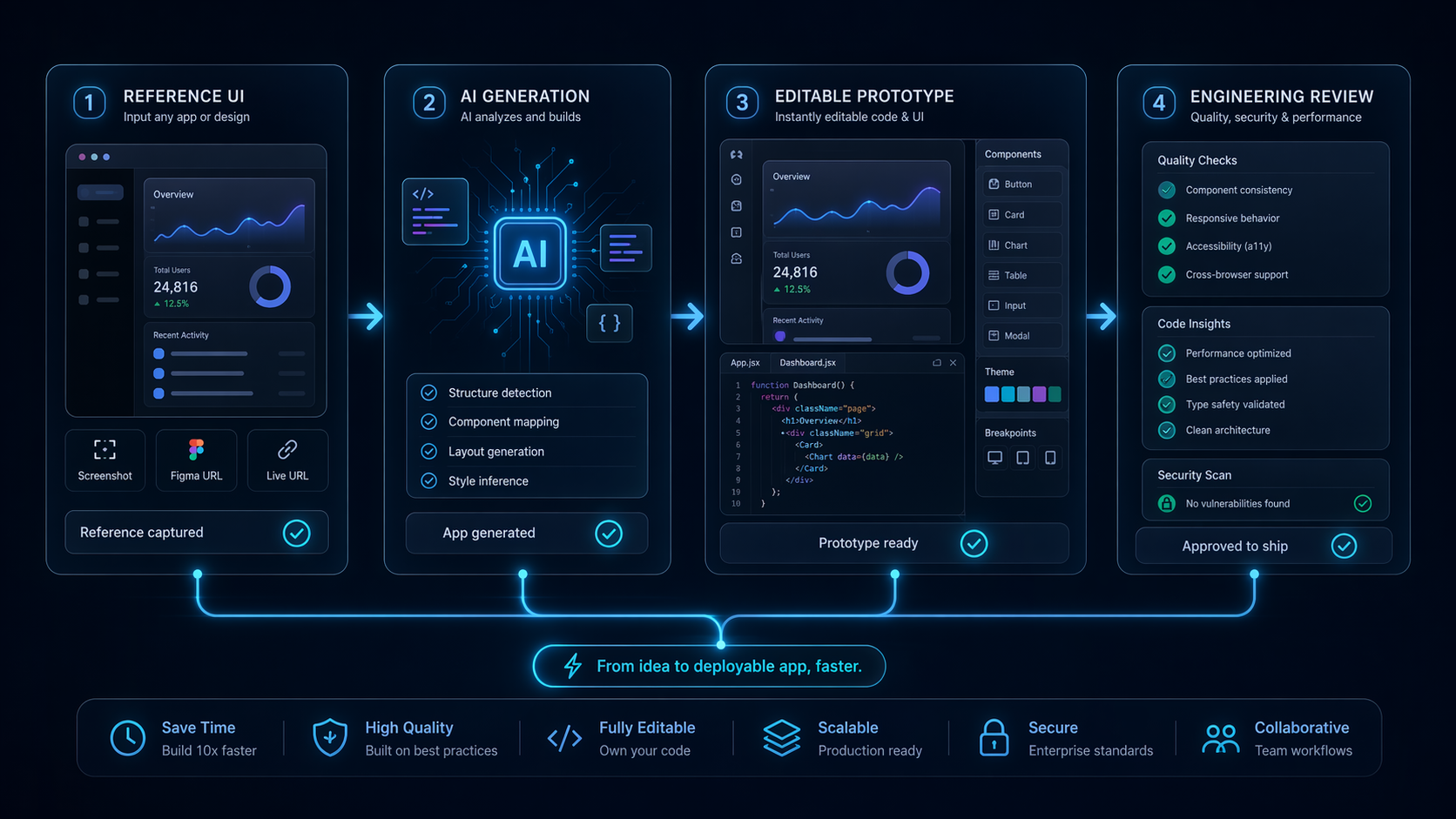
A typical workflow looks like this:
- Choose a reference — an existing site, product pattern, or interface direction.
- Describe what you want changed — branding, layout, sections, flows, or feature emphasis.
- Generate the app shell — Same.new produces a front-end-like result that mirrors the structure you asked for.
- Iterate on screens — refine sections, navigation, visual hierarchy, and content.
- Export or continue development — depending on your workflow, you then move into manual editing, engineering cleanup, or another tool for production hardening.
That makes Same.new especially attractive for:
- Rebuilding a competitor-inspired layout for internal testing
- Creating a fast MVP facade
- Producing client-facing mockups without Figma-to-code handoff delay
- Testing different homepage or dashboard directions
Where the speed comes from
The main advantage is not magical reasoning. It is constraint.
When you tell a model to invent an app from scratch, it has to decide on structure, information hierarchy, layout, naming, and interaction flow all at once. When you tell it to build “something like X, but for Y use case,” much of that decision-making is borrowed from a proven reference.
That is why Same.new can feel faster than generic coding copilots for UI work. It removes one of the slowest parts of early product design: deciding what the screen should look like.
What “done” actually means here
This is where many AI builder tools disappoint buyers. A screen that looks complete is not the same as a product that is complete.
With Same.new, “done” often means:
- The layout is present
- Major UI sections exist
- The app looks plausible
- Core interactions may be sketched in
It does not necessarily mean:
- Backend logic is reliable
- Authentication is secure
- Data relationships are well modeled
- Edge cases are handled
- Performance is production-ready
- Accessibility has been checked
That gap is the central theme of this review.
Best use cases
Same.new is not a universal app builder. It is best when visual structure is the bottleneck.
1. Rapid MVP mockups
If you need to show an investor, cofounder, or client what a product could look like by the end of the day, Same.new is a strong fit. You can recreate familiar dashboard or marketplace patterns quickly enough to make discussions concrete.
This is especially useful for:
- B2B SaaS dashboard concepts
- Creator tools
- Admin interfaces
- Internal tools with conventional layouts
2. Landing pages and product positioning tests
When a team wants to test messaging or feature packaging, the ability to clone a modern SaaS landing page pattern is valuable. The output may not be final brand design, but it is often strong enough for directional testing.
3. Design exploration without a heavy design stack
Not every founder wants to spend days in Figma before validating an idea. Same.new shortens that path. It is a practical bridge between rough concept and visual prototype.
4. Competitive pattern analysis
If a team keeps saying “we want onboarding like this tool” or “we want a dashboard similar to that one,” Same.new can turn vague references into concrete screens for review.
5. Agency concept work
Agencies and freelancers can use it to draft concept directions faster, especially in early client discovery phases where speed matters more than pristine code.
Where it struggles
This is the section many reviews gloss over. Same.new is useful, but its limits are not small.
It can copy patterns faster than it can understand product depth
Same.new’s strength is surface structure. That becomes a weakness when your product advantage depends on workflow depth.
For example, a billing dashboard can be visually cloned in short order. But once you need usage metering, entitlement logic, team roles, audit logs, API key rotation, exports, and error states, the real work begins. A cloned shell may help communicate the idea, but it does not solve the system.
Functional reliability may lag behind visual polish
This is the most common AI builder trap in 2026: the generated app looks polished enough that non-technical stakeholders think it is almost finished. In reality, the app may still need substantial cleanup.
That matters because it changes project planning. If you treat Same.new output like a production asset, you may underestimate:
- QA time
- Security review
- Refactoring effort
- State management cleanup
- API integration work
Token-based cost can make heavy experimentation unpredictable
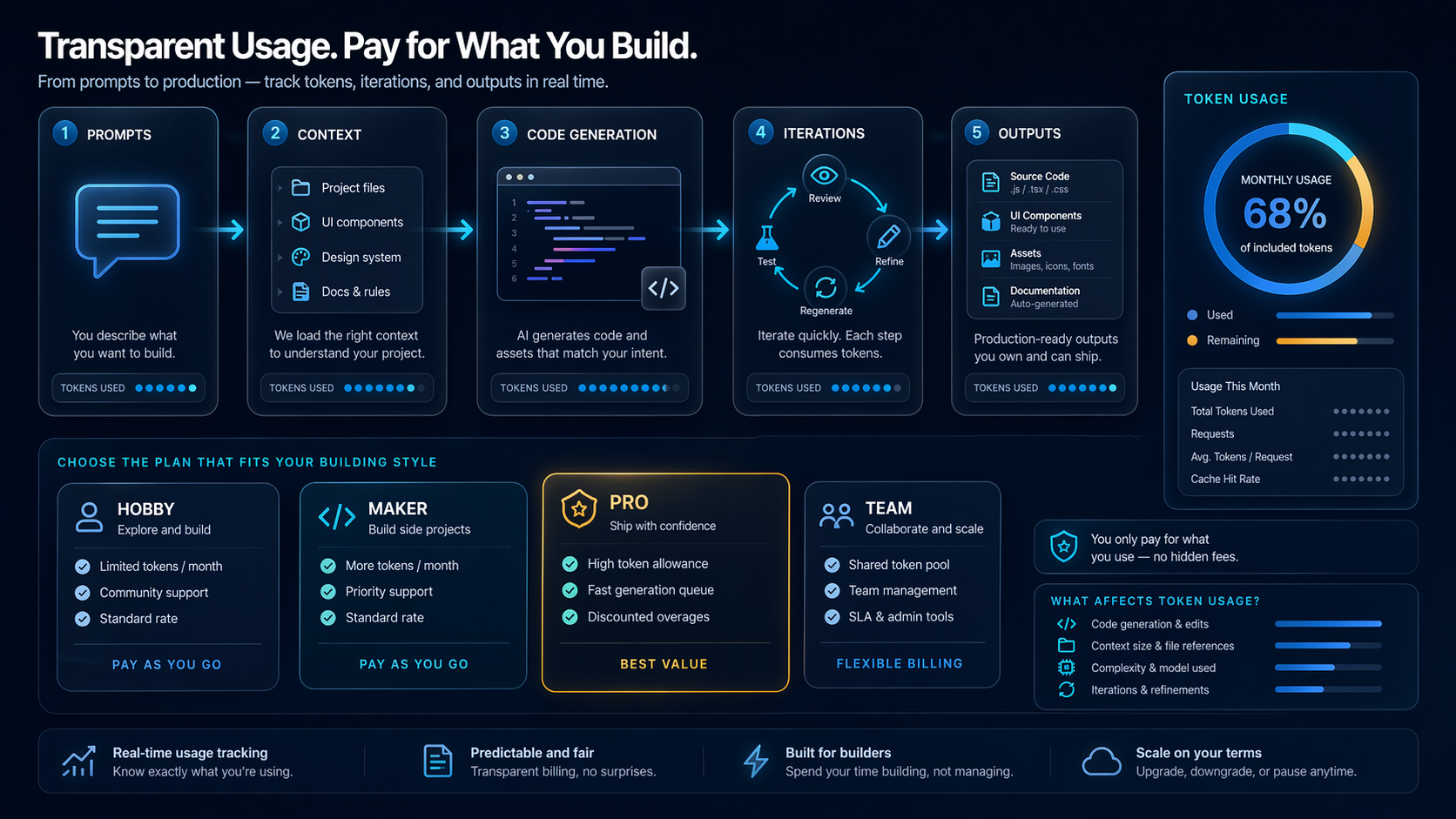
The published Same.new pricing is clear at the plan level, but the real cost model still depends on usage. For light prototyping, that is fine. For teams that generate and revise screens aggressively, token-based consumption can become less predictable than flat-seat software.
Not ideal for original UX thinking
If your product wins by rethinking a workflow rather than copying a familiar one, Same.new may actually nudge you toward safe, derivative patterns. That is good for speed, bad for originality.
Production maintainability is still a separate problem
A startup can absolutely use Same.new to move faster. But if your engineering team will own the codebase for years, maintainability matters more than first-day velocity. Generated output often needs normalization into your own component system, naming conventions, and testing workflow.
Same.new pricing and limits
Based on the provided pricing documentation, Same.new pricing in 2026 is:
| Plan | Price | Who it fits |
|---|---|---|
| Basic | $10/month | Light experimentation and occasional prototypes |
| Pro | $25/month | Solo builders iterating regularly |
| Max | $50/month | Heavier users building multiple app concepts |
| Ultra | $100/month | Power users or teams needing higher usage headroom |
The pricing page also references:
- Tokens
- How usage is calculated
- A higher-volume “Need More?” path
Is the pricing good?
On paper, yes. Compared with many AI coding and app-generation tools in 2026, the entry price is approachable. A $10/month Basic tier lowers the barrier for solo founders who want to test whether the cloning workflow saves them time.
The issue is not the headline price. It is usage predictability.
If your workflow is:
- clone one screen
- make a few edits
- export and move on
then Same.new pricing looks reasonable.
If your workflow is:
- test many variations
- regenerate repeatedly
- rebuild multiple product directions
- use it collaboratively across projects
then token consumption becomes more important than the sticker price.
What’s missing from pricing transparency?
The plan names and monthly prices are easy to understand. What is less obvious from the summary is how far each tier actually goes in real-world iteration cycles. Buyers should pay attention to usage calculation details before assuming that Pro or Max will cover a full product sprint.
Same.new alternatives
If Same.new is not the right fit, these are the most relevant Same.new alternatives to compare.
1. Bolt.new
Best for: broader AI app generation workflows
Bolt.new is a stronger choice if you want an AI builder that feels less centered on cloning and more centered on general app creation. It is often better when you want to move from prompt to working app direction without anchoring everything to an existing visual reference.
Choose Bolt.new if:
- you want more than UI mimicry
- you are exploring new app concepts, not just recreating known ones
- you prefer a broader build workflow
Skip Bolt.new if your main goal is reproducing a specific interface style as quickly as possible.
2. v0
Best for: component-first front-end generation
v0 is one of the best same.new alternatives for teams working in React-heavy environments that care about reusable UI components and iterative front-end refinement. It can be a better fit when the output needs to align with a modern design system instead of just looking right at a glance.
Choose v0 if:
- your developers want component-oriented output
- you care about cleaner handoff into a front-end codebase
- your team already thinks in structured UI systems
Skip v0 if your main priority is cloning an existing product look as fast as possible.
3. Pythagora
Best for: fuller development workflows
Pythagora is worth considering if you need more help beyond the interface layer. It is more relevant when the challenge is not just visual speed, but moving toward a functional full-stack app.
Choose Pythagora if:
- backend flow matters early
- you need more engineering-oriented scaffolding
- you care less about cloning and more about building
Skip it if your goal is mainly to generate a visually convincing first version for feedback.
Should you use Same.new?
Use Same.new if you are:
- a founder validating an idea quickly
- a designer who wants to turn references into prototypes faster
- a marketer or growth lead testing landing page directions
- a freelancer or agency producing rapid concept work
- a solo builder comfortable doing cleanup after generation
Skip Same.new if you are:
- building a complex production app with heavy backend logic
- expecting AI output to replace engineering review
- working in a team that needs long-term code consistency from day one
- creating a product where originality matters more than speed
- sensitive to token-based usage variability
Verdict
For the right job, Same.new is genuinely useful. It is one of those tools that can save hours immediately if your bottleneck is “make this app idea visible now.”
But this is not a magic product factory. The more your product depends on infrastructure, reliability, unique workflows, or careful system design, the more Same.new becomes an early-stage accelerator rather than a full solution.
That is why this same.new review lands in the middle-to-positive range rather than becoming a blanket recommendation. I would use it for concept validation, interface drafts, and fast directional work. I would not rely on it as the sole foundation for a serious production build.
Decision framework
If you just want the quick answer:
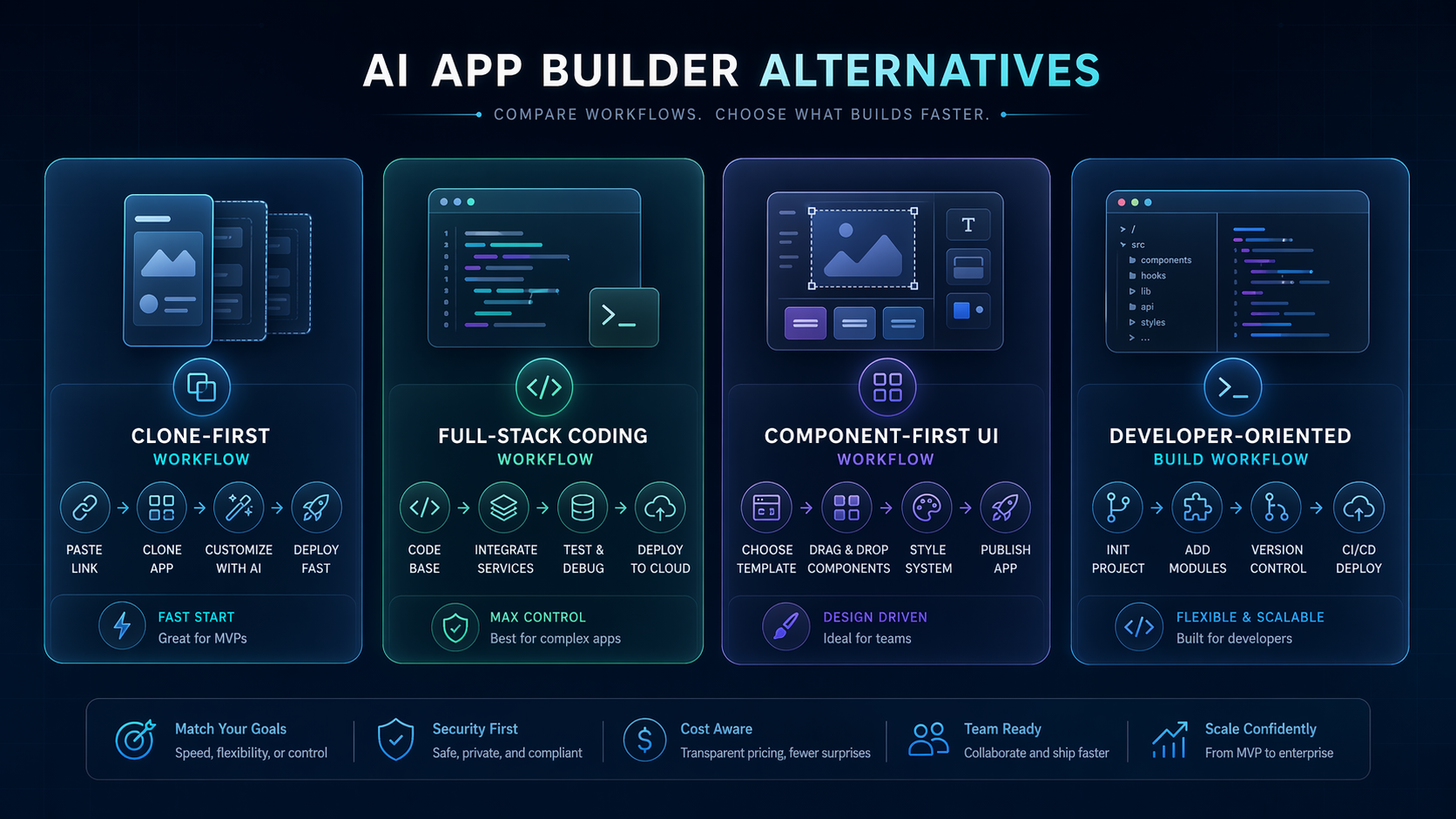
- Choose Same.new if you need fast AI app cloning, UI drafts, or investor-demo speed.
- Choose v0 if you want cleaner component-oriented front-end iteration.
- Choose Bolt.new if you want a broader AI app-building experience.
- Choose Pythagora if full-stack implementation matters earlier than visual polish.
Related reading
FAQ
Is Same.new good for beginners?
Yes, if your goal is to generate a visual starting point quickly. It is less beginner-friendly if you expect the generated result to be production-ready without technical cleanup.
What is Same.new AI best at?
Same.new AI is best at recreating familiar web app patterns, dashboards, landing pages, and product shells where visual structure matters more than deep backend logic.
How much does Same.new cost in 2026?
The published Same.new pricing lists Basic at $10/month, Pro at $25/month, Max at $50/month, and Ultra at $100/month.
Are there good Same.new alternatives?
Yes. The strongest Same.new alternatives to compare are Bolt.new for broader app generation, v0 for component-first front-end work, and Pythagora for fuller development workflows.
Should I use Same.new for a production SaaS app?
Only as an accelerator for early UI and MVP work. If the product will be production-critical, plan for engineering cleanup, QA, security checks, and likely a more structured development workflow after generation.