Last updated May 12, 2026: This draft targets "video repurposing AI" and anchors the content cluster around Recapo.
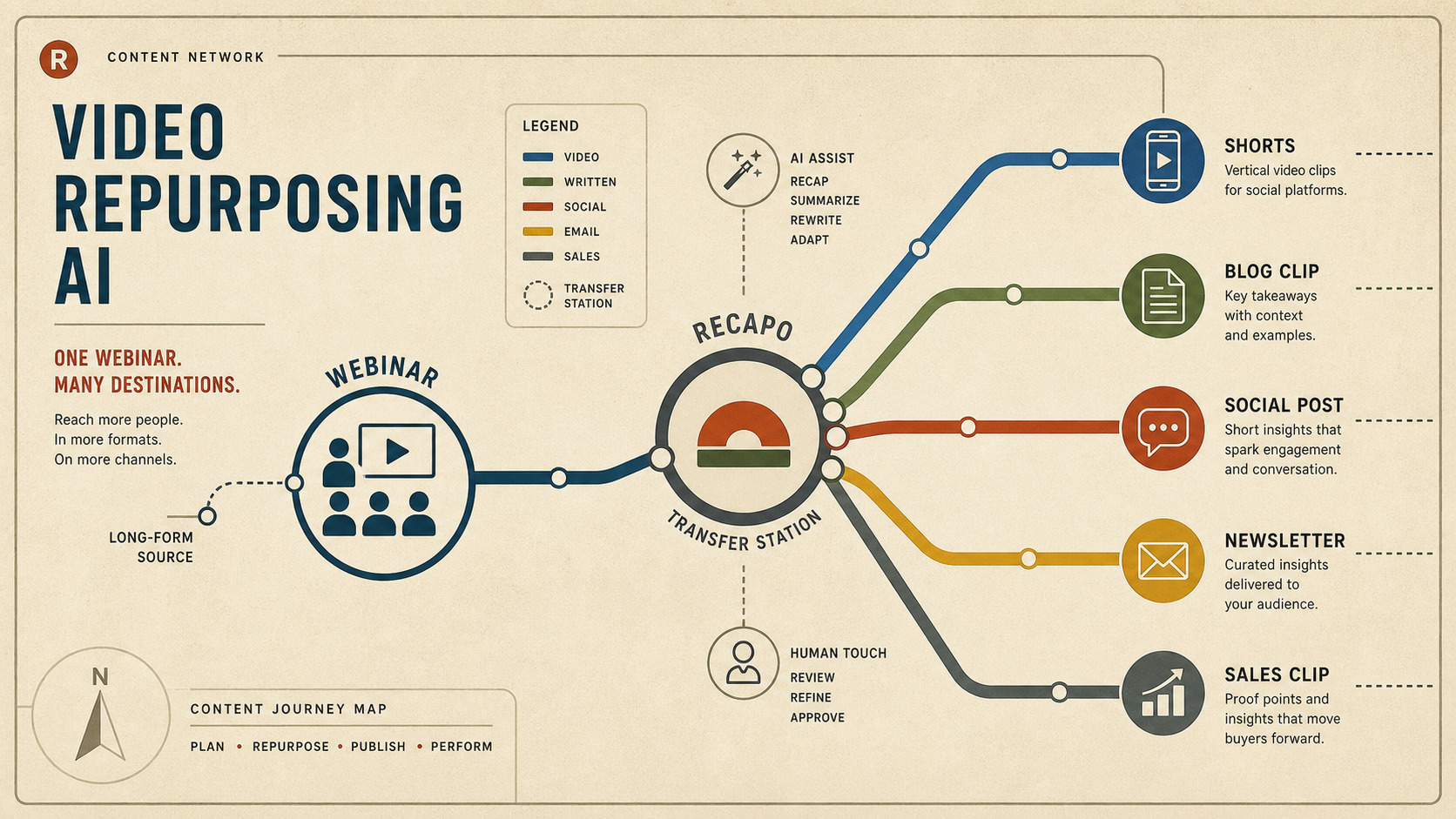
Video repurposing AI is most useful when it helps a team turn one substantial recording into multiple useful assets: short clips, social captions, blog embeds, newsletter snippets, and sales enablement cuts. The goal is not to flood every channel. The goal is to reuse one strong source with context intact.
A workflow tool like Recapo can support the recap layer: scripts, subtitles, voiceovers, and shorter clips. The strategic work is deciding which moments deserve to become separate assets.
Key takeaways
- Repurpose around audience intent, not only around platform dimensions.
- One webinar can become shorts, blog clips, LinkedIn posts, newsletter snippets, and sales follow-ups.
- Recapo helps turn long video into recap scripts, subtitles, voiceovers, and clips.
- Every repurposed asset should point back to the original source or next-best internal page when useful.
- Track which formats drive engagement before scaling the workflow.
What can one long video become?
| Source moment | Repurposed asset | Best use |
|---|---|---|
| Strong opening answer | Short video hook | YouTube Shorts, TikTok, Reels, LinkedIn. |
| Detailed explanation | Blog embed with summary | SEO article, product education, newsletter. |
| Customer objection | Sales enablement clip | Follow-up email or demo recap. |
| Product walkthrough | Tutorial short | Support article or onboarding page. |
| Expert quote | Social post and quote card | LinkedIn or X thread. |
How to build a repeatable repurposing workflow
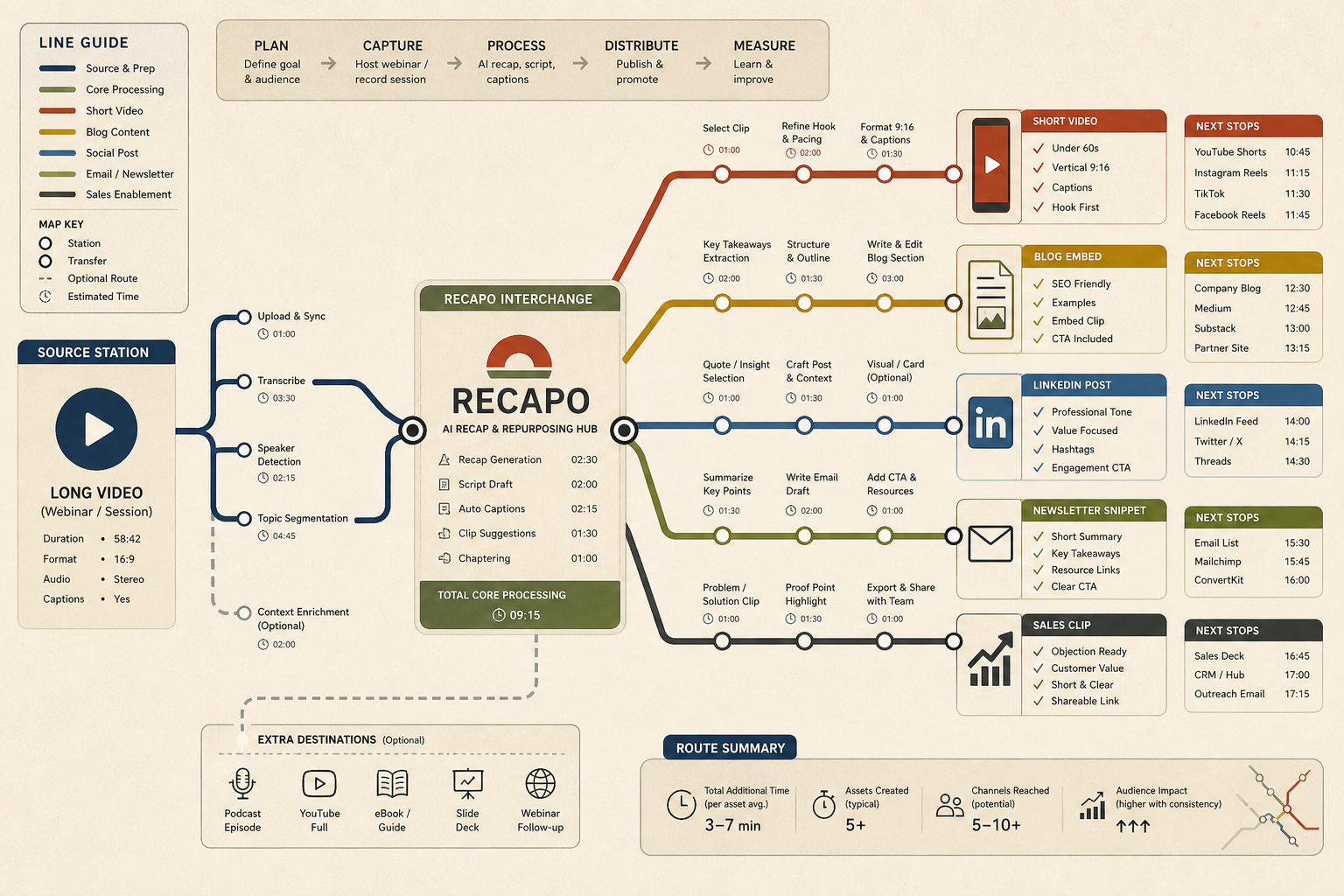
Start by tagging the source video. Mark moments by intent: teach, compare, prove, answer, warn, or inspire. Then decide which channel each moment fits. A technical answer may work better in a blog post, while a sharp opinion may work better as a short clip.
Use Recapo after the source is tagged. Ask whether the generated recap script and subtitle draft preserve the original meaning. Then export or edit the best candidate clips for the target channel.
Repurposing checklist
- Does this clip work without the full context?
- Is the source claim still accurate after the cut?
- Does the caption match the spoken line?
- Does the clip have one job and one audience?
- Is there a natural internal link or CTA from this asset?
- Can this workflow be repeated next week without reinventing the process?
Final recommendation
Use video repurposing AI to make strong source material work harder. Recapo can handle the recap and subtitle layer, but the editor should decide which source moments deserve distribution and which channels actually need them.
E-E-A-T review notes
Experience: Before publishing, add one example mapping a source webinar into at least four asset types.
Expertise: Ben Carter should keep this article focused on video repurposing strategy, recap workflows, channel fit, and publishing QA, with examples that a small team can repeat before buying a tool.
Trust: Avoid promising that repurposing automatically increases reach. Recommend measuring output by asset quality and channel performance.
References
- Recapo tool page - internal product page for video repurposing workflows
- YouTube Reimagine announcement - current AI-assisted Shorts creation context
Where to go next
Use these internal links to continue from the article into tool comparison, production checks, and related workflows.
- Recapo - repurpose long videos into scripts, subtitles, voiceovers, and recap clips
- Long Video to Short Video AI - use the clip quality checklist
- AI Tools for YouTube Creators - build a creator stack around scripts and captions