Editorial note, reviewed April 17, 2026: This guide treats “agent” as a workflow capability, not a marketing label. A useful developer agent should read context, take bounded actions, expose its steps, and keep humans in control of risky operations.
AI agent tools for developers are moving from demo videos into everyday engineering work. The useful ones do more than answer prompts. They read a repo, edit files, run checks, summarize logs, route tickets, draft pull requests, or connect systems that normally require human glue work.
The trap is assuming “more autonomous” means “better.” In practice, most teams should start with the narrowest agent that solves a real bottleneck: coding, automation, review, or workflow coordination.
If you want adjacent tool lists, start with best free AI coding assistants, Minion AI alternatives, and Gobii AI features. You can also browse the wider Agentic AI tools directory.
What is an AI agent tool for developers?
An AI agent tool is software that can take a goal, break it into steps, use tools, and return an action or artifact. In developer work, that can mean editing code, running tests, opening a PR draft, querying logs, updating docs, or summarizing an incident.
A chatbot can explain an OAuth bug. A coding agent can inspect the callback route, patch the failing logic, add a regression test, and report what changed. That difference is why agents are exciting, and also why they need guardrails.
AI agent tools for developers by workflow
| Agent Type | Best For | Example Tools / Categories | Key Strength | Main Risk | Best First Test |
|---|---|---|---|---|---|
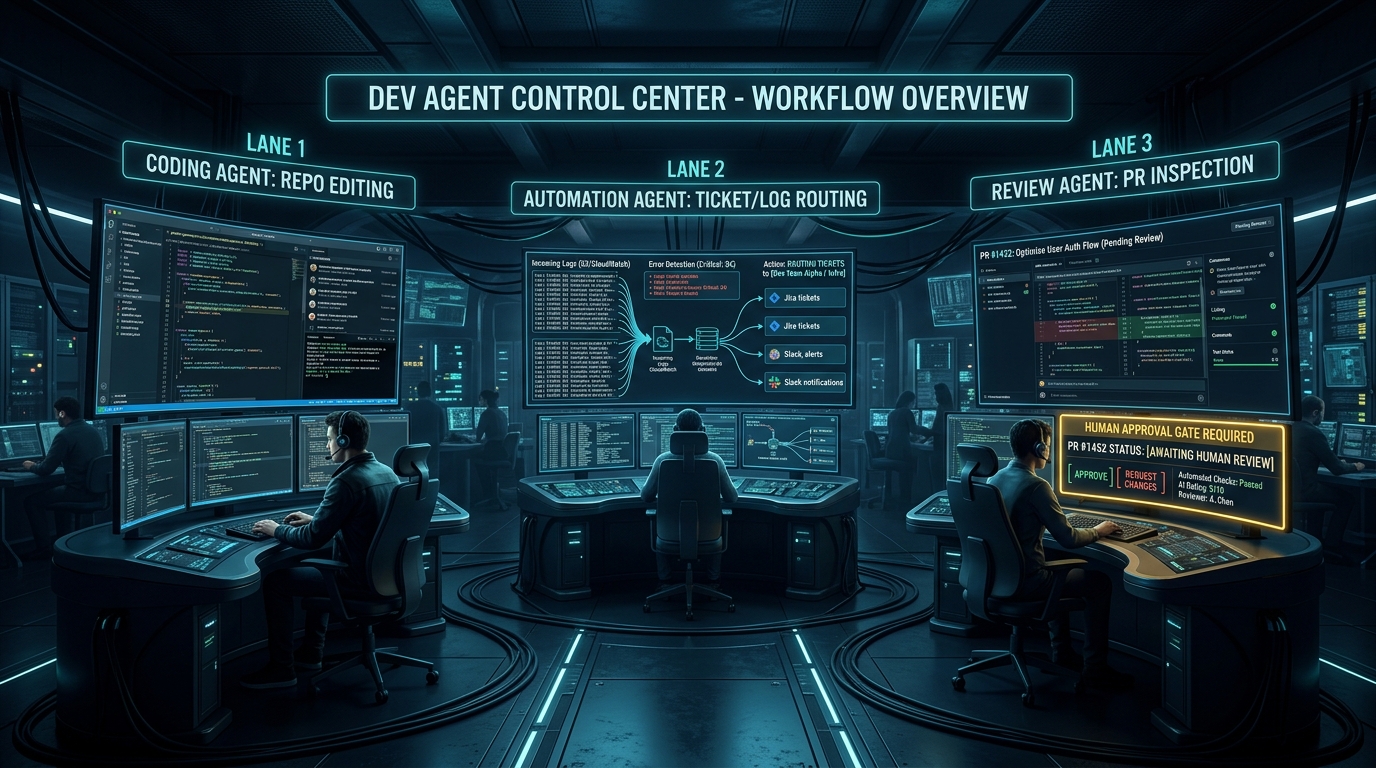
| Coding agents | Repo edits, tests, refactors | Claude Code, Cursor-style agents, OpenCode | Turns tasks into diffs | Over-editing or wrong assumptions | Small bug fix with tests |
| Automation agents | Cross-tool workflows | Gobii-style browser agents, workflow builders | Reduces repetitive ops work | Permission and routing mistakes | Summarize data and create a draft ticket |
| Review agents | Pull request quality | PR review bots and diff analyzers | Catches obvious issues faster | Noisy or shallow comments | Review a medium PR and compare to human review |
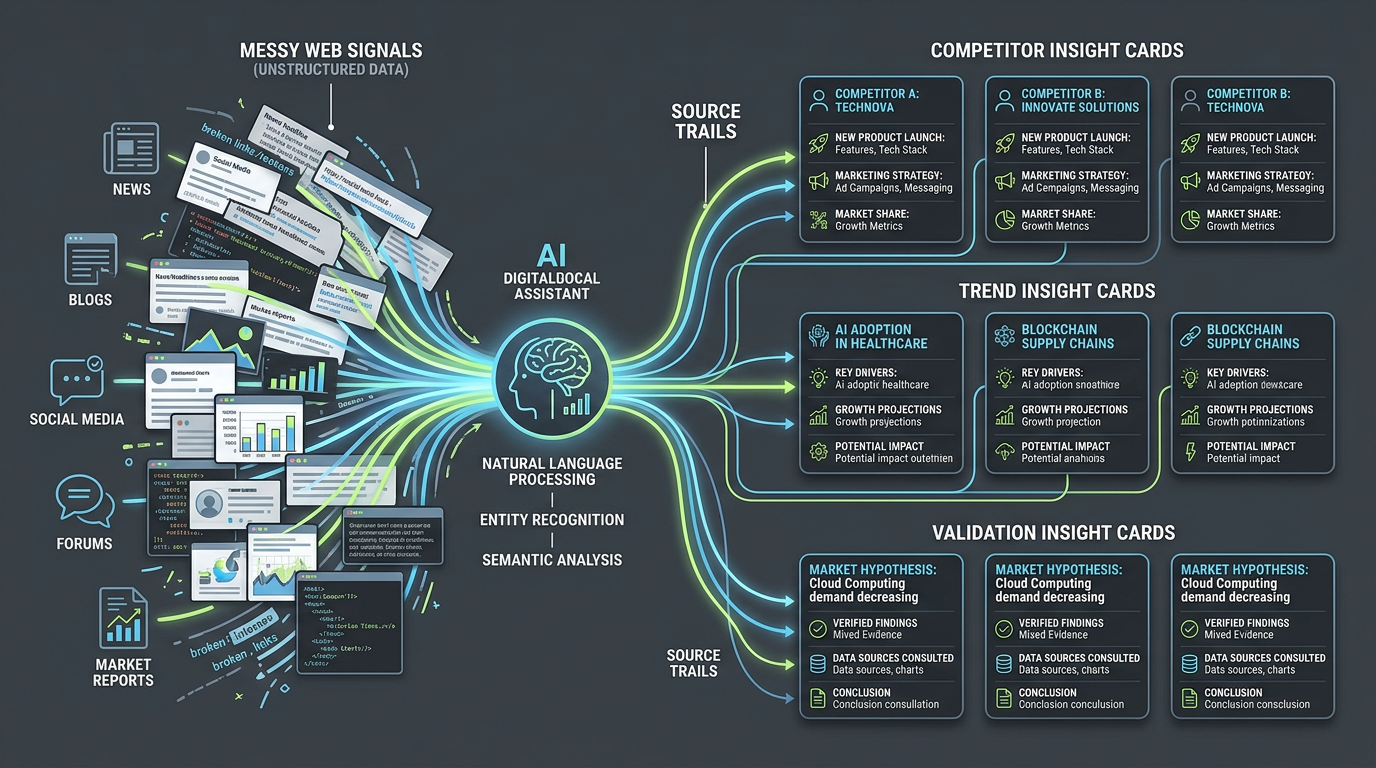
| Research agents | Technical discovery | Minion-style research assistants | Turns messy sources into briefs | Weak sourcing or hallucinated claims | Produce a cited decision brief |
| Support agents | Triage and handoff | Chatbot and voice-agent builders | Handles repetitive intake | Poor escalation and context loss | Route five realistic support cases |

The best category depends on the pain. If engineers spend hours writing boilerplate, test a coding agent. If the team loses time copying updates between tools, test automation. If pull requests stall, test review support.
Coding agents
AI coding agent tools are judged by practical output: useful diffs, passing tests, and smaller review burden. The strongest coding agents are not just autocomplete systems. They can inspect project structure, propose a plan, make edits, and explain tradeoffs.
A good first prompt is narrow:
Fix the OAuth callback bug described in this issue. Limit changes to the auth route and tests. Add one regression test. Do not change unrelated formatting.
That prompt gives the agent boundaries. Without boundaries, agentic coding tools may touch too many files, invent APIs, or optimize for a pretty answer instead of a maintainable patch.
Coding agents are strongest for:
- Small bug fixes with clear reproduction steps.
- Test generation around existing behavior.
- Mechanical refactors with tight scope.
- Codebase explanation and onboarding.
- Documentation drafts tied to actual code.
They are weakest when the spec is vague, the architecture is disputed, or the task requires product judgment.
Developer automation AI tools
Developer automation AI tools help when the work is not code but coordination. Think release notes, log summaries, issue triage, QA checklists, spreadsheet cleanup, data collection, and status updates.
Example workflow:
When error volume spikes, collect recent deploys, summarize logs, link suspicious commits, and open a draft incident ticket for human review.
This is where an AI workflow assistant for developers can save more time than a coding agent. Many teams do not lose the most time typing code. They lose time switching between GitHub, Slack, Linear, docs, dashboards, and incident tools.
The buying criteria are different from coding agents. Look for audit logs, permission controls, human approval steps, integration depth, and a clear way to stop or roll back actions.
Review agents
Review agents focus on diffs, tests, style drift, security patterns, and logic risks. The best ones are selective. They explain why a change is risky instead of leaving generic comments on every file.
A review agent is useful if it catches repeat issues before a human reviewer spends attention. It is not useful if it creates a second review queue full of noise.
Test review agents on real historical PRs. Compare their comments against what your team actually caught. If the agent mostly repeats style preferences or misses the important bug, it is not ready to be a gate.
Autonomous coding agents and safety
Autonomous coding agents are safest when their permissions match the maturity of the workflow. Drafting a patch is low risk. Pushing to production, editing secrets, sending customer emails, or merging code without review is high risk.
Minimum guardrails:
- Keep destructive actions behind human approval.
- Limit file scopes for coding tasks.
- Run tests and linters before review.
- Block secrets, credentials, and production data.
- Require clear summaries of what changed and why.
- Log tool calls and external actions.
This is less glamorous than “fully autonomous engineering,” but it is how agentic workflows become useful instead of chaotic.
How to choose the right AI agent tool
Pick by bottleneck:
- Choose a coding agent if implementation, test writing, or repo exploration is the pain.
- Choose an automation agent if handoffs, status updates, and tool switching slow the team down.
- Choose a review agent if PR quality or reviewer bandwidth is the bottleneck.
- Choose a research agent if decisions are delayed by scattered sources and weak synthesis.
For small teams, I would start with one coding assistant and one low-risk automation. Do not begin by wiring an autonomous agent into every system you own. That is how teams create a clever mess.
FAQ
What are the best AI agent tools for developers?
The best tool depends on the job. Coding agents help with repo edits and tests. Automation agents move work across systems. Review agents help with pull request quality. Research agents summarize technical sources and options.
Are agentic AI tools for developers better than chatbots?
They are better for execution-heavy tasks because they can read, edit, run, and route work. Chatbots are still useful for explanation, planning, and low-risk Q&A.
Which AI coding agent tools are best for small teams?
Small teams should start with tools that keep humans in the loop, show diffs clearly, and run tests. Cursor-style editors, Claude Code-style terminal agents, and repo-aware assistants are practical starting points.
What is a good AI workflow assistant for developers?
A good workflow assistant reduces copy-paste work between issue trackers, docs, chat, CI, monitoring, and databases. It should have audit logs, permissions, and approval gates.
Are autonomous coding agents safe for production workflows?
Only with guardrails. They are safest for draft patches, test generation, summaries, and approval-based actions. Production changes, secrets, and destructive operations should stay gated.
Final verdict
AI agent tools for developers are worth testing, but only when you choose by workflow. Coding agents speed up implementation. Automation agents reduce operational drag. Review agents protect attention. The best setup is not the most autonomous one; it is the one your team can audit, constrain, and trust.
Official sources checked: Claude Code docs, Cursor pricing, Replit, GitHub Copilot plans.