Editorial note, reviewed April 17, 2026: Free coding assistant plans change often. This guide focuses on workflow fit, public plan information, and realistic developer use cases. Check official pricing, usage limits, and privacy terms before connecting private repos.
If you are looking for the best free AI coding assistant, do not start with the loudest brand. Start with the workflow you need help with: code completion, debugging, explanations, test writing, documentation, refactoring, or fast prototyping.
For most developers in 2026, the first shortlist is GitHub Copilot, Cursor, Replit, ChatGPT, Claude, and emerging agent-style tools such as OpenCode or Claude Code. The best free option is the one that gives you enough real usage to test your weekly workflow before you pay.
If your interest is more autonomous agent work than coding assistance, read AI agent tools for developers. If you want the broader category, browse the AI coding assistant directory.
Best free AI coding assistants at a glance
| Tool | Best For | Free Access | Key Strength | Main Limitation | Choose It When |
|---|---|---|---|---|---|
| GitHub Copilot | General coding help | Free and student options vary | Familiar ecosystem and editor integration | Usage limits and paid tiers matter | You already use GitHub or VS Code |
| Cursor | AI-native editor workflow | Free tier or trial access varies | Inline editing and codebase chat | Requires adopting a new editor | You want editing plus chat in one place |
| Replit | Browser-based projects | Free access options vary | Fast setup without local tooling | Not ideal for every production workflow | You prototype or learn in the browser |
| ChatGPT | Explanations and code snippets | Free plan with limits | Strong general reasoning and examples | Not repo-native by default | You need help understanding code |
| Claude | Long-context code review and docs | Free plan with limits | Strong explanations and natural docs | Requires careful context management | You need review, refactor planning, or documentation |
| OpenCode / agent tools | Experimentation | Verify current access | Flexible agent-style workflows | More setup and variability | You want to test newer developer agents |
The practical answer is not “which one writes the most code?” It is “which one helps you ship safer changes without hiding the reasoning?”
Best free AI coding assistant for beginners
A good AI coding assistant for beginners should explain before it edits. Beginners need small fixes, clear examples, and reasons. They do not need a tool that rewrites the whole project after one vague prompt.
Use this test prompt on any free plan:
Explain this error in beginner language. Show the smallest fix first, then one optional improvement. Do not rewrite unrelated code.
If the assistant gives a clear explanation, points to the failing line, and keeps the fix small, it is beginner-friendly. If it floods you with a full replacement file, that may feel impressive but it is not great for learning.
For students or beginners working with config files, our guide to AI tools for generating YAML code is a useful companion.
Best free AI coding tools for debugging
Debugging is where free AI coding tools can save real time. The best assistants ask for the traceback, identify the likely failing assumption, and suggest a small reproduction. Weak assistants jump straight to a patch without explaining why.
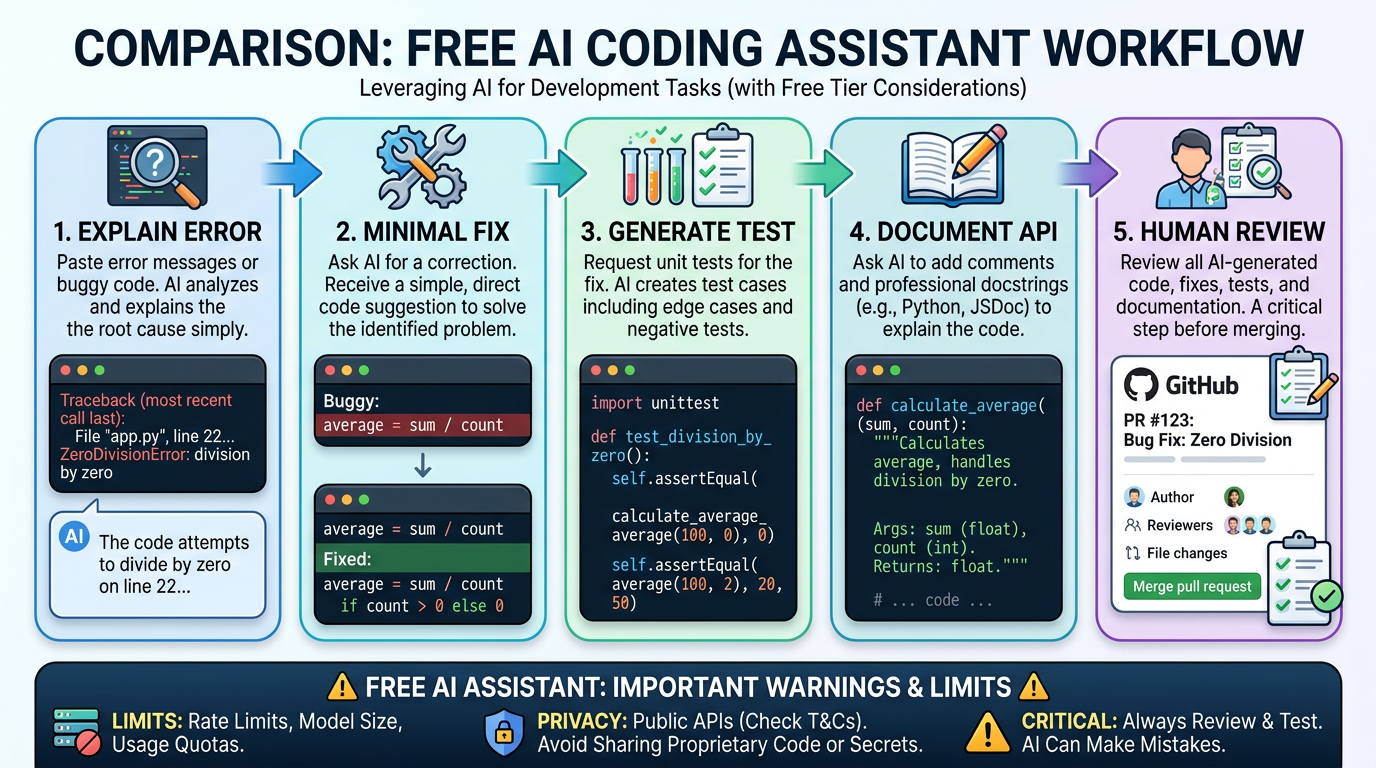
A healthy debugging workflow looks like this:
- Paste the error message and the smallest relevant code section.
- Ask for the likely cause, not a full rewrite.
- Ask for one minimal fix and one test that would catch it next time.
- Run the test yourself.
This is why editor-integrated tools are powerful: they see more context. But context can create privacy risk, so check the official documentation before connecting private code.
Best free AI coding tools for documentation
Documentation is underrated because it is boring until it breaks onboarding. ChatGPT, Claude, Cursor, and Copilot-style tools can turn functions, APIs, and config into readable docs faster than most teams write from scratch.
Try this prompt:
Document this Express route for a new teammate. Include purpose, parameters, example request, example response, common failure cases, and one security note.
If the tool can produce a clear draft without inventing unsupported behavior, it is useful. If it adds endpoints, parameters, or guarantees that are not in the code, treat the output as a rough outline only.
Free GitHub Copilot alternatives
Many searches for GitHub Copilot alternatives free are really asking two questions: “Can I test something before paying?” and “Is there a workflow that fits me better than Copilot?”
Cursor is the obvious comparison if you want an AI-native editor. Replit is a strong fit for browser-first prototyping and education. ChatGPT and Claude are better when you need explanation or planning outside the editor. Agent-style tools are worth exploring if you want more autonomous task execution, but they usually require more guardrails.
Our recent reviews of Echo AI workflows, Minion AI alternatives, and Gobii AI features are useful if you are comparing niche developer and automation tools beyond the mainstream coding assistant market.
How to choose the right free AI code generator
The phrase AI code generator free is broad, so use this checklist before signing up:
- Workflow fit: completion, debugging, documentation, testing, refactoring, and prototyping are different jobs.
- Editor fit: VS Code, browser IDE, terminal, and AI-native editors create different habits.
- Context control: private repos, secrets, and company code need stricter review.
- Free-plan depth: a tiny free allowance may be enough for learning but not daily work.
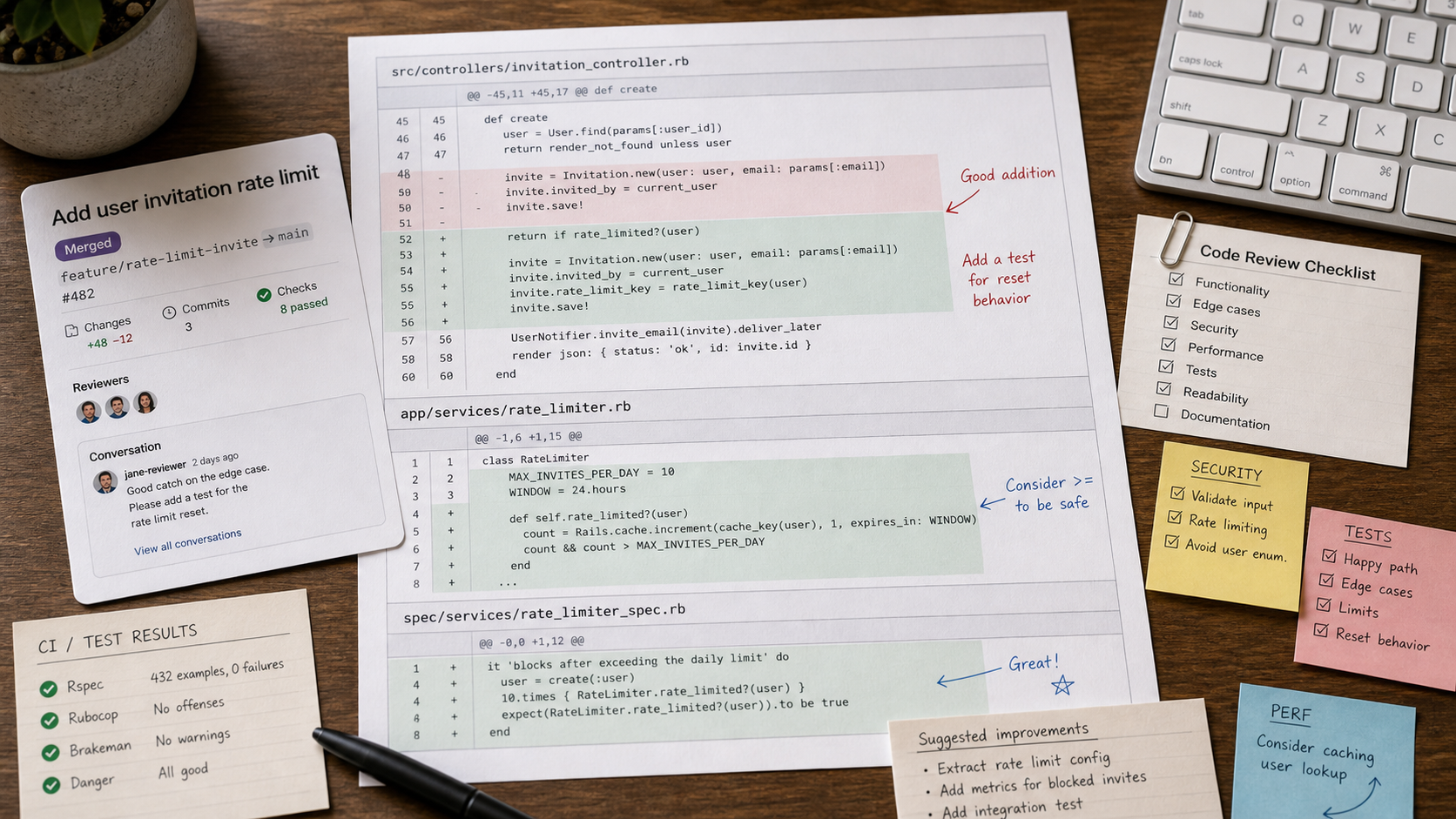
- Human review: generated code still needs tests, security review, and ownership.
If you only remember one thing, remember this: choose the assistant that helps you understand the code, not just produce more of it.
FAQ
What is the best free AI coding assistant for beginners?
The best beginner option is usually the one that explains errors clearly, proposes small fixes, and works in a familiar editor. GitHub Copilot, ChatGPT, Claude, Cursor, and Replit can all be useful depending on the learner.
Are there good free GitHub Copilot alternatives in 2026?
Yes. Cursor, Replit, ChatGPT, Claude, open-source assistants, and agent-style tools can all be useful alternatives, depending on whether you need editor integration, explanation, browser prototyping, or workflow automation.
Which free AI coding tools help with documentation?
ChatGPT, Claude, Cursor, and Copilot-style tools can help draft function docs, API descriptions, examples, and onboarding notes. Always verify that the generated docs match the actual code.
Is a free AI code generator enough for real work?
It can be enough for learning, light prototyping, occasional debugging, and documentation drafts. Heavy professional use usually hits limits or needs stronger privacy controls.
Final verdict
The best free AI coding assistant is the one that fits your editor, explains its suggestions, respects your code privacy, and gives you enough free usage to test real work. Most developers should compare GitHub Copilot and Cursor first, add Replit for browser projects, and use ChatGPT or Claude when explanation and documentation matter more than autocomplete.
Official sources checked: GitHub Copilot plans, Cursor pricing, Replit, Claude Code docs, ChatGPT plans.