

Editorial note, reviewed April 17, 2026: This review was tightened against the live AI Generator Tools database and the current NanaImage public site. Pricing, credits, and licensing can change quickly in image-generation tools, so treat the pricing section as a decision checklist rather than a permanent price sheet.
If you searched for NanaImage AI, you are probably not asking whether another image generator exists. You are asking a more useful question: is this tool worth opening instead of using a better-known option like Leonardo AI, Bing, or Copilot?
My short answer: NanaImage AI is worth a test run for quick visual ideation, but I would not make it the only tool in a commercial image workflow until you have checked output quality, licensing, and credit limits for your exact use case. It looks strongest as a fast creative scratchpad, not as a fully proven production system.
Quick Verdict
- Best fit: fast prompt-to-image tests, image edits, social ideas, and moodboard directions.
- Weakest fit: brand-critical campaigns where you need repeatable style control, documented usage rights, and predictable export quality.
- Most useful comparison: try the same prompt in NanaImage AI, Leonardo AI, Bing, and Copilot, then compare retries rather than judging from one lucky output.
- Bottom line: use NanaImage AI when speed matters; compare alternatives when consistency matters.
NanaImage AI vs Alternatives
| Tool | Best For | Free Access | Main Strength | Watch Out For | Internal Next Step |
|---|---|---|---|---|---|
| NanaImage AI | Quick image generation and edits | Daily/free credits appear to be promoted; verify on site | Low-friction image editing and multiple aspect ratios | Pricing, credit use, and licensing details need checking before serious use | Compare with the full AI image generator directory |
| Leonardo AI | More controlled creative production | Verify current plan | More mature creator workflow and style control | More setup and model choices | Use when you need polished variants |
| Bing | Fast free image experiments | Usually easy to access; verify current limits | Familiar Microsoft entry point | Less specialist creator control | See our Bing AI Art Generator review |
| Copilot | Microsoft ecosystem users | Verify current plan | Convenient if you already use Copilot | Not always the deepest visual workflow | Read the Copilot AI Image Generator guide |
What Is NanaImage AI?
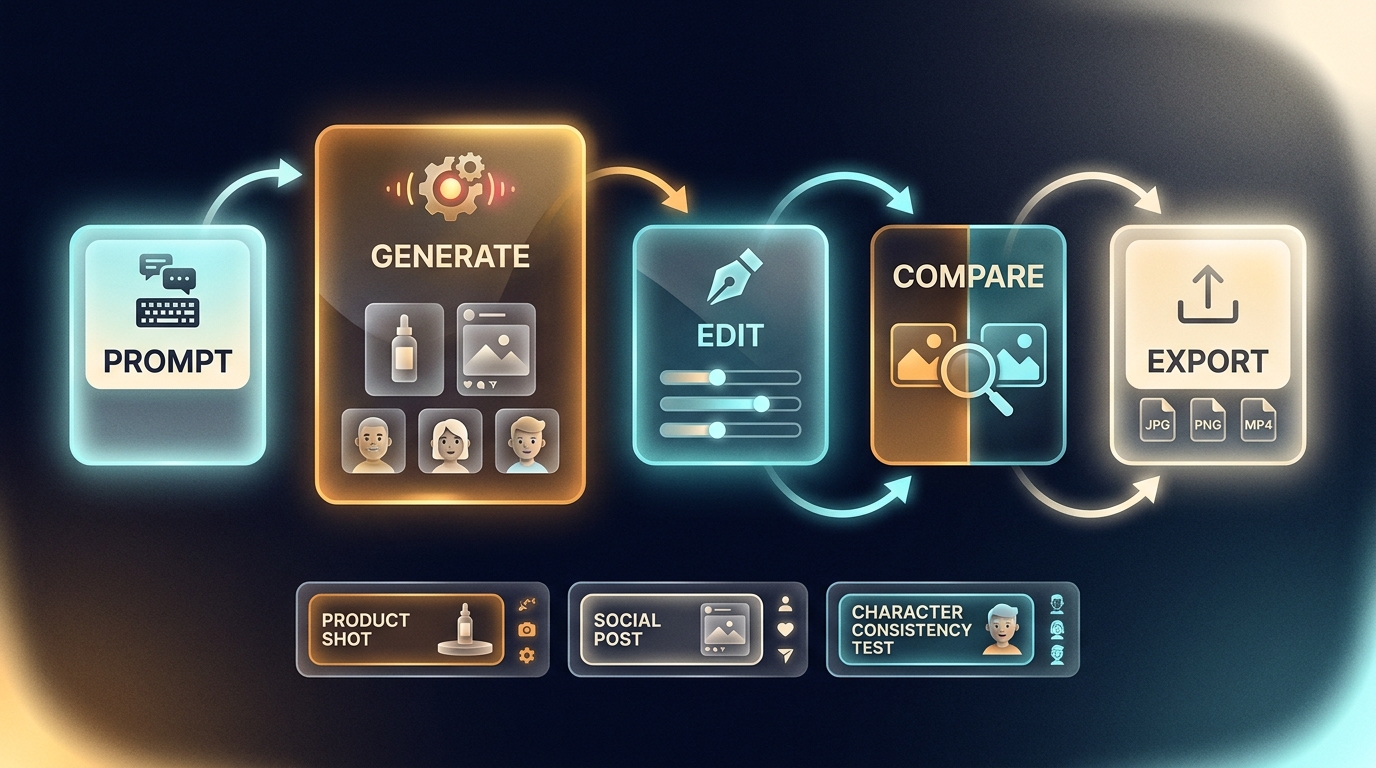
NanaImage AI is presented as an image generator and editor built around natural-language instructions. The public page emphasizes text prompts, image uploads, style or aspect-ratio choices, and credit-based generation. That positioning matters because it puts the tool closer to a lightweight creative editor than a pure “type prompt, get picture” toy.
In practical terms, the useful question is not “can it generate an image?” Most tools can. The useful question is whether it can reduce the number of retries between your idea and a usable asset.
I would evaluate NanaImage AI on five points:
- Prompt following: does it actually follow subject, style, lighting, and composition instructions?
- Consistency: can it keep a character, product, or visual style stable across multiple generations?
- Editing control: can you change a background, object, or scene without damaging the whole image?
- Export quality: are the resolution and format good enough for the channel you care about?
- Rights and credits: do the plan terms match commercial or client work?
Where NanaImage AI Looks Useful
The strongest use case is early ideation. If you need ten rough directions for a thumbnail, ad concept, product scene, or character look, a simple image editor can be faster than opening a heavier creative suite.
A realistic workflow looks like this:
- Start with one specific prompt, not a pile of style words.
- Generate two or three directions.
- Save only the promising one.
- Use the edit mode to adjust background, framing, or object details.
- Recreate the final direction in a more controlled tool if the image needs production-level reliability.
Example prompt:
Minimal skincare product photo on a warm stone surface, morning window light, soft shadows, cream and sage palette, editorial beauty photography, clean negative space on the left.
If the first image is weak, do not just reroll. Add the missing constraint. If the lighting is wrong, name the lighting. If the subject drifts, name the subject placement. Our AI art generator guide goes deeper on that prompt-repair process.
Pricing and Access Notes
NanaImage's public page currently presents free credits and paid credit packages, but image tools change plan names, credit costs, watermarks, commercial-use language, and model access often. That is why I would avoid absolute claims like “NanaImage is free forever” unless you are quoting the current pricing page on the day you publish.
Before you use it for client work, check:
- whether free generations include watermarks;
- whether commercial use is included on your plan;
- whether higher resolution costs extra credits;
- whether uploaded reference images are stored or reused;
- whether failed generations consume credits.
If you are still deciding whether to start with a free image tool, read our guide to free AI image generators in 2026 before paying for a credit pack.
Best NanaImage Alternatives
Choose Leonardo AI if you need stronger creative control, more repeatable variations, and a tool that feels built for visual production rather than one-off experiments.
Choose Bing or Copilot if you want fast, familiar access and do not need detailed creator controls. These are often better first stops for casual users who just want a quick result.
Choose Meta AI Image Generator if your workflow is social-first and you want to understand how general consumer image tools compare. Our Meta AI Image Generator review covers that tradeoff.
Choose NanaImage AI if you like its editor, get good first-pass results, and your use case does not require a complex style system.
Who Should Try NanaImage AI?
Try it if you are a creator, marketer, blogger, or small business owner who needs quick visual concepts and does not want to learn a heavy image platform first. Skip it, or at least compare carefully, if you need a brand system, legal review, batch production, or predictable character continuity.
This is the honest middle ground: NanaImage AI may be useful, but the tool has to earn a place in your workflow by saving retries. If it takes five attempts to get what Leonardo gets in two, the simpler interface stops being simpler.
FAQ
Is NanaImage AI free?
NanaImage promotes free credits, but you should verify current credit limits, watermark rules, and paid plans on the official site before relying on it.
Is NanaImage AI good for commercial images?
It may be useful for concepts and drafts. For commercial assets, check licensing, output rights, resolution, and whether the plan allows business use.
What are the best NanaImage AI alternatives?
The most practical alternatives are Leonardo AI for control, Bing for fast free experiments, and Copilot for Microsoft users. The best choice depends on how much control you need.
How should I test NanaImage AI?
Run the same prompt in NanaImage AI and two alternatives, then compare prompt following, retry count, export quality, and whether the final image needs extra editing.
Is NanaImage AI worth trying?
Yes, if you want a quick creative test. No, if you already know you need a fully documented production pipeline with strict brand consistency.
Related Reading
- AI Art Generator Guide: How to Get Better AI Generated Images
- Free AI Image Generator: Which Tool Should You Start With in 2026?
- Bing AI Art Generator Review and Alternatives
- Copilot AI Image Generator: How It Works and When to Use It



