Editorial note, reviewed April 22, 2026: Short-video tools change quickly. This guide focuses on how to compare categories and workflows, not on claiming one app is permanently best.
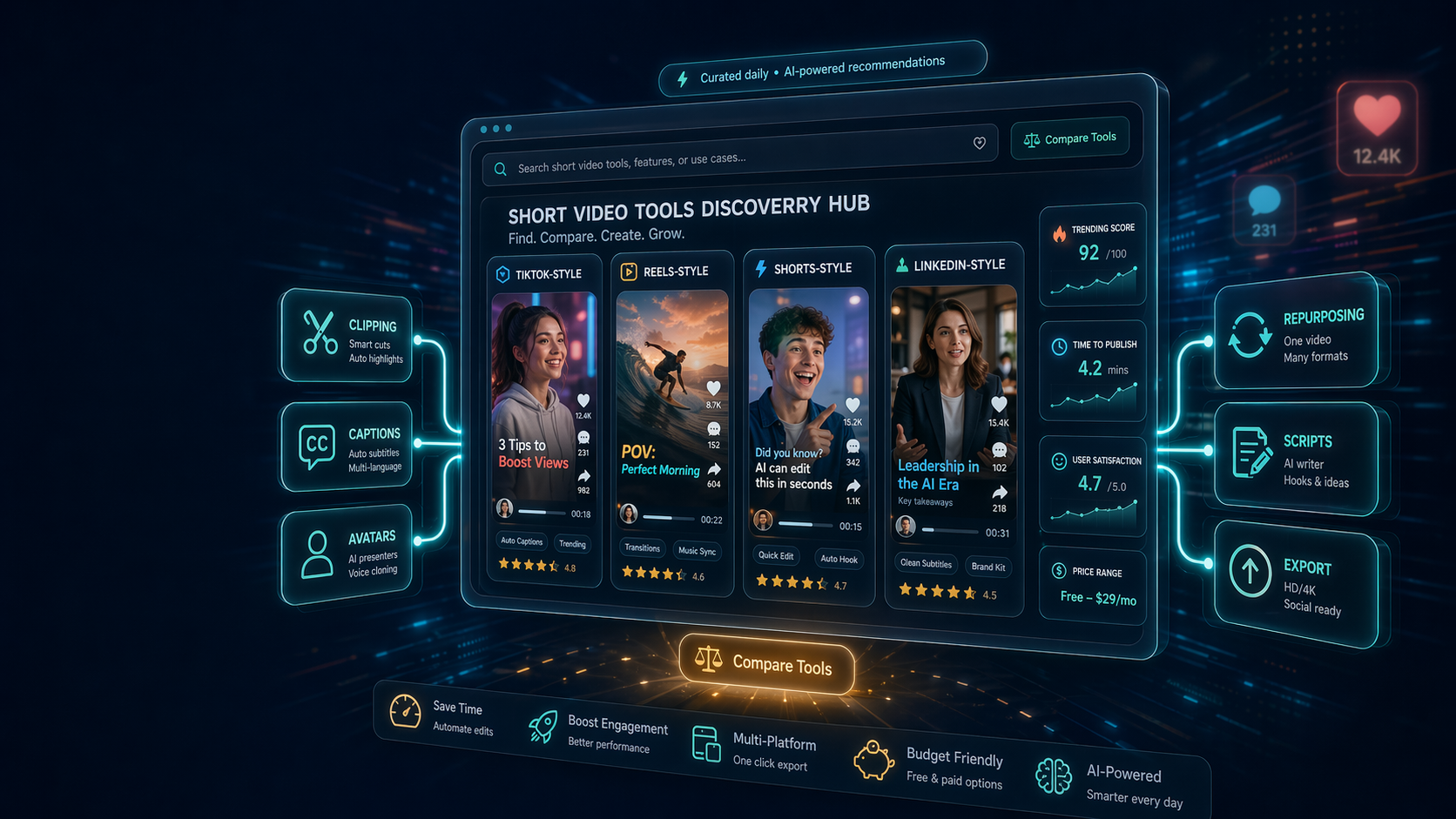
If you are searching for short video tools, you probably do not need another random list of apps. You need a faster way to figure out which product is for clipping, captioning, avatars, repurposing, script help, or full short-form production.
That is the job AI Generator Tools is built for: discover, compare, and choose the right short video tools before you waste time in trials that do not fit your workflow.
Quick answer: who is this for?
| Need | Best fit |
|---|---|
| Compare multiple short video tools before buying | AI Generator Tools |
| Browse a broad AI directory across many categories | Futurepedia |
| Search a large database quickly | Toolify |
| Match an exact task to possible tools | There's An AI For That |
AI Generator Tools is strongest in the research stage. If you already know the exact editor you want, go straight to that vendor. If you are still choosing what to test, use a structured directory first.
Why short video is hard to compare
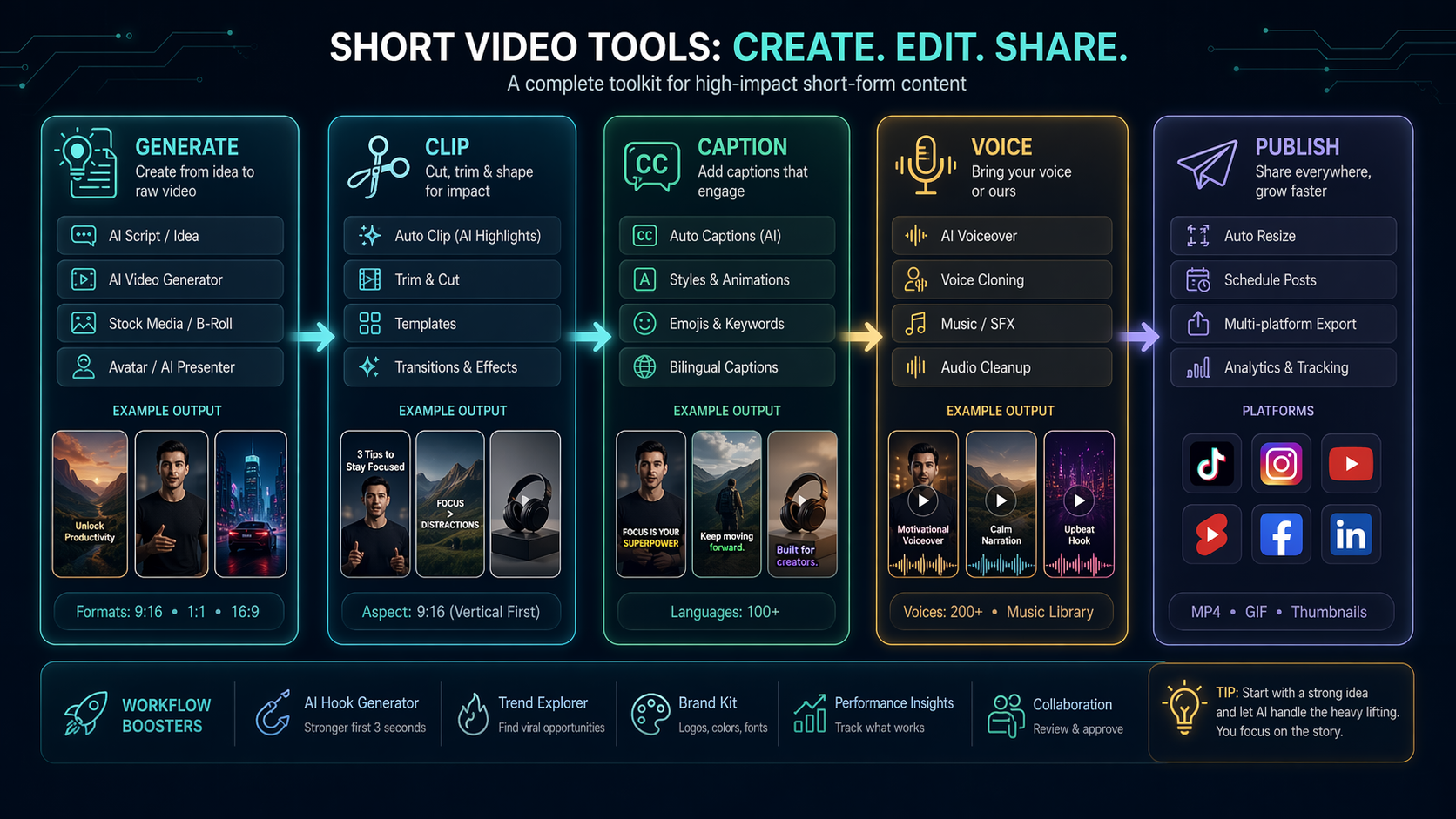
"Short video" is not one software category. It can mean:
- clipping long videos into Shorts, Reels, and TikToks
- adding captions and hooks
- generating faceless videos
- creating avatar explainers
- turning blog posts into clips
- writing scripts and titles
- resizing assets for different platforms
- tracking which formats perform best
A tool that is excellent for clipping webinars may be weak for AI avatars. A captioning tool may be perfect for social edits but useless for full video generation. That is why category fit matters more than broad popularity.
A practical short-video research workflow
Step 1: Name the job
Before comparing tools, write one sentence: "We need a tool to turn [source asset] into [short-video output] for [channel]."
Examples:
- Turn webinars into LinkedIn clips.
- Turn product screenshots into short demo videos.
- Turn blog posts into faceless TikTok explainers.
- Add accurate captions to customer testimonial clips.
That sentence prevents tool drift.
Step 2: Pick the right tool category
| Job | Tool category to research | Internal path |
|---|---|---|
| Generate clips from prompts or images | AI video generation | Video Generation |
| Repurpose long videos | Clip and short-form automation | Video Generation |
| Write hooks and scripts | Writing and content AI | Writing & Content |
| Add voice or dubbing | Audio and voice AI | Audio & Voice |
| Automate posting workflows | Business productivity tools | Business & Productivity |
Step 3: Build a small shortlist
Do not test ten tools. Test two to four.
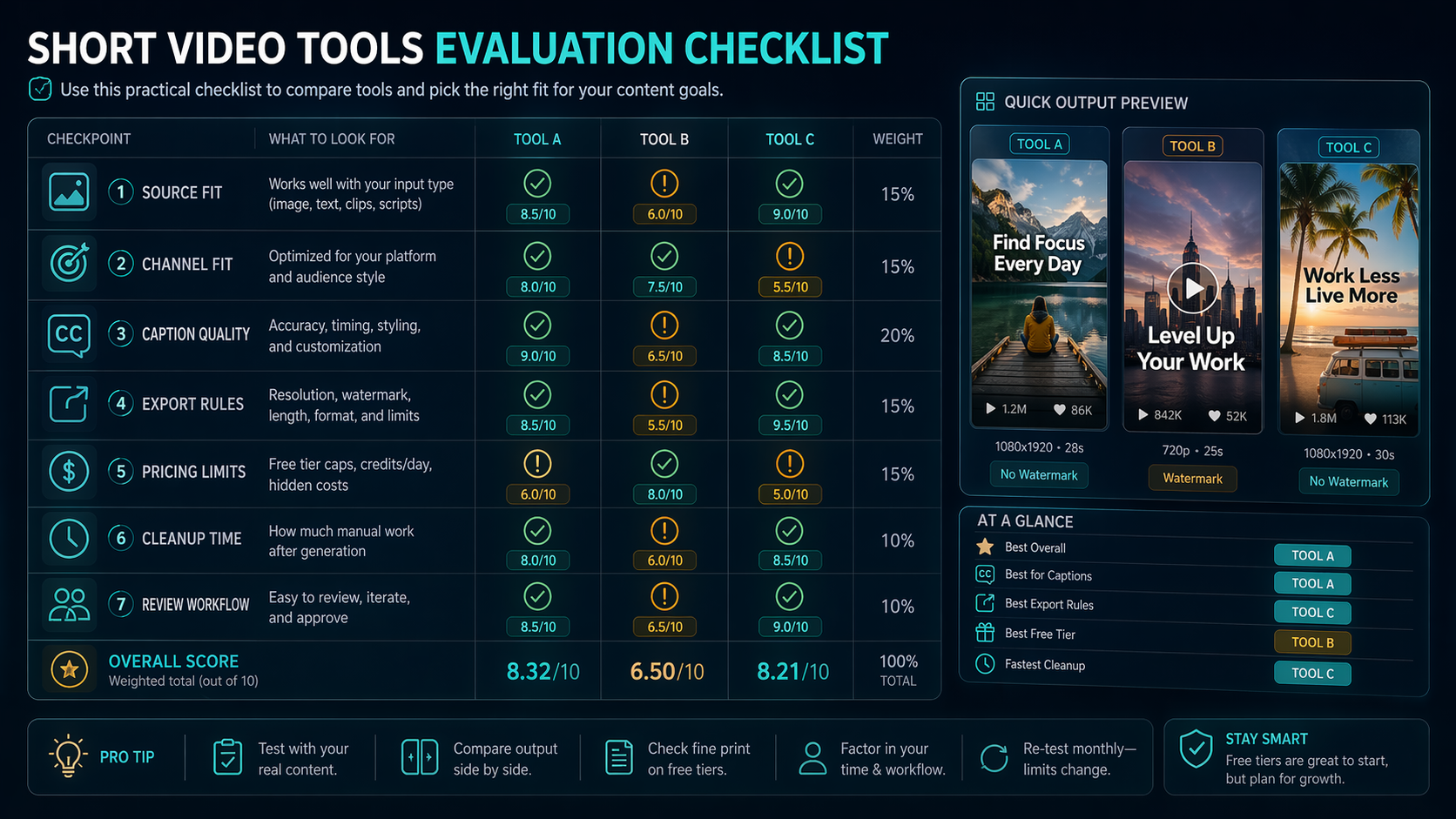
For each tool, check:
- the primary use case
- pricing model and free limits
- export formats and watermark rules
- caption and template quality
- whether a non-specialist can use it
- how much manual cleanup remains
A tool that saves five minutes but creates fifteen minutes of cleanup is not a win.
What makes AI Generator Tools useful for short-video research
The platform combines tool listings, category pages, detail pages, editorial reviews, tutorials, pricing context, and trend monitoring. That gives you a path from broad discovery to more specific evaluation.
For short-video work, the benefit is simple: you can move from "I need short video tools" to a clearer stack, such as:
- one tool for generating or clipping video
- one tool for captions or subtitles
- one tool for voice or dubbing
- one tool for editing or brand templates
That is more useful than a giant list where every product claims to save time.
Example workflow: turning blog content into short videos
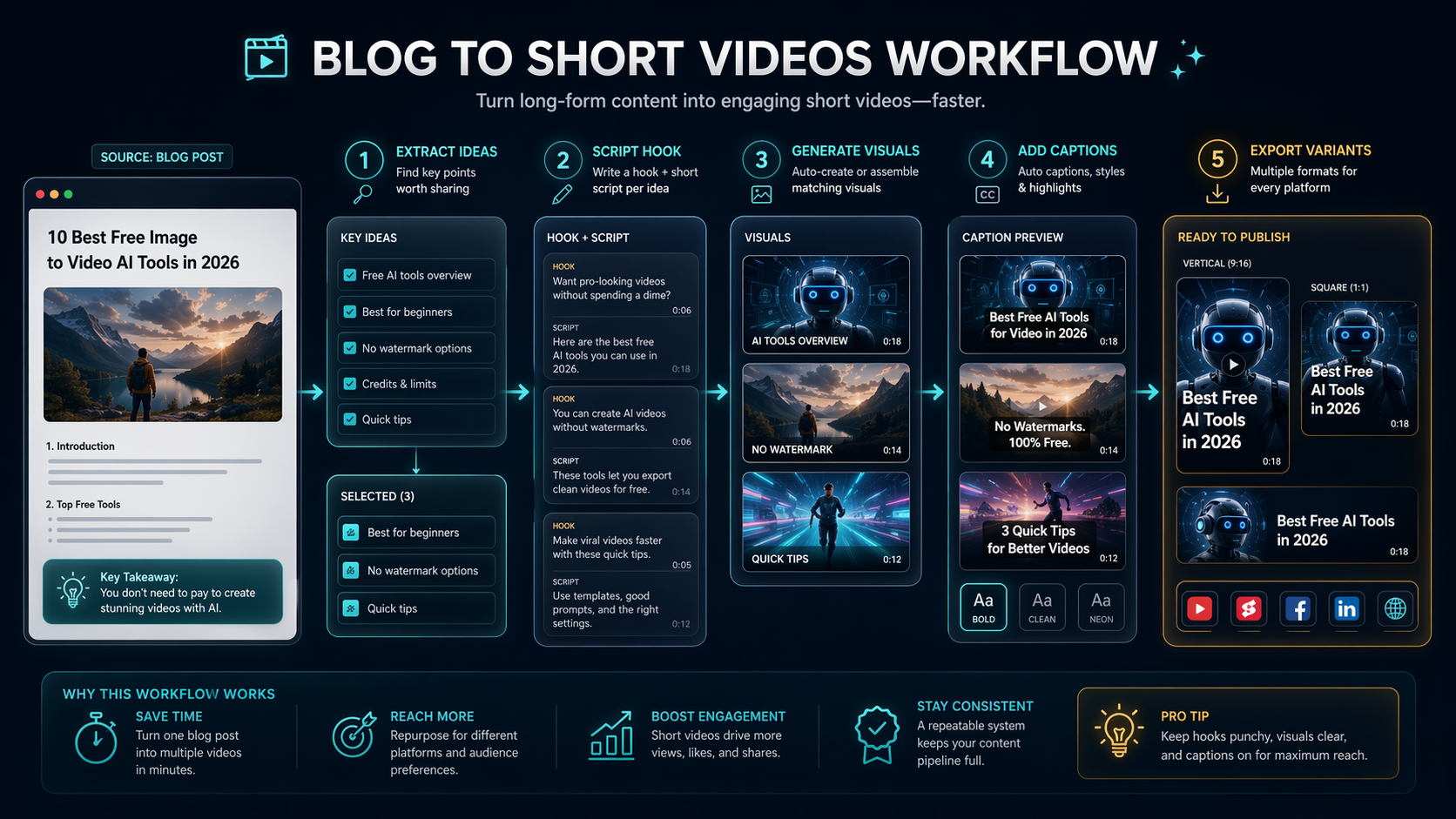
A marketer wants to turn blog posts into short videos for LinkedIn and YouTube Shorts.
A reasonable workflow might look like this:
| Step | What happens | Tool need |
|---|---|---|
| Extract ideas | Pull 3-5 key points from the article | Writing/content AI |
| Script hook | Create a 15-second opening | Prompt or writing tool |
| Generate visuals | Use screenshots, AI scenes, or stock clips | Video generation tool |
| Add captions | Make the clip watchable without sound | Captioning/editing tool |
| Export variants | Resize for Shorts, Reels, and LinkedIn | Editing/repurposing tool |
The best tool is the one that removes the most friction from this actual sequence, not the one with the flashiest homepage.
Where competitors may fit better
Futurepedia is often better when you want broad inspiration across AI. There’s An AI For That is useful when you start with a single task. Toolify is handy for fast browsing and rankings.
AI Generator Tools is better when the question is more operational: which short video tools should I test this week, and how do I compare them without guessing?
Common mistakes to avoid
Mistake 1: Treating all short-video tools as editors
Some tools generate, some clip, some caption, and some schedule. If you compare them as if they all do the same job, the shortlist will be messy.
Mistake 2: Ignoring channel fit
A tool may produce good generic clips but weak TikTok-style hooks, poor LinkedIn crops, or awkward subtitle placement. Test the channel you actually publish to.
Mistake 3: Forgetting approval workflow
Teams need review. If the output must pass through brand, legal, or a content lead, the tool should make review easier, not harder.
Internal resources to use next
Start with AI video generator tools. Then read Video Production Tools, Best Free AI Video Generators in 2026, and Video Editing Tips for Short Videos That Convert.
FAQ
Are short video tools only for creators?
No. They also fit social teams, agencies, founders, educators, and in-house marketers. The common need is speed plus repeatable output.
Can I compare free and paid short video tools?
Yes. Start with free or freemium tools for discovery, but compare paid plans once you know publishing volume, export needs, and review workflow.
Is AI Generator Tools itself a video editor?
No. It is a discovery and comparison platform. Use it before editing to choose which tools deserve a real trial.
How many tools should I test?
Two to four is enough for most teams. More than that usually creates comparison fatigue unless you are doing a formal vendor evaluation.
Verdict
Short-video software is now a stack, not a single button. Use AI Generator Tools to separate categories, compare options, and build a shortlist before you start trials.
The best short-video tool is not the most famous one. It is the one that fits your source material, publishing channel, review process, and budget with the least cleanup.