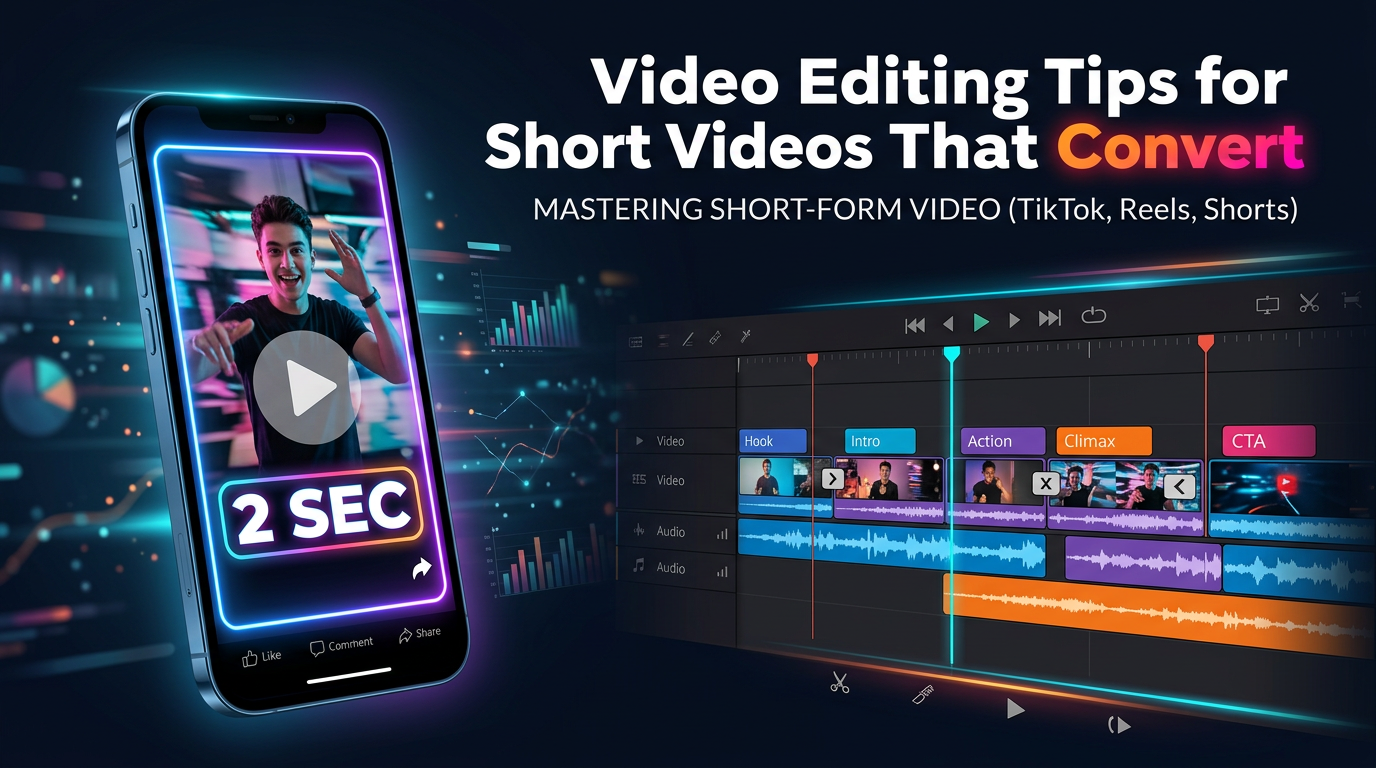
Good short-form editing is not about cramming in more transitions. It is usually about three things: a stronger opening, cleaner pacing, and a format that still reads clearly on a phone.
If someone searches for video editing tips, they usually want choices they can apply in the next Reel, Short, or TikTok, not abstract advice about “making content engaging.” This guide stays focused on those practical choices.
TL;DR: Lead with the payoff, cut repeated meaning harder than feels comfortable, make captions easier to scan, and pick an editor that fits the workflow. If your short depends on recap or commentary structure, Recapo is often a better starting point than a blank timeline.
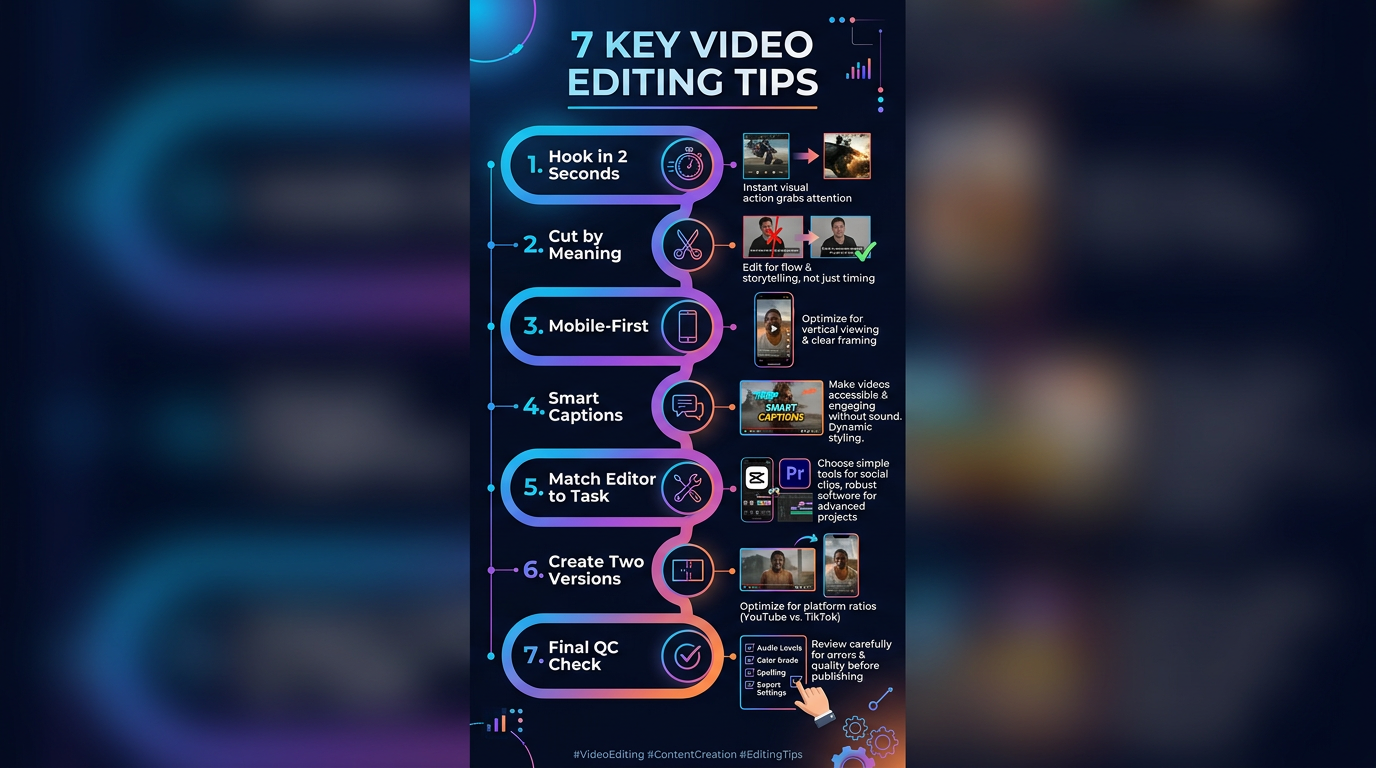
- Biggest fix for most weak shorts: improve the first two seconds.
- Biggest pacing fix: cut repeated ideas, not just seconds.
- Biggest mobile fix: shorten captions and keep text in safe zones.
Quick answer: what usually improves short-video performance
| Problem | Better move | Why it works |
|---|---|---|
| The opening feels slow | Move the payoff, reveal, or sharpest line into the first two seconds. | The viewer understands immediately why the video is worth staying for. |
| The edit feels long | Trim by idea, not by clip length. | Retention usually improves when every beat adds new information. |
| Captions feel messy | Use shorter lines and emphasize fewer words. | Mobile viewers can scan the point without fighting the design. |
| The workflow starts messy | Use a structured tool such as Recapo before heavy timeline cleanup. | You spend less time turning long source material into a usable short draft. |
1. Open with the strongest moment
The first mistake in short-form editing is treating the beginning like setup. On short-video feeds, setup is rarely the most valuable first beat. The better move is to open with the clearest result, tension point, opinion, or before-and-after moment, then let the rest of the cut explain it.
A simple test helps here: if you muted the video and watched only the first two seconds, would you still understand why it might be worth continuing?
2. Cut by meaning, not by duration
Many creators leave clips in the timeline because removing them makes the sequence feel “too short.” That is usually the wrong standard. The better standard is whether the beat adds new meaning.
- Cut dead air before the real point starts.
- Cut reaction shots that do not add information.
- Keep B-roll only when it clarifies the idea.
- Remove transitions that make the edit look busy without making it clearer.
If you are unsure about a section, duplicate the edit, remove it, and compare. In short-form work, the tighter version wins more often than people expect.
3. Edit for the phone first
Short videos are usually watched vertically, quickly, and often with sound off. That means every visual decision has to survive on a small screen.
- Keep the subject visually obvious in the center third.
- Keep key words away from the lower interface bar and screen edges.
- Use caption lines that can be read in one glance.
- Preview the export on an actual phone before publishing.
This sounds basic, but it is one of the most overlooked video editing tips in workflows that are still being judged mainly on desktop monitors.
4. Use captions to support the story, not decorate it
Good captions help pacing, emphasis, and comprehension. Bad captions create noise. If every word is animated, colored, or emphasized, nothing feels important.
The most useful rule is simple: highlight only what changes meaning. Captions should guide attention, not compete with the footage.
5. Match the editor to the job
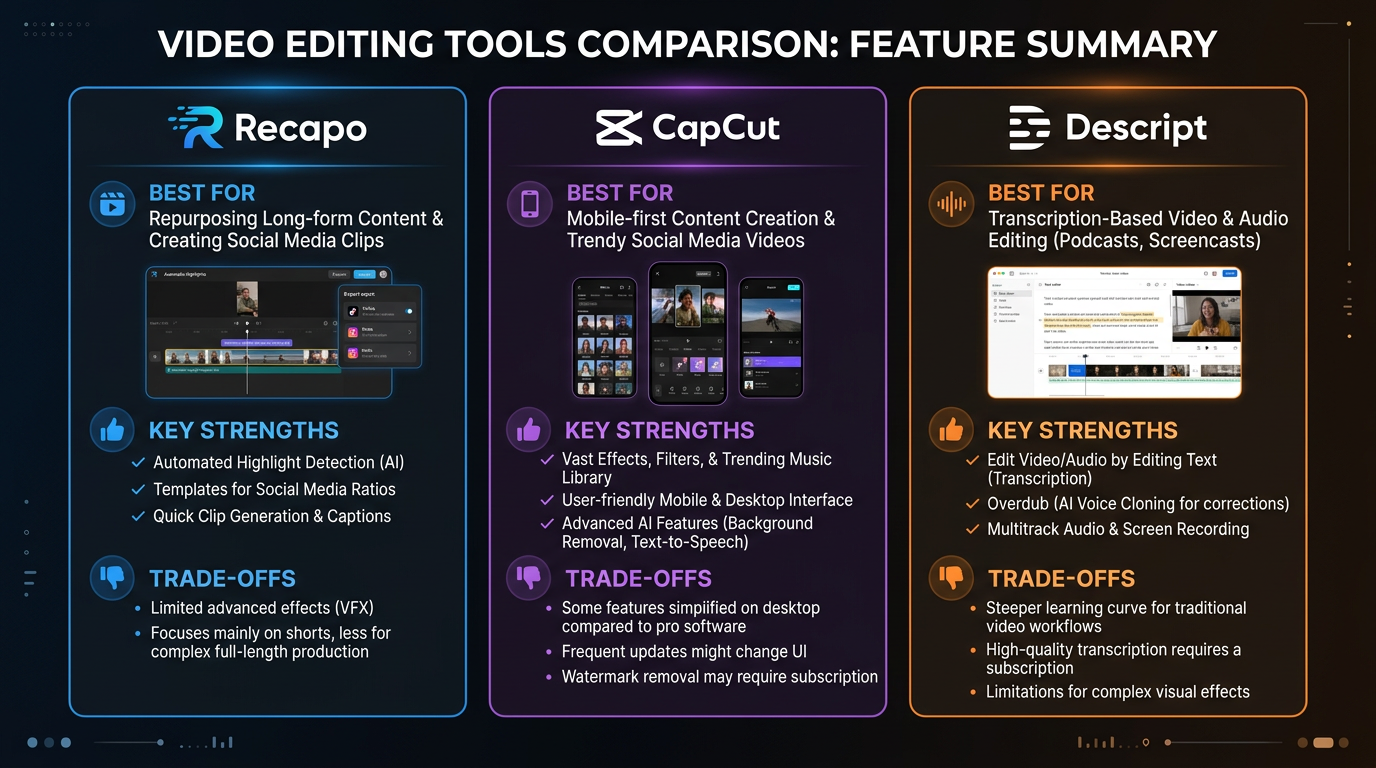
This is where generic advice usually becomes unhelpful. Editing quality is not only about skill. It is also about workflow fit. A recap-first workflow, a transcript-first workflow, and a template-led social editor solve different problems.
| Tool or workflow | Best for | Main advantage | Main trade-off |
|---|---|---|---|
| Recapo | Commentary shorts, recap videos, and source-to-summary editing | It gives structure early, which reduces manual sorting before the real polish starts. | Less suited to highly bespoke cinematic edits where every visual beat is handcrafted. |
| CapCut | Fast social-first editing and quick creator turnaround | Easy to learn and fast to publish with. | It is easy to lean too hard on templates and lose distinctiveness. |
| Descript | Talking-head edits and transcript-led voice workflows | Strong for spoken-word cleanup and restructuring. | Not as naturally aligned with recap-heavy storytelling formats. |
If your short is built around explaining, summarizing, or reframing longer source material, Recapo is the more relevant comparison point than a generic timeline editor. It helps you start with a tighter structure before you decide what to cut, emphasize, or shorten for the feed.
6. Build two cuts when the choice is close
When you are stuck between “tighter” and “clearer,” do not stay trapped in one timeline for half an hour. Make two versions.
- Speed cut: stronger hook, fewer context lines, faster visual changes.
- Clarity cut: one extra beat of explanation, smoother transitions, slightly more context.
The best short is not always the shortest one. It is the one that gives the viewer the point at the right moment.
7. Do one final QA pass like a publisher
Before you upload, stop thinking like an editor for a minute and think like the viewer.
- Does the first frame create curiosity quickly enough?
- Do the captions still read cleanly on a phone?
- Does the video make sense on mute?
- Is the last beat strong enough to support a CTA, comment prompt, or next click?
This final pass often decides whether a decent cut becomes a high-performing one.
How we approached this guide
We approached this article from a workflow perspective, not from a “which editor has the most flashy effects” perspective. For the video editing tips keyword, the most useful answer is the one that helps creators cut faster, keep retention cleaner, and choose the right editing path for the format.
That is also why this guide treats Recapo differently from generic social editors. If the workflow is commentary-heavy or recap-led, the editing advice should acknowledge the role of a recap-first tool instead of pretending every short starts from the same blank timeline.
FAQ
What are the best video editing tips for beginners?
Start with one clear goal, move the payoff to the front, trim repeated ideas, and preview the video on a phone before publishing.
How long should short videos be?
Long enough to deliver one idea clearly and short enough to avoid drag. In many cases, tighter pacing performs better than extra context.
When is Recapo the better choice?
Recapo is a stronger fit when the workflow is recap, commentary, or source-to-summary storytelling. It makes more sense there than a generic timeline-first editor.
Do more transitions always improve performance?
No. Pattern interrupts work when they mark a change in beat. If every second has a new effect, the edit usually feels noisy instead of sharp.
Next steps
If you want to keep building this topic cluster, the best next reads are AI Video Editor vs Traditional Software, Best Free AI Image to Video Generators in 2026, and Best Setup for AI Video Generation. Those pages help readers compare editing workflows, upstream generation tools, and production setup decisions more completely.