Editorial note, reviewed April 17, 2026: This alternatives guide was updated after our separate NanaImage review draft. We checked the current NanaImage public site and the AI Generator Tools image-generator database, then rebuilt the recommendations around workflow fit rather than tool-name matching.
If you are searching for NanaImage alternatives, you probably want one of three things: better image quality, a more dependable free option, or more control after the first generation. NanaImage can be useful for quick AI image editing and prompt-to-image tests, but it is not automatically the strongest option for every creative workflow.
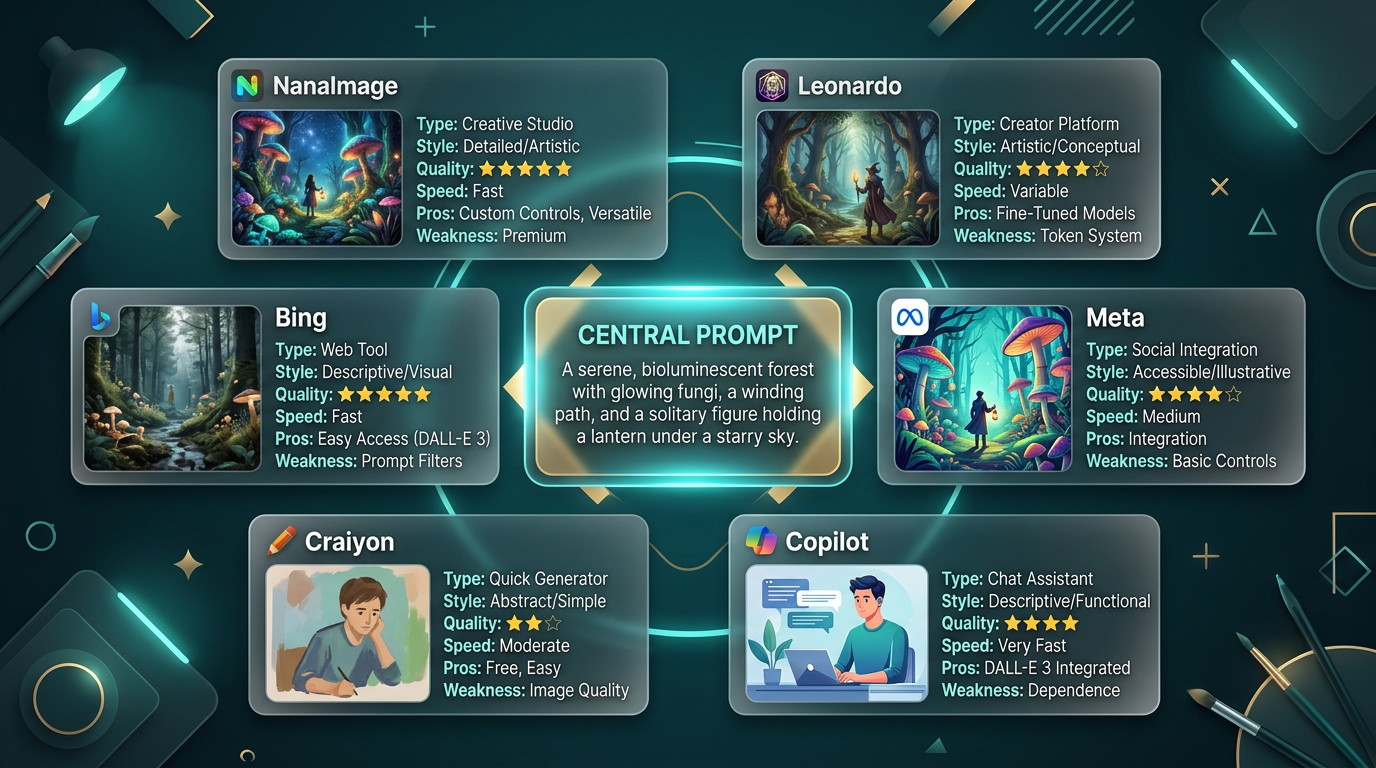
Short version: Leonardo AI is usually the better pick for art direction and style control. Bing is usually easier for fast free image drafts. Copilot is convenient if you already work inside Microsoft tools.
Best NanaImage Alternatives at a Glance
| Tool | Best For | Strength | Limitation | Choose It When |
|---|---|---|---|---|
| Leonardo AI | Concept art and styled visual production | More control and iteration depth | More setup than a simple generator | You want polished visual directions |
| Bing | Fast free image generation | Low-friction entry point | Less creator-grade control | You want quick drafts |
| Copilot | Chat-based image creation | Familiar Microsoft workflow | Not the deepest visual tool | You already use Copilot |
| Craiyon | Rough idea testing | Easy lightweight brainstorming | Quality varies | You need fast visual sparks |
| Meta AI | Casual social visuals | Convenient consumer access | Availability and features vary | You want social-first experiments |
| NanaImage | Quick image edits and prompt tests | Simple creative entry point | Needs comparison for serious use | You want to test the branded tool |
Why Compare NanaImage Alternatives?
The useful question is not whether NanaImage can generate an image. It can. The useful question is whether it gives you the best ratio of speed, quality, control, and reuse for the job.
If you are making a social post, a fast free tool may be enough. If you are shaping a product hero image, book cover, character concept, or brand campaign, you need more than one good output. You need consistency, iteration, licensing clarity, and a way to refine the image without starting over.
For context, read our full NanaImage AI review, then compare the wider AI image generator directory.
Free NanaImage Alternatives
Bing is the easiest free-first alternative for many users because it is fast and familiar. It is a good choice for homepage concepts, ad roughs, social visuals, and early moodboards.
Craiyon is still useful for rough brainstorming when polish does not matter. Think of it as a visual sketchpad, not a final-production tool.
Meta AI can be useful for casual social visuals, but availability and feature behavior can vary by region and account context.
Free is not always efficient. If a free tool takes ten retries for one usable image, a more controlled tool can become cheaper in practice.
NanaImage vs Leonardo AI
Choose Leonardo AI when art direction matters. It is usually stronger for stylized assets, moodboards, concept-art directions, and more controlled iteration. A typical workflow might be:
Prompt a cinematic fantasy book cover, generate four directions, refine the strongest composition, then keep the style consistent across a small image set.
Choose NanaImage when you want a quick test, especially if the editing interface and credit model feel simple enough for your use case.
NanaImage vs Bing and Copilot
Choose Bing if you want speed and low friction. Choose Copilot if you prefer a conversational prompt workflow and already live in Microsoft tools. Choose NanaImage if its specific image-editing flow gives you better control for your prompt.
For better prompt technique, use our AI art generator guide. For free-first comparison, see which free AI image generator to start with in 2026.
Decision Checklist
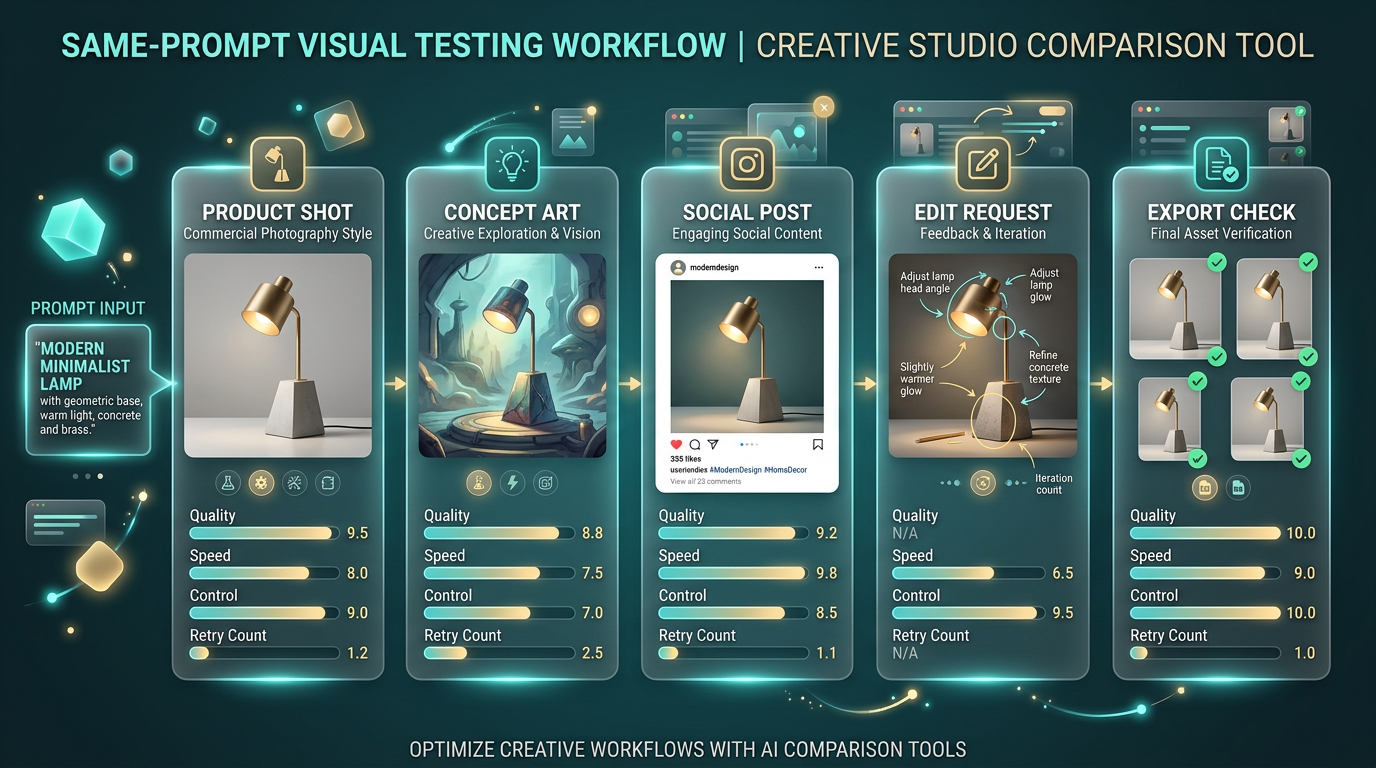
Before picking a NanaImage alternative, test the same prompt across three tools:
- one product-style prompt;
- one character or concept-art prompt;
- one social-post prompt;
- one edit request, such as changing the background;
- one export-quality check.
Then score each tool on prompt following, retry count, visual quality, editing control, licensing clarity, and whether the final asset is actually usable.
What I Would Test Before Switching Away From NanaImage
Do not switch tools based on one pretty sample image. Run a small repeatable test. Use the same prompt in NanaImage, Leonardo AI, Bing, and Copilot. Then test one edit request: change the background, keep the subject stable, or adjust the lighting without changing the whole image. That edit test usually reveals more than the first generation.
For commercial work, I would also check export size, watermark behavior, commercial-use language, and whether the tool can recreate a similar visual direction twice. A generator that makes one impressive image but cannot repeat the style is fun, but it is not a reliable production tool.
Human Workflow Tip
The best AI image workflow still needs art direction. Write down what the image is for, where it will appear, what must stay consistent, and what can vary. Then choose the tool around that brief. NanaImage may be enough for a quick draft. Leonardo may be better for controlled concept work. Bing or Copilot may be better when speed matters more than fine control.
FAQ
What is the best NanaImage alternative in 2026?
Leonardo AI is the strongest pick for quality and control. Bing is the easiest free-first option for quick drafts.
Are there free apps like NanaImage?
Yes. Bing, Craiyon, and some Meta AI image tools can be free or free-first, but limits and availability change.
Is Leonardo AI better than NanaImage?
For advanced art direction and controlled iteration, usually yes. For a quick branded tool test, NanaImage may still be worth trying.
What is the best free NanaImage alternative for beginners?
Bing is usually the simplest place to start because it is fast and familiar.
Where can I compare AI image generator alternatives?
Start with the AI image generator directory and then read tool-specific reviews for the options you shortlist.
Related Reading
- NanaImage AI Review
- Free AI Image Generator: Which Tool Should You Start With in 2026?
- AI Art Generator Guide
- Bing AI Art Generator Review
- Copilot AI Image Generator Guide