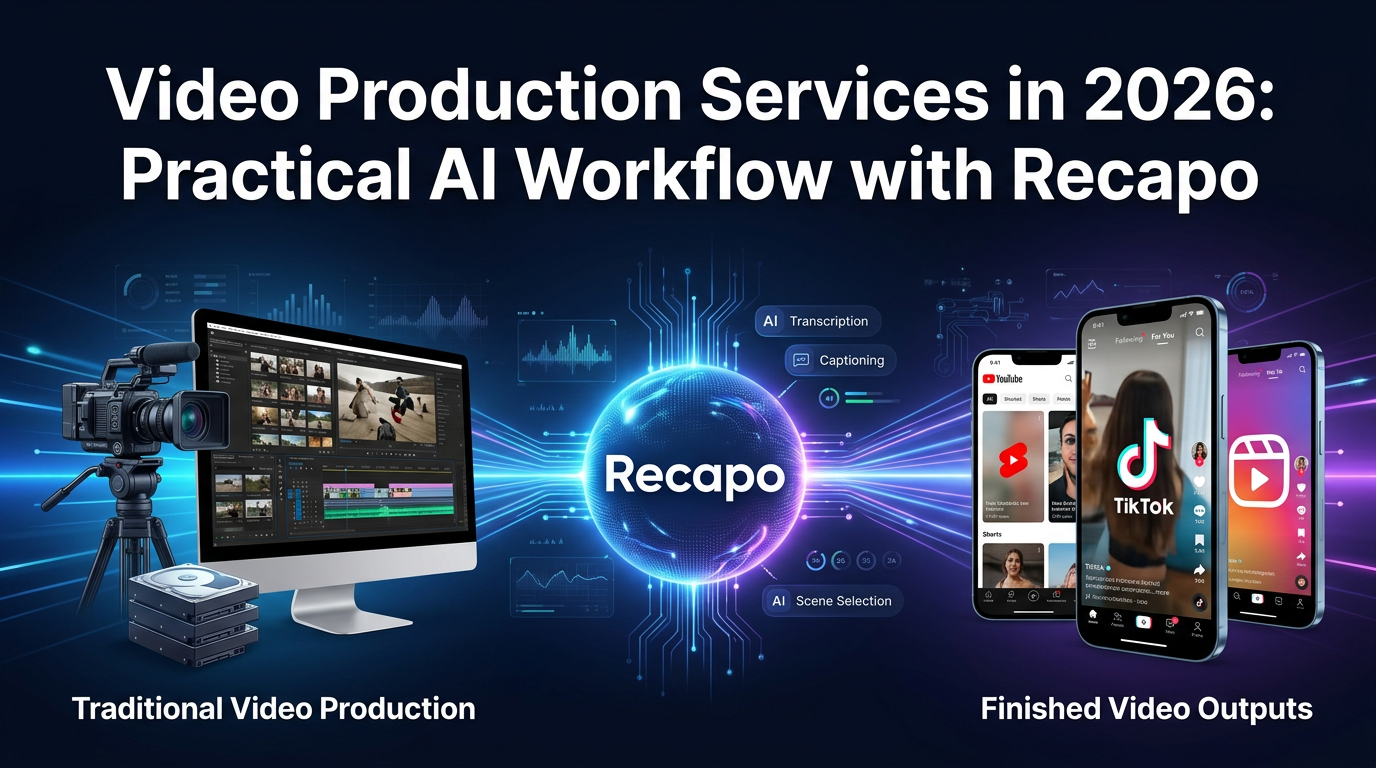
If you are evaluating video production services in 2026, the old decision tree is not enough. It is no longer just “hire an agency” or “edit everything yourself.” Many teams now sit in the middle, using AI-first platforms to compress scripting, voice, subtitles, and formatting before a human editor handles the last layer of polish.
That shift changes how buyers should compare vendors. The useful question is not whether a tool has an AI button. It is whether the workflow reduces production cost per finished video, matches the format you actually publish, and stays reliable once you move from one test video to a weekly pipeline.
TL;DR: For recurring short-form output, an AI-first workflow often beats a fully manual process on speed and cost. Recapo is a strong fit when the job is commentary-led, recap-led, or source-to-summary driven. Agencies still make sense for high-stakes brand work, while self-serve editors still win when you need tighter frame-level control.
Who this guide is for
- Marketing teams producing repeatable short videos for multiple channels.
- Creators publishing recap, review, explainer, or commentary-led formats.
- Operators comparing AI-first production tools against agencies or manual editors.
- Buyers who want clearer cost logic instead of vague “starts at” pricing.
How we approached this guide
This is an editorial buyer guide, not a vendor press release. We reviewed public workflow claims, pricing transparency, export flexibility, subtitle-readability requirements, and how much operator effort each service model still requires after automation kicks in.
- Workflow fit: Does the tool match recap, commentary, explainer, or general editing jobs?
- Human effort: How much scripting, cleanup, subtitle correction, and export QA still sits on the operator?
- Cost clarity: Can you tell what is included before you commit?
- Scalability: Does the workflow still make sense at 10, 30, or 100 videos per month?
If you want a more hands-on editing perspective after this guide, also read Video Editing Tips for Short Videos That Convert and AI Video Editor vs Traditional Software.
What “video production services” means in 2026
In practice, the market now breaks into three buckets:
- Agency-led production: strategy, filming, editing, revisions, and delivery.
- AI-first production platforms: tools that compress scripting, voice, subtitles, formatting, and export into one workflow.
- Self-serve editors: browser or desktop editors where you still handle the majority of manual editing yourself.
That distinction matters because the cost structure, operator time, and revision model are very different across the three.
Quick comparison: agency vs AI-first vs self-serve
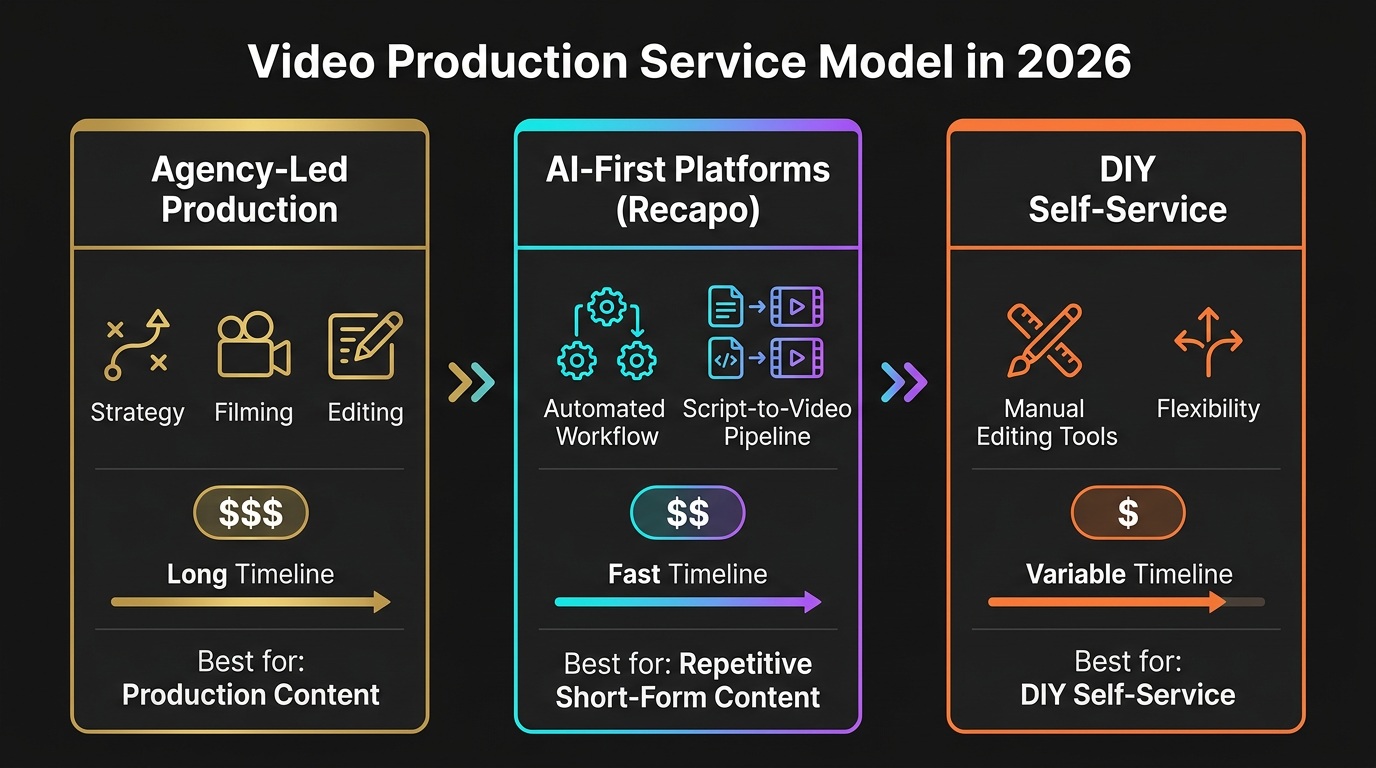
| Service model | Best for | Main strength | Main weakness | When it makes sense |
|---|---|---|---|---|
| AI-first platform like Recapo | Recurring short-form, review videos, recap videos, commentary-led workflows | Faster path from source material to usable draft | You still need editorial review, timing checks, and final QA | Best when you publish weekly or daily and throughput matters |
| Self-serve editors like Descript or Veed | Solo creators or teams that want hands-on revision control | Flexible manual editing and easier micro-adjustments | Higher operator time per finished video | Best when creative control matters more than automation |
| Agency video production service | Brand campaigns, filmed work, premium launches, client deliverables | Strategy, creative direction, production crew, polish | Highest cost and slowest recurring cadence | Best when one video carries real business or reputational weight |
Where Recapo fits best
Recapo is most useful when the messy middle is your real bottleneck. In many short-form workflows, the hardest part is not the last 10 percent of polish. It is turning long source material into a draft with usable structure, workable narration, and readable subtitles before you ever open a manual editor.
That is where Recapo stands apart from a blank timeline. If your output is review-heavy, commentary-led, or source-to-summary driven, it can reduce the time spent assembling the first coherent cut. If your work is more cinematic, motion-design heavy, or highly bespoke, a manual editor will usually stay in charge longer.
Recapo vs self-serve editors
| Workflow question | Recapo | Descript | Veed |
|---|---|---|---|
| Where it is strongest | Recap, commentary, source-to-summary short-form workflows | Transcript-first editing and spoken-word cleanup | Browser-based subtitle-heavy social edits |
| Why teams pick it | More structure before the edit gets messy | Good when the transcript is the main editing handle | Easy for straightforward social-video production |
| Where it slows down | Still needs final human review for pacing and polish | Can become manual if the workflow is highly visual | Less differentiated when the job becomes multi-step and narrative-heavy |
| Best fit | Teams turning source material into publishable short-form at volume | Creators editing interviews, voice-led explainers, and transcript-based content | Teams that want lighter browser editing and straightforward exports |
A practical AI-first workflow for short-form production
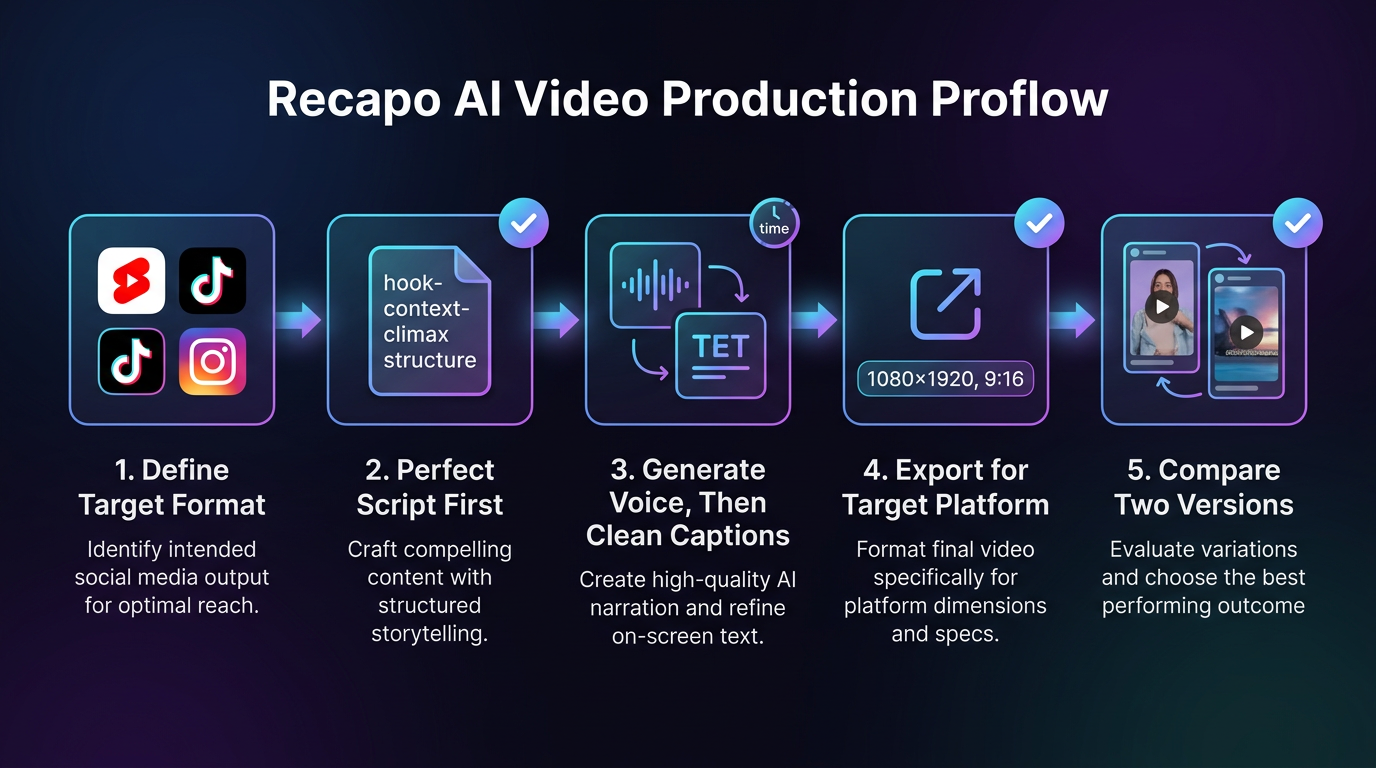
1. Lock the output format before you edit
Decide whether the final asset is a YouTube Short, Reel, TikTok, or landscape YouTube clip before you touch the timeline. This sounds basic, but it prevents wasted work on framing, subtitle layout, and pacing.
2. Build the narration structure first
For recap and commentary formats, the narration usually sets the pace of the entire edit. That is why recap-first workflows can be faster: they give the edit a skeleton before you start decorating it.
3. Generate voice and subtitle structure before polish
Once the narration is stable, subtitle cleanup and export decisions become easier. If you leave subtitles until the very end, you often end up redoing timing work you could have settled earlier.
4. Export for the destination, not for your archive
Short-form social video usually needs platform-specific framing. If you want a deeper look at export and workstation decisions, read Best Setup for AI Video Generation: GPUs, Workflows, and Export Tips.
5. Keep a manual polish layer
No AI-first workflow removes the need for QA. You still need a human pass for names, subtitle splits, pacing spikes, awkward cuts, and any claim that feels stronger than the footage supports.
Cost planning: what buyers should compare
The most useful comparison is not “agency quote vs SaaS subscription.” It is total production cost per finished video.
| Approach | Typical cost logic | What usually drives cost up | Who should care most |
|---|---|---|---|
| Agency-led production | Hourly or project-based pricing | Strategy, crew, filming days, revision cycles, animation, motion graphics | Brands commissioning high-stakes deliverables |
| AI-first workflow | Subscription plus operator time | Usage caps, export limits, collaboration seats, overages, QA time | Teams publishing repeatable short-form content |
| Hybrid workflow | AI-first draft plus manual polish | Extra review time when outputs still need creative refinement | Teams balancing throughput with higher finish quality |
Public pricing guides support this framing. Clutch says many video production agencies in 2026 bill roughly $100-$149 per hour, while Spirit Juice Studios frames many professional projects in a much broader $5,000-$50,000 band depending on scope. Argus HD also outlines how corporate video costs rise with production complexity. Those numbers are why AI-first tools become attractive once you need repeatable output rather than one bespoke campaign piece.
What to verify before you buy any AI video production service
- Pricing visibility: Is the monthly price clear, or do you need a sales conversation to learn basic limits?
- Export rules: What resolution, watermark, and usage limits apply on the free tier?
- Operator time: How long does a typical draft still take to clean up?
- Subtitle quality: Do names, titles, and phrase breaks survive mobile viewing?
- Template reuse: Can you build repeatable workflows, or are you recreating every project from scratch?
- Volume fit: Does the cost still make sense at 10, 30, or 100 videos per month?
For teams actively comparing generators rather than service models, Best Free AI Video Generators in 2026: A Hands-On Guide and Best Free AI Image to Video Generators in 2026 are the more useful next reads.
Alternatives to Recapo
- Descript: better fit when transcript-first editing is the core workflow.
- Veed: easier for browser-based subtitle-heavy social edits with a lighter learning curve.
- Agency production: still the better path for campaign work, filmed shoots, and high-polish client deliverables.
The real comparison is not whether Recapo “beats” every editor. It is whether it is the right starting point for your format. If the job is long-source to short-summary storytelling, the answer is often yes. If the job is handcrafted cinematic editing, probably not.
References
- Clutch: Video Production Pricing Guide 2026
- Spirit Juice Studios: How Much Does Professional Video Production Cost in 2026
- Argus HD: How Corporate Video Production Will Change in 2026
- Recapo official site
Bottom line
Video production services in 2026 are no longer one market. Buyers now have to decide whether they are paying for bespoke creative production, faster AI-first throughput, or a hybrid of the two. Recapo is most compelling when you want a structured, commentary-friendly workflow that gets you from source material to short-form draft faster. The right next step is not a blind annual plan. It is a 10-video pilot with one repeatable format, one subtitle style, and one honest measurement of time saved per finished video.